 Busirank Team
Introduction
If you’re trying to grow your local business online, you’ve likely encountered two terms that seem to describe the same thing: Google Business Profile and Google Maps. Many business owners use these terms interchangeably, assuming they’re just different names for the same tool. This confusion is understandable, but it can lead to costly mistakes in your local marketing strategy.
The truth is that Google Business Profile and Google Maps are two distinct platforms that serve different purposes, yet work together seamlessly to connect your business with local customers. Understanding the difference between them is essential for anyone serious about local SEO and online visibility.
In this comprehensive guide, we’ll explain exactly what Google Business Profile is, what Google Maps is, how they differ, how they work together, and why you need to optimize for both to dominate local search results. By the end, you’ll have complete clarity on these two powerful tools and how to leverage them for business growth.
What Is Google Business Profile?
Google Business Profile, formerly known as Google My Business, is a free tool that allows business owners to create, manage, and optimize their business listing on Google. It’s essentially a dashboard or control panel where you input and update all the information about your business.
When you log into your Google Business Profile, you can:
- Add or edit your business name, address, and phone number
- Set your business hours and special holiday hours
- Choose your primary and secondary business categories
- Write a compelling business description
- Upload photos and videos
- Respond to customer reviews
- Answer customer questions in the Q&A section
- Create posts to share updates and offers
- List your products and services
- View insights and analytics about your performance Think of Google Business Profile as the engine room. It’s where all the work happens. You’re providing Google with the raw data about your business, and Google uses that data to determine how and where to display your business across its various platforms, including Google Search and Google Maps.
The Google Business Profile is your ownership claim to your business listing. Without it, you have no control over how your business appears on Google, and you can’t respond to reviews or update information.
What Is Google Maps?
Google Maps is a consumer-facing navigation and discovery platform. It’s the app millions of people use every day to get directions, explore neighborhoods, find nearby businesses, and read reviews before visiting a location.
When a user opens Google Maps, they see a visual representation of the world with roads, landmarks, and business locations marked on the map. They can search for a specific business by name or search for a category of business like “restaurants near me” or “gas stations.”
Google Maps displays information pulled directly from Google Business Profiles. When you search for a business on Google Maps, you’ll see:
- The business name and category
- Star rating and number of reviews
- Address and distance from your location
- Hours of operation
- Phone number and website link
- Photos uploaded by the business and customers
- Popular times and busyness data
- Directions and estimated travel time Google Maps is where customers discover and interact with your business. It’s the storefront window that potential customers peer through before deciding whether to visit. The information they see comes from the Google Business Profile you’ve created and maintained.
The Key Differences Between Google Business Profile and Google Maps
Now that we’ve defined both platforms, let’s break down the key differences.
Purpose and Function
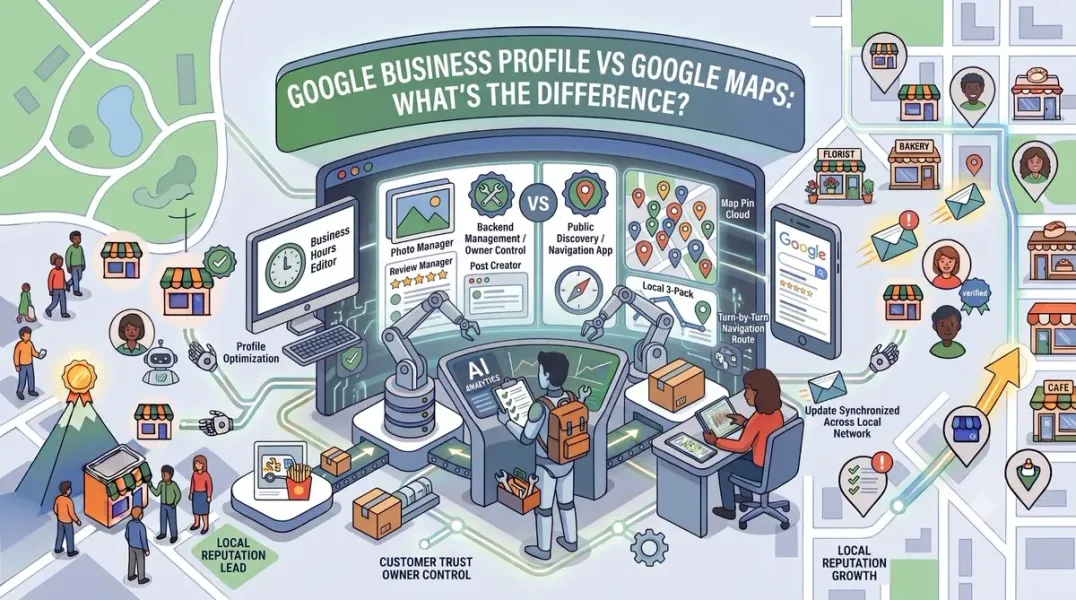
Google Business Profile is a management tool for business owners. Its primary purpose is to give you control over your business information and how it appears on Google.
Google Maps is a discovery and navigation tool for consumers. Its primary purpose is to help users find locations and get directions.
User Base
Google Business Profile is used by business owners, marketing managers, and SEO professionals who need to manage their online presence.
Google Maps is used by everyday consumers—anyone looking for a business, checking reviews, or navigating to a destination.
Access and Interface
Google Business Profile is accessed through a dedicated dashboard at google.com/business or through the Google Maps app when you’re signed in as the business owner.
Google Maps is accessed through the Google Maps website or mobile app by anyone, without needing special permissions.
Information Flow
Google Business Profile is where information is entered and edited. It’s the source of truth for your business data.
Google Maps is where that information is displayed to the public. It’s the consumer-facing output of your profile data.
Features
Google Business Profile includes management features like insights, review management, Q&A moderation, post creation, and messaging.
Google Maps includes consumer features like navigation, traffic updates, street view, and location sharing.
How Google Business Profile and Google Maps Work Together
Despite their differences, Google Business Profile and Google Maps are deeply interconnected. They function as a single ecosystem, with your profile feeding information directly to Maps.
Here’s how the relationship works:
Your Profile Powers Your Maps Listing
Every piece of information you add to your Google Business Profile—your name, address, hours, photos, services—automatically appears on Google Maps. If you update your hours in your profile, those changes reflect on Maps within minutes.
Reviews Appear on Both Platforms
When a customer leaves a review on your Google Business Profile, that review also appears on Google Maps. You can respond to reviews from either platform, and your responses will be visible on both.
Photos Are Shared Across Platforms
Photos you upload to your Google Business Profile are displayed on Google Maps. Similarly, photos customers upload to Google Maps appear on your Business Profile.
Insights Are Connected
The Google Business Profile insights you see in your dashboard include data from how customers interact with your listing on Google Maps, such as requests for directions and calls made from Maps.
Verification Affects Both
The Google Business Profile verification process you complete to claim your listing also determines whether your business appears on Google Maps. An unverified business may not show up at all.
This integration means that optimizing your Google Business Profile directly improves your visibility on Google Maps. The two cannot be separated—they are two sides of the same coin.
Why Both Matter for Local SEO
For local businesses, both Google Business Profile and Google Maps are essential for success. Here’s why you need to pay attention to both.
Google Business Profile Is Your Control Center
Without a claimed and optimized Google Business Profile, you have no control over your business information. Anyone could suggest edits, competitors could manipulate your listing, and you couldn’t respond to reviews. Your profile is your foundation for local pack SEO, the three-pack of map results that appears for local searches.
Google Maps Is Your Discovery Engine
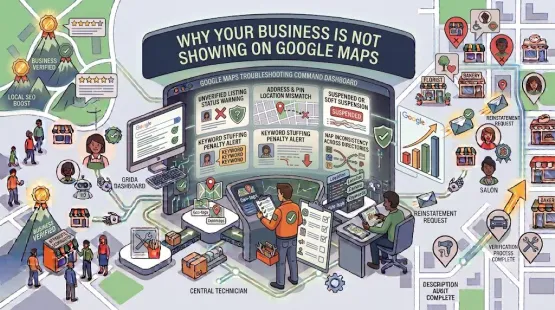
Google Maps is where customers find you when they’re actively searching for a business like yours. The business not showing on Google Maps problem is a common complaint among business owners who haven’t optimized their profiles. When your Maps listing is complete and optimized, you appear in more searches and attract more foot traffic.
Together They Drive Local Rankings
Google’s local algorithm considers signals from both your Business Profile and Maps when determining rankings. The completeness of your profile, the quantity and quality of your reviews, the accuracy of your NAP data, and user engagement on Maps all factor into your local ranking.
Businesses that excel at local SEO understand that these two platforms must be optimized together. Focusing on one while neglecting the other leaves money on the table.
How to Optimize for Google Business Profile and Google Maps
Now that you understand the difference and the relationship between these platforms, let’s discuss how to optimize for both.
Step 1: Claim and Verify Your Google Business Profile
If you haven’t already, go to google.com/business and claim your listing. Follow the Google Business Profile verification process to confirm ownership. Without verification, you can’t manage your profile or appear fully on Google Maps.
Step 2: Complete Every Section of Your Profile
Fill out every field in your Google Business Profile. Add your business name, address, phone number, website, hours, and a detailed description. Choose the right Google Business Profile category as your primary category—this has a huge impact on which searches you appear for.
Step 3: Add High-Quality Photos
Upload professional photos of your storefront, interior, team, and products. Follow Google Business Profile photos best practices: use natural lighting, avoid stock photos, and add new images regularly. Photos increase engagement and make your Maps listing more appealing.
Step 4: Collect and Respond to Reviews
Reviews are critical for both platforms. Actively ask for Google reviews from satisfied customers, and respond to every review you receive. Learning to respond to negative Google reviews professionally protects your reputation and shows Google you’re engaged.
Step 5: Post Regularly
Use Google Business Profile Posts to share updates, offers, and news. Consistent posting keeps your profile active and gives customers reasons to engage. For inspiration, check out our Google Business Profile post ideas.
Step 6: Optimize for Local Keywords
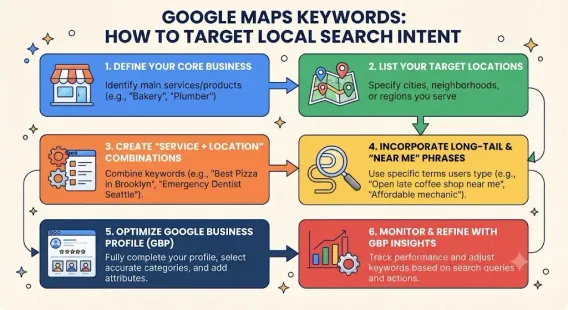
Research local keyword research and near me keywords that your customers are searching for. Incorporate these keywords naturally into your profile description, services, and posts to improve your relevance.
Step 7: Ensure NAP Consistency
Make sure your name, address, and phone number are identical across your website, Google Business Profile, social media, and all local citations. NAP consistency is a fundamental ranking factor for local SEO.
Step 8: Monitor Insights and Adjust
Use Google Business Profile insights to track how customers find and interact with your business. Pay attention to which searches trigger your listing, how many calls you receive, and how many people request directions. Use this data to refine your strategy.
Common Mistakes to Avoid
When managing your presence across Google Business Profile and Google Maps, avoid these common mistakes:
Ignoring One Platform for the Other
Some business owners focus only on Google Maps visibility without claiming their Business Profile, or vice versa. Both must be managed together for optimal results.
Using Inconsistent Information
If your hours on Google Maps don’t match your actual hours, customers will be frustrated. Ensure your profile information is always accurate and up to date.
Neglecting Reviews
Reviews on both platforms influence rankings and customer decisions. Ignoring them—especially negative ones—damages your reputation.
Keyword Stuffing Your Business Name
This violates Google’s guidelines and can get your profile Google Business Profile suspended. Use your real business name only.
Not Responding to Q&A
Customers can ask questions on your Maps listing, and anyone can answer. Monitor this section and provide authoritative responses.
Failing to Update Holiday Hours
Nothing frustrates customers more than showing up to a closed business. Update your special hours for holidays and events.
Conclusion
Google Business Profile and Google Maps are not the same thing, but they are inseparable partners in your local marketing strategy. Google Business Profile is your management dashboard—the place where you input and control your business information. Google Maps is the consumer-facing platform where customers discover, evaluate, and navigate to your business.
Understanding this distinction is crucial because it clarifies where you need to focus your efforts. You can’t optimize Google Maps directly—you optimize your Google Business Profile, and Maps reflects those changes. Conversely, customer interactions on Maps—reviews, photos, direction requests—feed back into your profile’s performance.
For any business that serves a local audience, mastering both platforms is non-negotiable. The businesses that invest time in claiming, verifying, and optimizing their Google Business Profile will consistently outperform those that don’t. They’ll appear in more local searches, attract more reviews, and convert more customers.
Call to Action
Ready to dominate local search but don’t have the time to manage your Google Business Profile and Google Maps presence? Let our local SEO experts handle it for you. We’ll optimize your profile, manage your reviews, create engaging posts, and track your performance across both platforms so you can focus on running your business.
Contact Us Today for a Free Local SEO Audit!
FAQs
Q1: Is Google Business Profile the same as Google Maps? A: No, they are different but interconnected. Google Business Profile is the management tool where you input and edit your business information. Google Maps is the consumer-facing platform where that information is displayed to users searching for businesses.
Q2: Do I need a Google Business Profile to appear on Google Maps? A: Yes, you need a verified Google Business Profile to appear on Google Maps. Without a claimed and verified profile, your business may not show up in Maps searches at all, or the information displayed may be inaccurate.
Q3: Can I manage my Google Maps listing separately from my Google Business Profile? A: No, you cannot manage them separately. Your Google Maps listing is powered entirely by your Google Business Profile. Any changes you make to your profile automatically update on Maps.
Q4: How do I know if my business is showing on Google Maps? A: Search for your business name on Google Maps. If your listing appears with accurate information, you’re showing up. If it doesn’t appear or the information is wrong, you need to claim and optimize your Google Business Profile. For more help, see our guide on business not showing on Google Maps.
Q5: Which platform should I focus on for local SEO? A: You should focus on both, but the work happens in your Google Business Profile. Optimizing your profile—adding complete information, photos, reviews, and posts—automatically improves your visibility on Google Maps. They are two sides of the same coin.
Q6: How often should I update my Google Business Profile to improve Maps visibility? A: You should post at least once a week, update photos monthly, and review your information quarterly. Regular activity signals to Google that your business is active, which can improve your ranking on both platforms. For a detailed schedule, see our guide on how often to update Google Business Profile.
Internal Links
-
What Is Google Business Profile and How Does It Work? A Complete Guide
-
Google Business Profile Verification: Complete Step-by-Step Guide
-
How to Write the Perfect Google Business Profile Description
-
Google Business Profile Photos: Best Practices for Local SEO
-
Google Business Profile Services: How to Add and Optimize Them
-
Google Business Profile Attributes: What Are They and Why Do They Matter?
-
Google Business Profile Suspended? Common Causes and What to Do
-
How to Improve Your Google Maps Visibility Without Paid Ads## External Links
-
Google’s Guidelines for Representing Your Business on Google
Keep reading
Grow Your Google Maps Ranking on Autopilot
Stop spending hours every week manually replying to customer reviews and writing Google posts. Busirank automates your Google Business Profile to boost your local SEO rankings and turn searchers into paying clients.
 Busirank Team