 Busirank Team
Introduction
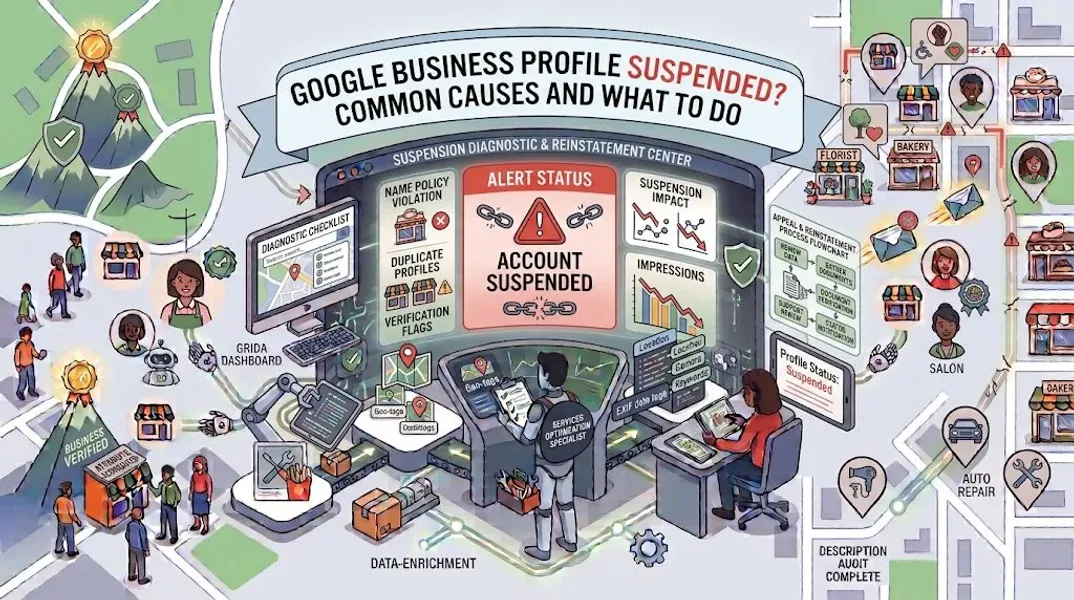
You wake up, check your phone, and open your Google Business Profile. Instead of the familiar dashboard showing your reviews, insights, and posts, you see a message that makes your heart drop: “Your business has been suspended.”
Your profile—the one you’ve spent months optimizing, the one that brings you calls and customers every day—is gone. It’s not showing in search results. It’s not on Google Maps. It’s as if your business has vanished from the internet.
If this has happened to you, take a deep breath. You’re not alone. Thousands of legitimate businesses face Google Business Profile suspension every year, often through no fault of their own. The good news is that most suspensions are reversible, and with the right approach, you can get your profile reinstated.
But here’s what you need to understand: Google doesn’t suspend profiles without reason. There’s always a cause—whether it’s a guideline violation, a technical error, or an algorithm flag. Finding and fixing that cause is the key to getting your profile back.
In this comprehensive guide, we’ll walk you through everything you need to know about Google Business Profile suspended status. We’ll explain the most common causes, walk you through the appeal process step by step, share prevention strategies, and answer your most pressing questions. By the end, you’ll have a clear roadmap to recovery.
What Does “Google Business Profile Suspended” Mean?
A suspension means Google has removed your business listing from public view. Your profile won’t appear in Google Search or Google Maps, and customers can’t find you through those channels. Your reviews, photos, and posts may still exist in Google’s system, but they’re invisible to the public.
Suspensions can be:
- Temporary: Your profile is removed pending review. Once you fix the issue and appeal successfully, it’s reinstated.
- Permanent: In rare cases, severe or repeated violations can result in permanent removal. The type of suspension you face depends on the cause and your history with Google.
How Suspensions Differ From Other Issues
Not all visibility problems are suspensions. It’s important to distinguish between:
- Suspension: Your profile is completely removed from Google. You’ll see a suspension notice in your dashboard.
- Soft suspension: Your profile still exists but doesn’t appear in local search results. This is sometimes called a “filter” or “penalty.”
- Verification hold: Your profile is pending verification and isn’t visible until verified.
- Ranking drop: Your profile is visible but ranking lower than before. This isn’t a suspension. Check your dashboard carefully to determine which issue you’re facing.
Common Causes of Google Business Profile Suspension
Understanding why your profile was suspended is the first step toward getting it back. Here are the most common causes.
Keyword Stuffing in Your Business Name
This is the number one cause of suspensions. Google requires your business name to match your real-world business name exactly. Adding keywords like “Best Plumber NYC” or “Affordable Dental Clinic Austin” violates Google’s guidelines.
Example: If your legal business name is “Smith Plumbing,” your profile name should be “Smith Plumbing”—not “Smith Plumbing – Emergency 24/7 Service.”
Ineligible Business Location
Google requires businesses to have a physical location that customers can visit, or to be a legitimate service-area business. Using a virtual office, co-working space, or PO box as your address can trigger a suspension.
Common issues:
- Using a virtual address without a physical location
- Registering a location where you don’t actually operate
- Using a family member’s home address without permission
Inconsistent NAP Information
Your Name, Address, and Phone Number must be consistent across your website, Google Business Profile, social media, and all local citations. Inconsistency confuses Google and can trigger a suspension.
Example: If your website says “Suite 100” but your Google Business Profile says “Suite 200,” that discrepancy could cause problems.
Multiple Profiles for the Same Location
Google allows only one profile per business location. Creating multiple profiles for the same address—even for different services—violates Google’s guidelines.
Multiple Profiles for the Same Service Area
Service-area businesses must have a unique service area. If you create multiple profiles targeting different cities from the same base location, you may be suspended.
Ineligible Business Type
Some business types aren’t eligible for Google Business Profiles. These include:
- Online-only businesses with no physical location or service area
- Lead generation companies
- Businesses selling age-restricted products without proper verification
- Certain types of healthcare providers
Prohibited Content
Google prohibits certain content on profiles, including:
- Promotional language in business descriptions
- Links to third-party sites
- Offensive or misleading content
- Content related to illegal activities
Fake Reviews or Review Manipulation
Buying reviews, incentivizing reviews, or using review exchanges violates Google’s guidelines and can result in suspension.
Suspicious Activity
Sudden spikes in activity—like a burst of reviews or a dramatic change in your profile—can trigger an automated suspension while Google investigates.
Previous Suspensions or Violations
If you’ve been suspended before, another violation may result in a longer suspension or permanent removal.
User Reports
Competitors or customers can report your profile for violations. If Google investigates and finds a violation, your profile may be suspended.
How to Check If Your Profile Is Suspended
If you suspect your profile is suspended, here’s how to confirm.
Step 1: Sign In to Your Google Business Profile
Go to google.com/business and sign in with your Google account.
Step 2: Check for a Suspension Notice
If your profile is suspended, you’ll see a notice in your dashboard explaining the suspension and providing a link to appeal.
Step 3: Search for Your Business
Search for your business name on Google. If your profile doesn’t appear, and you don’t see it on Google Maps, it’s likely suspended.
Step 4: Check Your Email
Google typically sends an email notification when a profile is suspended. Check your inbox and spam folder for a message from Google.
What to Do When Your Google Business Profile Is Suspended
If your profile is suspended, don’t panic. Follow these steps to address the issue and appeal.
Step 1: Identify the Cause
Review Google’s guidelines and your profile to identify the likely cause of suspension. Common issues include:
- Keyword stuffing in your business name
- Ineligible location
- Inconsistent NAP information
- Multiple profiles
- Prohibited content Be honest with yourself. If you’ve violated a guideline, acknowledge it.
Step 2: Fix the Violation
Before appealing, fix the issue that caused the suspension. If your business name was keyword-stuffed, change it to your real business name. If your address is ineligible, update it. If you have duplicate profiles, remove them.
Important: Don’t appeal until you’ve fixed the problem. Appealing without fixing the violation will result in another rejection.
Step 3: Gather Documentation
If your business is legitimate, gather documents that prove it:
- Business license
- Utility bill in your business name
- Lease agreement
- Tax registration
- Photos of your storefront with signage These documents will support your appeal.
Step 4: Submit an Appeal
Go to your Google Business Profile dashboard and click the appeal link. Fill out the form accurately and provide all requested information. Attach supporting documentation if possible.
Step 5: Wait for Google’s Response
Appeals typically take 3-7 business days, though they can take longer. Don’t submit multiple appeals—this can delay the process.
Step 6: Respond to Google’s Requests
If Google asks for additional information, respond promptly. Provide exactly what they request.
Step 7: If Reinstated, Follow Guidelines Strictly
Once your profile is reinstated, review Google’s guidelines carefully and ensure your profile complies. A second suspension can be harder to reverse.
How to Appeal a Google Business Profile Suspension
The appeal process is critical. Here’s how to maximize your chances of success.
Submit a Detailed Appeal
When filling out the appeal form, be clear and concise. Explain:
- What you believe caused the suspension
- What you’ve done to fix it
- Why your business is legitimate
- Any supporting documentation you can provide
Provide Evidence
Upload documents that prove your business exists and operates at your stated location. This is especially important for service-area businesses.
Be Honest
Don’t lie or exaggerate. Google reviews appeals carefully, and dishonesty will hurt your case.
Be Patient
Appeals take time. Don’t submit multiple appeals or contact Google repeatedly. This can delay your case.
If Rejected, Try Again
If your first appeal is rejected, review your profile again. You may have missed a violation. Fix it and submit a new appeal.
Consider Professional Help
If you’ve tried multiple appeals without success, consider hiring a local SEO professional who specializes in suspension recovery.
How to Prevent Google Business Profile Suspension
Prevention is always better than cure. Follow these guidelines to keep your profile safe.
Use Your Real Business Name
Your profile name should match your real-world business name exactly. No keywords, no locations, no promotional phrases.
Maintain Consistent NAP Information
Ensure your name, address, and phone number are identical across your website, Google Business Profile, social media, and all local citations.
Use a legitimate Business Address
If you have a physical location, use that address. If you’re a service-area business, hide your address and specify your service areas.
Avoid Multiple Profiles
One profile per location. If you have multiple locations, create separate profiles for each—but only if they’re genuinely separate locations.
Follow Google’s Guidelines
Read and follow Google’s guidelines for representing your business. Review them regularly, as they change.
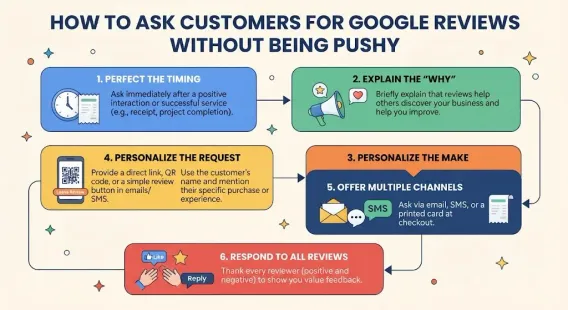
Don’t Buy Reviews
Never buy reviews or incentivize customers to leave positive reviews. This violates Google’s guidelines and can result in suspension.
Respond to Reviews Professionally
Respond to all reviews—positive and negative—professionally. Don’t argue or use offensive language.
Monitor Your Profile
Check your profile regularly for unauthorized changes. If someone suggests an edit that’s incorrect, reject it.
Keep Your Information Updated
Update your hours, services, and other information as your business changes. Outdated information can trigger issues.
Avoid Suspicious Activity
Don’t make sudden, dramatic changes to your profile. If you need to make significant updates, do them gradually.
What to Do If Your Appeal Is Rejected
If your appeal is rejected, don’t give up. Here’s what to do next.
Review the Rejection Reason
Google typically provides a reason for rejection. Read it carefully and address the specific issue.
Re-Examine Your Profile
Go through every element of your profile—name, address, categories, description, photos, services—and ensure everything complies with Google’s guidelines.
Fix Any Remaining Issues
If you find violations, fix them. Be thorough—Google may reject appeals for multiple issues.
Submit a New Appeal
Once you’ve fixed the issues, submit a new appeal. Include additional documentation if possible.
Consider Alternative Verification
In some cases, Google may require video verification or additional documentation to reinstate your profile.
Seek Professional Help
If you’ve exhausted your options, consider hiring a professional. Suspension recovery specialists know the appeal process and can help you navigate it.
Conclusion
A Google Business Profile suspended status is frustrating, but it’s rarely permanent. Most suspensions are caused by fixable issues—keyword stuffing, inconsistent information, ineligible locations, or guideline violations. The key is to identify the cause, fix it, and submit a well-documented appeal.
Don’t panic, and don’t give up. Follow the steps in this guide, be patient, and be persistent. With the right approach, you can get your profile reinstated and back to bringing in customers.
And remember: prevention is always better than cure. Follow Google’s guidelines strictly, keep your information accurate and consistent, and monitor your profile regularly. A little diligence now can save you a lot of headache later.
Call to Action
Dealing with a suspended Google Business Profile? Let our local SEO experts help. We’ve helped countless businesses recover their profiles and get back to ranking in local search. We’ll identify the issue, fix it, and guide you through the appeal process.
Contact Us Today for a Free Local SEO Audit!
FAQs
Q1: How long does it take to get a suspended Google Business Profile reinstated? A: Appeals typically take 3-7 business days, though they can take longer. Response times vary based on the complexity of your case and Google’s current workload.
Q2: Can I create a new Google Business Profile if mine is suspended? A: No, creating a new profile while suspended will likely result in the new profile being suspended as well. You must appeal the original suspension.
Q3: What’s the most common cause of Google Business Profile suspension? A: Keyword stuffing in your business name is the most common cause. Other common causes include ineligible locations, inconsistent NAP information, and multiple profiles.
Q4: How do I know if my Google Business Profile is suspended? A: You’ll see a suspension notice in your dashboard and receive an email from Google. Your profile will also disappear from Google Search and Google Maps.
Q5: Can I appeal a suspension more than once? A: Yes, you can submit multiple appeals. However, you should fix the violation before each appeal. Submitting multiple appeals without fixing the issue will result in repeated rejections.
Q6: What should I do if my appeal is rejected? A: Review the rejection reason, re-examine your profile for violations, fix any issues, and submit a new appeal. Consider hiring a professional if you’re stuck.
Q7: How can I prevent my Google Business Profile from being suspended? A: Follow Google’s guidelines strictly. Use your real business name, maintain consistent NAP information, avoid multiple profiles, don’t buy reviews, and monitor your profile regularly. For a detailed schedule, see our guide on how often to update Google Business Profile.
Q8: What should I do if my business is not showing on Google Maps? A: If your business isn’t showing on Google Maps, it could be due to a suspension, a verification issue, or a ranking drop. For help, see our guide on business not showing on Google Maps.
Q9: How do I fix incorrect information on my Google Business Profile? A: If your profile shows incorrect information, you can edit it directly from your dashboard. For persistent issues, see our guide on how to fix Google Business Profile errors.
Internal Links
-
What Is Google Business Profile and How Does It Work? A Complete Guide
-
Google Business Profile vs Google Maps: What’s the Difference?
-
Google Business Profile Verification: Complete Step-by-Step Guide
-
How to Write the Perfect Google Business Profile Description
-
Google Business Profile Photos: Best Practices for Local SEO
-
How Often Should You Update Your Google Business Profile?## External Links
-
Google’s Guidelines for Representing Your Business on Google
Keep reading
Grow Your Google Maps Ranking on Autopilot
Stop spending hours every week manually replying to customer reviews and writing Google posts. Busirank automates your Google Business Profile to boost your local SEO rankings and turn searchers into paying clients.

 Busirank Team