 Busirank Team
Introduction
You can write brilliant content, build genuine backlinks, and target perfect keywords — and still fail to rank if your website has technical SEO problems.
Technical SEO is the foundation everything else sits on. If Google can’t crawl your pages, can’t index them, or finds them painfully slow, no amount of content marketing will save your rankings. The frustrating part? Most technical SEO issues are invisible to the naked eye. Your site looks fine to visitors while Google quietly deprioritizes it.
For small businesses, this is especially dangerous. You usually don’t have a dedicated SEO team catching these issues, so they linger for months or years.
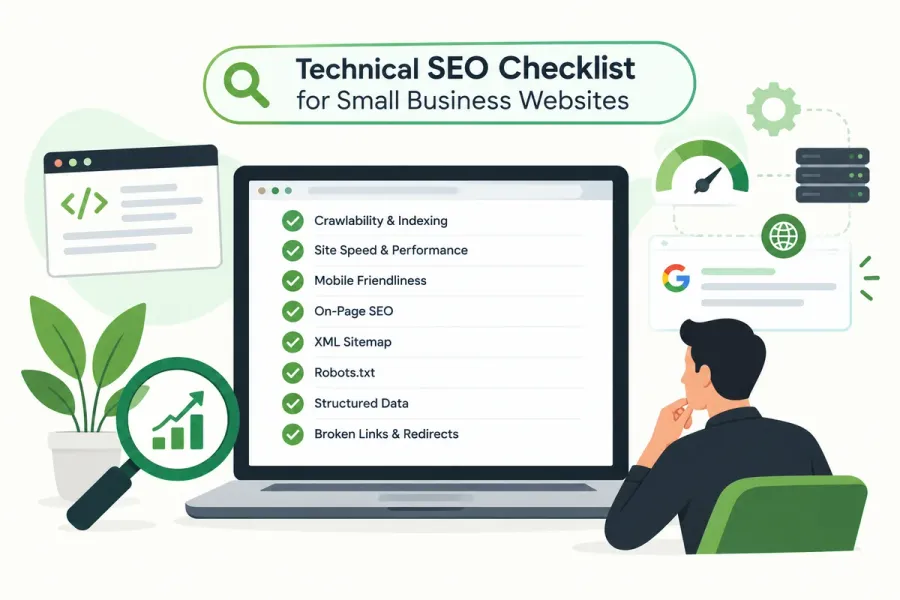
This checklist walks you through every technical SEO area that matters for a small business website — in plain language, in priority order, with no jargon overload.
What Is Technical SEO?
Technical SEO is the work you do on your website’s behind-the-scenes infrastructure to help search engines crawl, index, and render your pages efficiently.
It’s separate from:
- On-page SEO — content, keywords, headings, meta tags
- Off-page SEO — backlinks, citations, brand mentions
- Local SEO — Google Business Profile, local citations, reviews
Technical SEO is about making your site accessible to search engines. Without it, everything else underperforms.
Why Technical SEO Matters for Small Businesses
1. Small sites have less margin for error
Large sites can absorb a few technical problems. A 20-page small business site cannot afford to have 5 pages blocked from indexing.
2. Technical issues silently suppress rankings
A slow page, a canonical error, or a noindex tag can drop a page out of search results entirely — with no warning and no visible symptom.
3. Fixes are often one-time wins
Unlike content marketing, many technical fixes are permanent. Fix your crawl issues once, and they’re fixed forever.
4. It directly impacts user experience
Crawlability, speed, mobile usability, and HTTPS all affect real visitors — not just bots.
The Technical SEO Checklist
Work through these in order. Priority items come first.
🔴 Priority 1: Crawling & Indexing
These determine whether Google can even see your site.
☐ 1. Verify Google Search Console and submit your sitemap
- Set up both
https://andhttps://www.or non-www versions - Submit
sitemap.xmlunder Sitemaps - Confirm the sitemap only contains indexable, canonical URLs
☐ 2. Check your robots.txt file
- Visit
yourdomain.com/robots.txt - Ensure you’re not accidentally blocking important directories
- Never use
Disallow: /unless you intend to block the entire site - Reference your sitemap in robots.txt
☐ 3. Remove accidental noindex tags
- Check pages in Search Console → Pages → “Excluded by noindex tag”
- Remove
<meta name="robots" content="noindex">from any page that should rank
☐ 4. Fix canonical tag errors
- Every page should have one canonical URL
- Self-referencing canonicals on indexable pages
- Avoid pointing multiple pages to the same canonical unless intentional
☐ 5. Resolve crawl errors
- Search Console → Pages → check “Not found (404)” and “Soft 404”
- Redirect broken URLs to relevant live pages
- Remove or fix links pointing to dead pages
☐ 6. Ensure all important pages are indexed
- Search Console → Pages → “Indexed”
- Compare against your sitemap
- Investigate “Discovered – currently not indexed” and “Crawled – currently not indexed”
Related: Orphan pages — pages with no internal links — are a common cause of indexation failure. See our guide on internal linking SEO.
🟠 Priority 2: Site Structure & URLs
☐ 7. Keep URLs clean and descriptive
Good: /services/emergency-plumbing`` Bad: /page?id=274&cat=9
Use lowercase, hyphens (not underscores), and no unnecessary parameters.
Related: See our full guide on SEO-friendly URL structures.
☐ 8. Maintain a logical hierarchy
- Aim for every important page within 3 clicks of the homepage
- Use category and subcategory structure
- Avoid deep nesting like
/services/plumbing/residential/emergency/night/
☐ 9. Implement breadcrumb navigation
Breadcrumbs help users and Google understand page hierarchy. Mark them up with BreadcrumbList schema.
☐ 10. Check for redirect chains
- Each redirect slows crawling and dilutes equity
- Go directly from old URL → final URL (no A→B→C chains)
- Audit with Screaming Frog
☐ 11. Fix redirect loops
A redirect loop makes a page completely inaccessible. Search Console will flag these.
🟡 Priority 3: Site Speed & Core Web Vitals
☐ 12. Measure Core Web Vitals
Use PageSpeed Insights or Search Console’s Core Web Vitals report. Target:
| Metric | Good Threshold |
|---|---|
| LCP (Largest Contentful Paint) | Under 2.5s |
| INP (Interaction to Next Paint) | Under 200ms |
| CLS (Cumulative Layout Shift) | Under 0.1 |
Related: Dive deeper in our guide on Core Web Vitals for small business.
☐ 13. Compress and properly size images
- Use WebP or AVIF formats where possible
- Serve images at the size they’re displayed
- Add
widthandheightattributes to prevent layout shift
Related: See our guide on image SEO optimization.
☐ 14. Enable browser caching
Set cache headers for static assets (images, CSS, JS) so repeat visitors load faster.
☐ 15. Minify CSS, JavaScript, and HTML
Remove unnecessary characters, comments, and whitespace. Most CMS plugins do this automatically.
☐ 16. Use a Content Delivery Network (CDN)
A CDN serves your site from servers near the visitor — critical if you serve customers across a wide region.
☐ 17. Defer or async non-critical JavaScript
Prevent render-blocking scripts from delaying page display.
🟢 Priority 4: Mobile & Responsiveness
☐ 18. Confirm mobile-friendliness
- Test with Google’s Mobile-Friendly Test
- Ensure tap targets are large enough
- Avoid horizontal scrolling
Related: Learn more in our guide on mobile-first SEO.
☐ 19. Use a responsive design
One URL, one codebase, responsive layout. Avoid separate m. mobile sites unless absolutely necessary.
☐ 20. Check viewport meta tag
Every page should include:
<meta name="viewport" content="width=device-width, initial-scale=1">🔵 Priority 5: Security & HTTPS
☐ 21. Install an SSL certificate
- All pages must load over
https:// - HTTP URLs should 301 redirect to HTTPS
- Mixed content (HTTPS page loading HTTP assets) must be fixed
☐ 22. Fix mixed content warnings
Check browser console for “not secure” warnings. Every asset (image, script, stylesheet) must load over HTTPS.
🟣 Priority 6: Structured Data
☐ 23. Add LocalBusiness schema
Include name, address, phone, hours, and geo coordinates. This supports local SEO.
☐ 24. Add relevant schema types
Organizationon homepageBreadcrumbListon interior pagesArticleon blog postsFAQPageon FAQ sectionsServiceon service pages
☐ 25. Validate with Rich Results Test
Test each schema implementation with Google’s Rich Results Test tool.
⚪ Priority 7: Ongoing Monitoring
☐ 26. Monitor Search Console weekly
Watch for:
- New coverage errors
- Manual actions
- Core Web Vitals issues
- Security issues
☐ 27. Run a full crawl monthly
Use Screaming Frog (free up to 500 URLs) to catch broken links, redirect chains, missing meta tags, and duplicate content.
☐ 28. Check for duplicate content
- Ensure www and non-www resolve to one version
- Check for HTTP/HTTPS duplicates
- Watch for near-duplicate service or location pages
☐ 29. Audit backlinks periodically
Disavow spammy links only if you see a clear negative impact. Google usually ignores low-quality links automatically.
☐ 30. Keep your CMS and plugins updated
Outdated software introduces security risks and can break functionality.
The Most Common Technical SEO Problems Small Businesses Face
| Problem | Typical Cause | Fix |
|---|---|---|
| Pages not indexed | noindex tag, orphan page, robots.txt block | Audit and remove blockers |
| Slow site | Uncompressed images, no caching, cheap hosting | Optimize images, enable CDN |
| Duplicate content | www/non-www, trailing slash, parameters | Canonical tags, 301 redirects |
| Mobile issues | Non-responsive theme, small tap targets | Responsive redesign |
| Security warnings | Missing SSL, mixed content | Install SSL, update assets |
| Poor local visibility | Missing LocalBusiness schema | Add structured data |
How Often Should You Run a Technical SEO Audit?
- Monthly: Search Console review, broken link check
- Quarterly: Full crawl audit, Core Web Vitals review, schema validation
- Annually: Complete technical audit including site architecture, redirect audit, and backlink review
- After any major change: Redesign, migration, CMS update, or new site launch
Conclusion
Technical SEO isn’t glamorous, but it’s the foundation that determines whether your content and backlinks actually pay off. For small business websites, the stakes are higher — you don’t have the scale to absorb silent failures.
Work through this checklist in priority order. Start with crawling and indexing, because nothing else matters if Google can’t see your pages. Then tackle speed, mobile, security, and structured data.
Fix the fundamentals once, and you’ll spend less time troubleshooting and more time growing.
Call to Action
Not sure if your website has hidden technical SEO problems?
BusiRank runs a comprehensive technical SEO audit covering crawlability, indexation, Core Web Vitals, mobile usability, structured data, and more.
👉 Get Your Free Technical SEO Audit
FAQs
1. What is technical SEO in simple terms?
Technical SEO is the work you do behind the scenes on your website — like fixing crawl errors, speeding up pages, and adding proper tags — to help Google find and rank your site.
2. How often should I run a technical SEO audit?
Run a full crawl audit quarterly and review Google Search Console monthly. Also audit after any site redesign, migration, or CMS update.
3. How do I know if my website has technical SEO issues?
Check Google Search Console for coverage errors, run PageSpeed Insights for performance, and use Screaming Frog for crawl analysis. Any warnings or errors indicate issues to fix.
4. Can technical SEO alone improve my rankings?
No. Technical SEO removes barriers, but you still need quality content and backlinks to rank. Think of it as enabling everything else to work.
5. What’s the most important technical SEO factor?
Crawlability and indexability. If Google can’t access and index your pages, nothing else matters. Start there.
6. Do small business websites really need technical SEO?
Yes — arguably more than large sites. Small sites have less margin for error, and a single noindex tag or redirect error can wipe out a page’s visibility entirely.
7. Is technical SEO a one-time task?
No. It requires ongoing monitoring. New issues appear with site changes, CMS updates, and content additions. Schedule regular audits.
Internal & External Links
Internal Links
- internal linking SEO
- SEO-friendly URL structures
- Core Web Vitals for small business
- image SEO optimization
- mobile-first SEO
- website architecture SEO
- topical authority for local business websites
- Get Your Free Technical SEO Audit
External Sources
| Source | Purpose |
|---|---|
| Google Search Central – Crawling & Indexing | Official documentation |
| Google PageSpeed Insights | Core Web Vitals testing tool |
| Google Rich Results Test | Schema validation tool |
| Google Mobile-Friendly Test | Mobile usability checker |
| Screaming Frog SEO Spider | Crawl auditing tool |
| web.dev – Core Web Vitals | Metric definitions and thresholds |
Grow Your Google Maps Ranking on Autopilot
Stop spending hours every week manually replying to customer reviews and writing Google posts. Busirank automates your Google Business Profile to boost your local SEO rankings and turn searchers into paying clients.

 Busirank Team
