 Busirank Team
Introduction
You’ve identified your Local Pack competitors. You’ve analyzed the 15 factors that separate winners from losers. Now comes the strategic part: decoding exactly how they built their local search dominance.
Reverse-engineering a competitor’s local SEO strategy isn’t about copying their every move. It’s about understanding why their approach works, identifying the components that are actually driving their visibility, and adapting those insights to fit your unique business .
This distinction matters. A competitor might rank #1 despite using keyword-stuffed business names or thin location pages—not because of them. As Google’s John Mueller once noted, businesses “might be ranking well despite these things, not because of them” . Your job is to separate the signal from the noise.
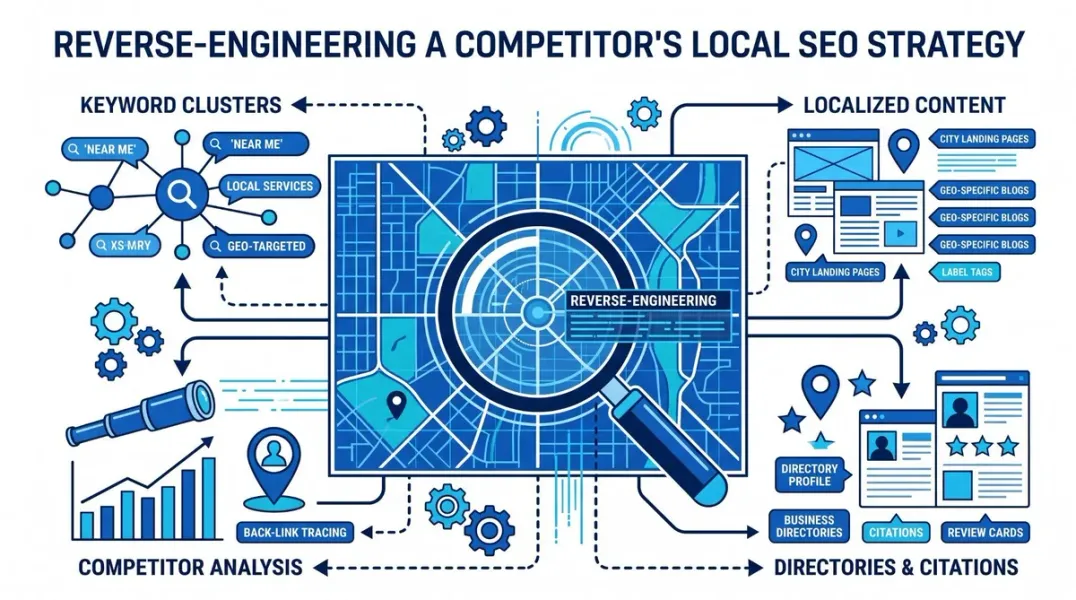
In this guide, you’ll learn a systematic framework for reverse-engineering a competitor’s local SEO strategy—from GBP optimization to review generation to content and backlinks—and how to turn those insights into actionable improvements for your own business.
The Principle: Understand, Don’t Copy
Before diving into tactics, it’s worth establishing the mindset.
Reverse engineering a successful local SEO strategy means analyzing the elements that appear to be boosting a competitor’s presence, then brainstorming ways to improve upon what they’re doing . It’s about adding value and differentiation, not creating a carbon copy.
A local fitness studio might observe a competitor’s blog posts on healthy meal prep generating engagement. Rather than simply writing the same content, they analyze what works—high-quality images, easy recipes, local ingredient recommendations—and create something more comprehensive: video tutorials, printable shopping lists, interviews with local nutritionists .
The goal: Understand the mechanics of their success, then build something better for your audience.
Step 1: Decode Their Google Business Profile Strategy
Your competitor’s GBP is the foundation of their local visibility. Here’s how to reverse-engineer it.
Identify Their Primary and Secondary Categories
Open each competitor’s GBP and look for the star icon (⭐)—that’s the primary category . Chrome extensions like GMB Everywhere and GMB Plug instantly reveal primary and secondary categories directly on Google Maps and Search results .
What to look for:
- Is their primary category more specific than yours? “Italian Restaurant” vs. “Restaurant” makes a difference.
- Do they have secondary categories you’re missing?
- Are they using categories that seem mismatched to their actual services? (This could indicate a spam tactic worth reporting.)
Analyze Their Profile Completeness
Go through every field of their GBP:
| Element | What to Check |
|---|---|
| Business name | Do they include keywords? (Risky but informative) |
| Hours | Are they open when you’re closed? |
| Description | What keywords appear naturally? |
| Services/Products | What do they list that you don’t? |
| Attributes | ”Free estimates,” “women-owned,” “wheelchair accessible” |
A fully optimized profile signals legitimacy and relevance to Google .
Study Their Photos and Posts
Count their photos. Check when they were last uploaded. Look at their Google Posts—do they publish offers, events, or updates regularly?
Google’s own data shows businesses adding photos receive 42% more direction requests and 35% more website clicks. Regular posting signals an active, engaged business .
Action: Note their posting frequency. If they post weekly and you post monthly, that’s a gap.
Step 2: Analyze Their Review Strategy
Reviews are a goldmine of strategic intelligence—both for rankings and for understanding customer expectations.
Review Velocity and Recency
Don’t just count total reviews. Check when their most recent reviews were posted .
- Are they getting 10-15 new reviews per month, or 2-3?
- A steady stream signals an active, currently-preferred business.
- A stagnant review profile signals a “legacy” entity living on past reputation.
Review velocity is increasingly more important than total volume. A business with 80 recent reviews can outrank one with 200 reviews that hasn’t received a new one in six months .
Review Response Patterns
Read their 20-30 most recent reviews. Do they respond to every review—positive and negative? How quickly?
Businesses that reply to every review build more trust with prospective customers . High-ranking profiles typically have a high response rate within 24-48 hours.
Mining Review Content for Intelligence
This is where reverse engineering gets powerful. Reviews are essentially a free, always-updating focus group .
Export competitor reviews and analyze them for:
- Customer language: The exact phrases real customers use to describe their problems.
- Service delivery failures: No-shows, communication gaps, pricing surprises.
- Trust gaps: Anxieties showing up in reviews that aren’t being addressed.
- What “good” means in your market: What customers praise tells you the standard they’re measuring against .
The framework: Export reviews → Analyze sentiment → Cluster themes .
Use AI to categorize reviews into positive, negative, and neutral buckets. Identify recurring themes. Pull direct quotes that represent each theme.
Action: If a competitor has 56 one-star reviews about pricing opacity, that’s your opportunity to be transparent about pricing in your own messaging .
Step 3: Reverse-Engineer Their Content and On-Page SEO
Your competitor’s website reveals their keyword targeting and content strategy.
Analyze Their Title Tags and Meta Descriptions
Visit their key pages. Do they include city names and service terms in title tags?
- “Emergency Plumber Denver | 24/7 Service” vs. “Home - ABC Plumbing”
- The first example tells Google exactly what the page is about and where the business operates.
Check for Location-Specific Pages
Does a competitor serving five cities have five location pages? Or just one “Areas We Serve” page?
Businesses with dedicated location pages often rank higher for searches in those areas than businesses with a single generic service area page . Each page should offer genuine value—not thin, duplicate content.
Examine Their Content Topics
Use tools like Ubersuggest, SEOptimer, or TrueRanker to see which keywords drive traffic to their site . Look for:
- High-performing pages: What topics generate the most traffic?
- Keyword gaps: Which relevant keywords are they not targeting?
- Long-tail opportunities: “Emergency pipe repair downtown Austin” is less competitive than “plumber Austin” .
Check Structured Data and Technical Health
Use a structured data testing tool to see if competitors implement LocalBusiness schema . Run their pages through PageSpeed Insights. A slow, non-mobile-friendly site struggles to rank.
Step 4: Uncover Their Backlink and Citation Strategy
Backlinks and citations validate authority and local relevance. Here’s how to reverse-engineer them.
Analyze Their Backlink Profile
Use a backlink checker to see where competitors get their links. Focus on local sources:
- Local news sites
- Chamber of commerce
- Business associations
- Community organizations
- Sponsorships
A link from your city’s chamber of commerce is more valuable than a generic directory link .
What to look for:
- Domain Rating (DR) or Domain Authority (DA)
- Backlink velocity (new referring domains per month)
- Anchor text patterns
A competitor with DR 15 and no new links in six months is vulnerable. A competitor with DR 40 and 10 new links per month is a serious threat.
Identify Citation Sources
Use tools like Whitespark’s Local Citation Finder to identify directories where competitors are listed but you aren’t . The process:
- Identify local competitors.
- Identify local “footprints” (like local phone numbers).
- Search Google using each footprint.
- Identify co-citation (domains listing several competitors).
- Check unique results (those mentioning only one competitor) .
Action: Build citations in directories where competitors are listed but you’re missing.
Step 5: Use Tools to Automate Reverse Engineering
Manual analysis works, but tools accelerate the process.
Chrome Extensions for Quick Audits
- GMB Everywhere: View GMB categories, do basic audits, Review audits, Post audits, and location ranking checks directly on Google Maps and Search .
- GMB Plug: Category Finder for primary and secondary categories, profile analysis, and competitor research .
Rank Tracking and Competitive Intelligence
- SEOptimer: Track your positions and competitors’ across keywords and locations automatically .
- Local Falcon: Geo-grid tracking with competitor visibility comparison.
- Ubersuggest: Analyze competitors’ top-performing keywords, website traffic, and backlink profiles .
- TrueRanker: Daily Google keyword rankings, local results, backlinks, and competitor research with AI visibility tracking .
Sentiment Analysis Tools
- Google Cloud Natural Language API: For programmatic sentiment analysis.
- GBP Reviews Sentiment Analyzer: Chrome extension that runs sentiment analysis during data pull .
Step 6: Turn Intelligence into Differentiation
The final step is where reverse engineering becomes strategy. Don’t just replicate—improve.
Find Their Weaknesses
Competitor review analysis surfaces specific failures:
- Service delivery failures (no-shows, communication gaps)
- Trust gaps (pricing opacity, unmet promises)
- Areas where they consistently disappoint customers
Action: Highlight how your business addresses these gaps in your GBP description, website content, and review responses.
Fill Their Content Gaps
If competitors aren’t publishing neighborhood guides, local event coverage, or service-specific FAQs, that’s your opportunity. Create content that answers questions they’re ignoring.
Build Better Backlinks
If competitors have links from the chamber of commerce but not from local news, target local media. If they sponsor one event, sponsor two. Local authority is cumulative.
Improve on Their GBP Optimization
If they’re missing attributes, add them. If their photos are outdated, upload fresh ones weekly. If they don’t post, publish consistently.
A Cautionary Note: Red Herrings in SEO
When reverse-engineering, be wary of copying tactics that may be red herrings—things that appear to be driving rankings but aren’t .
A competitor might rank despite keyword-stuffed business names, thin location pages, or spammy citations. Google’s John Mueller warns: “They might be ranking well despite these things, not because of them—no need to copy their bad practices, when you know better!”
The lesson: Focus on sustainable tactics that align with Google’s guidelines. Spam might work temporarily, but it’s not a strategy.
Conclusion
Reverse-engineering a competitor’s local SEO strategy is about understanding why they win, not just what they do. It’s a systematic process:
- Decode their GBP — categories, completeness, photos, posts, attributes.
- Analyze their reviews — velocity, response patterns, and the language customers use.
- Reverse-engineer their content — title tags, location pages, keyword targeting.
- Uncover their backlinks and citations — local authority sources and directory listings.
- Use tools to automate — Chrome extensions, rank trackers, sentiment analysis.
- Turn intelligence into differentiation — fill their gaps, address their weaknesses, build better.
The goal isn’t to become a copy of your competitor. It’s to understand the mechanics of their success, then build something better for your audience.
Call to Action
Ready to decode exactly why competitors outrank you?
We’ve built a Competitor Local SEO Reverse-Engineering Template to make this process systematic and repeatable.
👉 Download the template and start analyzing your top competitors today.
👉 Or run a free GBP audit to see your own profile’s strengths and gaps.
Stop guessing. Start decoding.
FAQs
1. What does it mean to reverse-engineer a competitor’s local SEO strategy?
It means analyzing the elements that drive their local visibility—GBP optimization, reviews, content, backlinks—to understand why their strategy works and how you can adapt it for your business .
2. Should I copy everything my competitor does?
No. Reverse engineering is about understanding their strategy and adapting it, not blindly copying. Some tactics may be red herrings—things they rank despite, not because of .
3. How do I find a competitor’s Google Business Profile categories?
Use Chrome extensions like GMB Everywhere or GMB Plug, which reveal primary and secondary categories directly on Google Maps and Search results .
4. What’s the most important thing to analyze in competitor reviews?
Look for patterns in negative reviews—service delivery failures, trust gaps, and complaints. These reveal opportunities to differentiate your business .
5. How do I find where competitors get their backlinks?
Use backlink checkers like Ubersuggest, SEOptimer, or TrueRanker. Focus on local sources: news sites, chambers of commerce, business associations .
6. How often should I reverse-engineer competitor strategies?
Re-analyze top competitors quarterly to spot new tactics. Monitor rankings and review activity monthly.
7. What tools are best for competitor local SEO analysis?
GMB Everywhere and GMB Plug for GBP audits, SEOptimer and Local Falcon for rank tracking, Ubersuggest for keywords and backlinks, and sentiment analysis tools for review mining .
8. What if I find competitors using spam tactics?
If you suspect fake names, virtual offices, or keyword stuffing, you can report them to Google. Focus your own strategy on sustainable, guideline-compliant tactics .
9. How do I turn competitor intelligence into action?
Identify their weaknesses and gaps. If they have poor review responses, respond to yours. If they lack location pages, create them. If they have backlinks you don’t, pursue similar sources .
10. Can I reverse-engineer a competitor’s strategy without paid tools?
Yes, but it’s slower. Use free Chrome extensions like GMB Everywhere, manual Google searches, and free tiers of tools like Ubersuggest and Local Falcon.
Internal & External Links
Internal Links
- Local SEO Competitor Analysis: 15 Things to Compare Before You Optimize
- How to Find Your Competitors in the Google Local Pack
- Local SEO Rank Tracking: Which Keywords Should Local Businesses Monitor?
- Geo-Grid Rank Tracking: How to Measure Your True Local Visibility
- Google Business Profile vs Google Maps: What’s the Difference?
External Sources
Grow Your Google Maps Ranking on Autopilot
Stop spending hours every week manually replying to customer reviews and writing Google posts. Busirank automates your Google Business Profile to boost your local SEO rankings and turn searchers into paying clients.

 Busirank Team
