 Busirank Team
Introduction
You’ve set up your geo-grid tracking. You’re running scans across your service area. Your heatmaps look great.
But there’s a question that trips up even experienced local SEO professionals: Which keywords should you actually be tracking?
Track too few, and you miss critical visibility gaps. Track too many, and your data becomes noise—dozens of keywords with no clear hierarchy, no actionable insights, and no way to tell what’s working.
The answer isn’t “track everything.” It’s “track strategically.”
Local SEO is fundamentally different from national SEO when it comes to keyword selection. Local searches carry local intent—the searcher is looking for something in a specific geographic area, often with the implicit goal of visiting or purchasing. The keyword modifiers, the SERP features, and the content that ranks all reflect this reality.
In this guide, you’ll learn how to choose the right local SEO keywords to monitor, classify them by intent and funnel stage, and use tracking data to make smarter optimization decisions.
Before we dive into keyword selection, it’s important to understand what makes local keyword tracking distinct from general SEO rank tracking.
Local Intent Changes Everything
A search for “coffee beans” and a search for “coffee shop near me” look similar on the surface—both contain “coffee.” But the intent is radically different. The first is informational or commercial research. The second carries local intent: the searcher wants to find a physical location in their vicinity.
Local intent searches are often transactional in nature. The searcher isn’t just browsing—they’re planning to act. This is why local pack rankings matter so much: they capture users at the moment of decision.
Proximity Fragments Your Rankings
Unlike national rankings, which are relatively stable across a country, local rankings change block by block. Your ranking for “plumber near me” depends on where the searcher is standing. This is why geo-grid tracking is essential for local keyword monitoring—a single rank check tells you almost nothing.
SERP Features Dominate
Local SERPs are crowded with features: local packs, maps, knowledge panels, review stars, and increasingly, AI Overviews. A keyword that triggers a local pack requires a different optimization approach than one that returns a featured snippet. Your tracking should reflect this.
The Three Types of Local Keywords You Need to Track
Not all local keywords serve the same purpose. Here’s how to categorize them.
1. Proximity Keywords (“Near Me” and Implicit Local)
These are the highest-intent local keywords. They include:
- Explicit local modifiers: “near me,” “in [city],” “close to [landmark]”
- Implicit local intent: “emergency plumber,” “open now,” “walk-in clinic”
Proximity keywords are heavily influenced by the searcher’s location. Tracking these with geo-grid tools reveals your true visibility across your service area.
Examples:
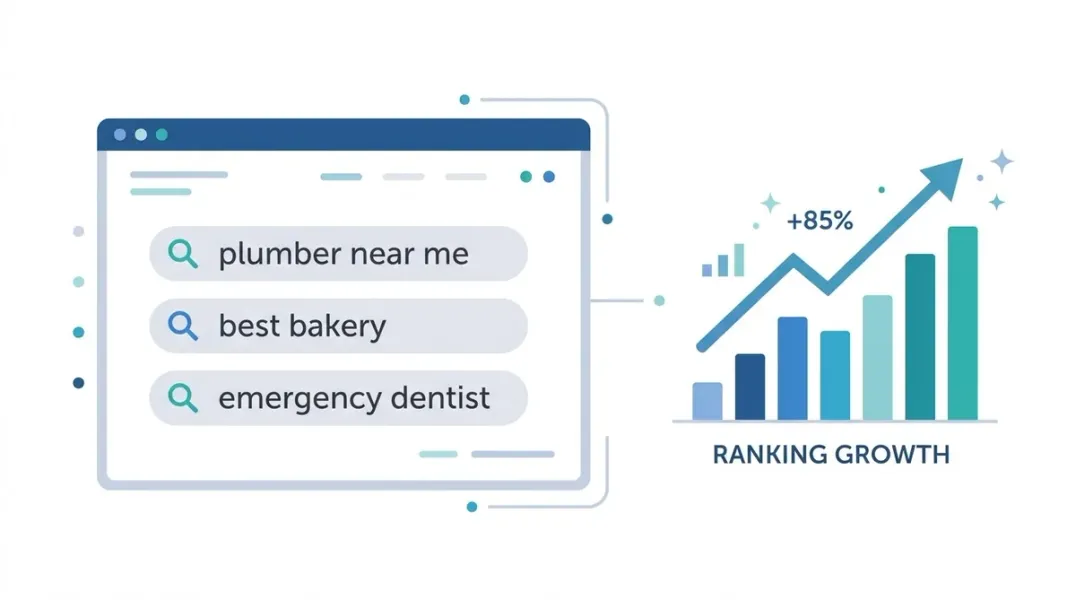
- “dentist near me”
- “coffee shop open now”
- “emergency electrician [city]”
- “pizza delivery [neighborhood]”
Why track them: These keywords capture the highest-intent local searches. If you’re not visible for them, you’re losing customers at the moment of decision.
2. Discovery Keywords (Category and Service)
These keywords describe what you do, often with location modifiers. They’re slightly less proximity-driven than “near me” searches but still carry local intent.
Examples:
- “plumber in [city]”
- “best Italian restaurant [city]”
- “teeth whitening [neighborhood]”
- “HVAC repair [county]”
Why track them: Discovery keywords help you understand your visibility in specific geographic markets. They’re often the keywords customers use when they’ve moved beyond “near me” and are comparing options.
3. Branded Keywords (Your Business Name)
These keywords include your business name, sometimes with location modifiers.
Examples:
- “[Your Business Name]”
- “[Your Business Name] [city]”
- “[Your Business Name] reviews”
- “[Your Business Name] hours”
Why track them: Branded keywords reveal whether customers can find you when they’re already looking for you. If you’re not ranking #1 for your own brand name, something is seriously wrong. Branded tracking also helps you monitor reputation issues and competitor bidding on your name.
How to Classify Keywords by Intent
Search intent is the foundation of keyword selection. The Moz whitepaper on search intent classifies local searches within the transactional intent category, noting that local searchers are typically planning to act.
But local intent isn’t monolithic. You can further refine your classification using modifier analysis.
Intent Modifiers to Watch For
| Intent Type | Modifiers | Local Examples |
|---|---|---|
| Transactional | buy, hire, book, near me, open now | ”emergency dentist near me,” “book plumber [city]“ |
| Commercial | best, top, reviews, compare, vs | ”best pizza [city],” “compare HVAC companies” |
| Informational | how, what, why, guide, tips | ”how to unclog a drain,” “what to expect at dentist” |
| Navigational | [brand], login, hours, contact | ”[Business Name] hours,” “[Business Name] phone” |
The SEO intent classification worksheet from Engage Agency provides a practical checklist for analyzing modifiers and SERP features to confirm intent.
Rule of thumb: Local transactional keywords should be your priority for geo-grid tracking. They’re where the money is.
Mapping Keywords to the Funnel
Different keywords serve different stages of the customer journey. Tracking keywords across the funnel gives you a complete picture of your local visibility.
Top of Funnel (ToFu): Awareness
These keywords are informational. The searcher is learning, not buying.
Examples:
- “how does HVAC maintenance work”
- “signs you need a new roof”
- “what to look for in a dentist”
Tracking value: Low for geo-grids. These keywords rarely trigger local packs and aren’t proximity-driven. Track them for content strategy, not local rank monitoring.
Middle of Funnel (MoFu): Consideration
These keywords show comparison and evaluation. The searcher is weighing options.
Examples:
- “best plumber [city]”
- “HVAC companies reviews”
- “dentist vs orthodontist”
Tracking value: Moderate. These may trigger local packs depending on the query. Track them at the city level, not with full geo-grids.
Bottom of Funnel (BoFu): Decision
These keywords show high intent. The searcher is ready to act.
Examples:
- “emergency plumber near me”
- “book dentist appointment [city]”
- “24 hour HVAC repair”
Tracking value: High. These are your priority for geo-grid tracking. They trigger local packs, are proximity-driven, and directly correlate with conversions.
The SEO operations roadmap recommends assigning primary and supporting keywords to every page and classifying them by intent type—informational, commercial, transactional, local, and navigational.
How Many Keywords Should You Track?
There’s no magic number, but here’s a practical framework.
For a Single-Location Business
- 3-5 priority keywords for full geo-grid tracking
- 10-20 secondary keywords for city-level rank checks
- Branded keywords for reputation monitoring
For a Multi-Location Business
- 3-5 priority keywords per location for geo-grid tracking
- 10-20 secondary keywords per location for city-level tracking
- Shared brand keywords across all locations
Quality over quantity. Tracking 5 well-chosen keywords with geo-grids is more valuable than tracking 50 keywords with a single rank check.
The Visualmodo guide to local SEO rank tracking notes that most local rank tools allow you to specify the keywords you want to track and provide a visual grid showing how your rankings change based on location. This visualization is what makes geo-grid tracking so powerful—but only if you choose the right keywords.
Metrics That Matter for Local Keyword Tracking
Once you’ve selected your keywords, here’s what to measure.
For Geo-Grid Keywords
| Metric | What It Tells You |
|---|---|
| Average Rank | Mean position across all grid points |
| Share of Local Voice (SoLV) | Percentage of grid points where you rank top 3 |
| Coverage | Percentage of points where you appear at all |
| Competitor Presence | Who else ranks at each grid point |
For City-Level Keywords
| Metric | What It Tells You |
|---|---|
| Ranking Position | Your position in the local pack or organic results |
| SERP Features | Which features appear (local pack, PAA, AI Overview) |
| Click-Through Rate | Estimated CTR based on position |
| Trend Over Time | Whether rankings are improving or declining |
For Branded Keywords
| Metric | What It Tells You |
|---|---|
| Brand SERP Ownership | Whether you control your brand results |
| Review Sentiment | What customers are saying |
| Competitor Bidding | Whether competitors are targeting your name |
Common Keyword Tracking Mistakes
1. Tracking Only “Near Me” Keywords
“Near me” keywords are high-intent, but they’re not the only ones that matter. Discovery keywords (“plumber [city]”) and branded keywords complete the picture.
2. Ignoring Proximity Variations
A single rank check for “dentist near me” from your office tells you nothing. You need geo-grid data to see true visibility.
3. Tracking Too Many Keywords
Keyword overload creates noise. Focus on 3-5 priority keywords per location for geo-grid tracking. Add secondary keywords for city-level monitoring.
4. Not Tracking Competitors
Your ranking doesn’t exist in a vacuum. If a competitor outranks you at 60% of grid points, that’s a problem you need to see.
5. Forgetting Branded Keywords
If you’re not ranking #1 for your own business name, you have a visibility crisis. Branded tracking is non-negotiable.
Building Your Local Keyword Tracking Strategy
Here’s a step-by-step framework.
Step 1: Identify Your Core Services
List the services or products you offer. These become your keyword themes.
Step 2: Add Location Modifiers
For each core service, generate location-specific variants:
- [service] + near me
- [service] + in [city]
- [service] + [neighborhood]
- [service] + open now
Step 3: Classify by Intent
Use the modifier analysis framework to classify each keyword as transactional, commercial, informational, or navigational.
Step 4: Prioritize for Tracking
- Priority 1 (Geo-grid): Transactional keywords with local intent
- Priority 2 (City-level): Commercial keywords with location modifiers
- Priority 3 (Brand monitoring): Navigational keywords with your brand name
Step 5: Set Up Tracking
Use a geo-grid tool for Priority 1 keywords. Use a traditional rank tracker for Priority 2. Monitor Priority 3 manually or with alerts.
Step 6: Review and Refine
Monthly, review your tracking data. Are there new keywords you should add? Are some keywords no longer relevant? Adjust accordingly.
Tools for Local Keyword Tracking
- Local Falcon – Geo-grid tracking with competitor comparison
- BrightLocal – Local Search Grid with AI insights and competitor data
- Semrush – Local rank tracking with SERP feature analysis
- Rank.ai – Geo-grid scans across Google Maps and organic
- Google Search Console – Free data on queries, impressions, and positions
The SEO checklist from Morningscore recommends using tools for rank tracking, keyword research, and backlink analysis as part of a comprehensive local SEO approach.
Conclusion
Local SEO rank tracking isn’t about tracking every keyword you can think of. It’s about tracking the right keywords—the ones that capture local intent, drive conversions, and reveal actionable visibility gaps.
The framework is simple:
- Identify your core services and add location modifiers.
- Classify keywords by intent (transactional, commercial, informational, navigational).
- Prioritize transactional keywords for geo-grid tracking.
- Track commercial keywords at the city level.
- Monitor branded keywords for reputation and visibility.
With the right keywords, your geo-grid data becomes a strategic asset—showing you exactly where you’re winning, where you’re losing, and where to focus your optimization efforts.
Call to Action
Not sure which keywords to track?
Start with the ones that matter most: the transactional, local-intent searches your customers actually use.
👉 Download our Local Keyword Tracking Template to build your priority list and set up geo-grid scans.
👉 Run a free geo-grid scan for your top 3 keywords and see your true local visibility today.
FAQs
1. How many keywords should a local business track?
For a single-location business, 3-5 priority keywords for geo-grid tracking and 10-20 secondary keywords for city-level monitoring. Quality matters more than quantity.
2. What’s the difference between “near me” keywords and city-specific keywords?
“Near me” keywords are highly proximity-driven and trigger local packs. City-specific keywords (“plumber [city]”) are slightly less proximity-driven but still carry local intent. Both are worth tracking.
3. Should I track informational keywords for local SEO?
Informational keywords rarely trigger local packs and aren’t proximity-driven. Track them for content strategy, not local rank monitoring. Focus geo-grid tracking on transactional keywords.
4. How do I know if a keyword has local intent?
Look at the SERP. If a local pack, map, or knowledge panel appears, the keyword has local intent. Modifiers like “near me,” “in [city],” and “open now” are strong signals.
5. What are branded keywords and why track them?
Branded keywords include your business name. Track them to ensure you’re ranking #1 for your own name and to monitor reputation issues or competitor bidding.
6. Can I track keywords across multiple locations?
Yes, but each location needs its own tracking setup with location-appropriate keywords and grid settings. Multi-location tracking requires location-specific profiles.
7. How often should I review my keyword list?
Monthly is ideal. Remove keywords that are no longer relevant, add new services or locations, and adjust priorities based on performance data.
8. What’s the most important metric for local keyword tracking?
Share of Local Voice (SoLV)—the percentage of grid points where you rank in the top 3. It directly correlates with market share and visibility.
Internal & External Links
Internal Links
- Geo-Grid Rank Tracking: How to Measure Your True Local Visibility
- How to Track Google Maps Rankings Across Multiple Locations
- Google Business Profile vs Google Maps: What’s the Difference?
- Why Google Maps Rankings Change by Location: Understanding Local Search Grids
- How to Find Your Competitors in the Google Local Pack
External Sources
Grow Your Google Maps Ranking on Autopilot
Stop spending hours every week manually replying to customer reviews and writing Google posts. Busirank automates your Google Business Profile to boost your local SEO rankings and turn searchers into paying clients.

 Busirank Team
