 Busirank Team
Introduction
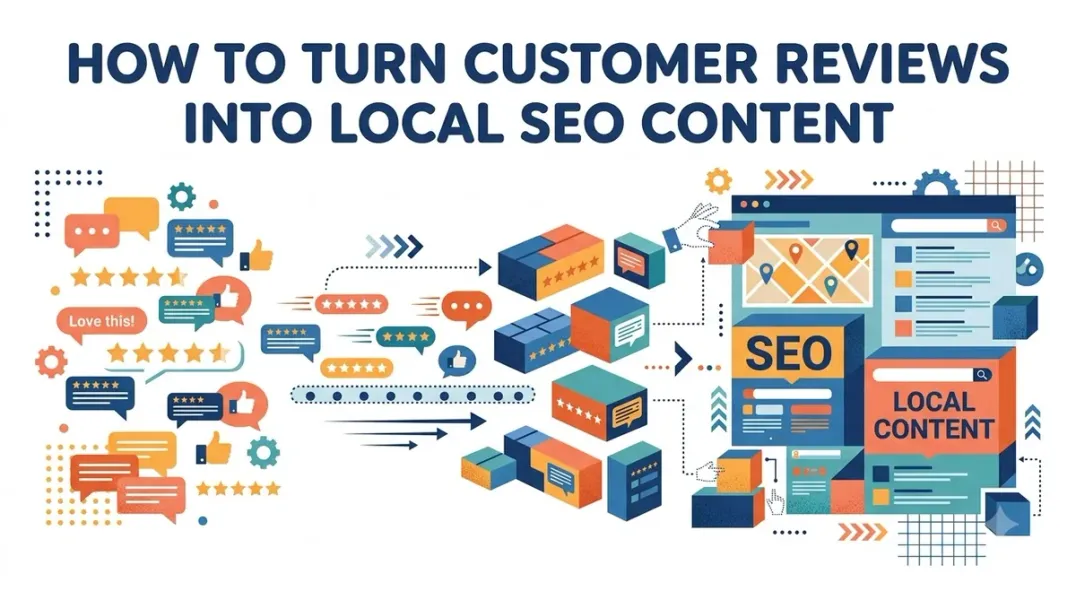
Every review your business receives is more than a testimonial—it’s a keyword-rich content asset hiding in plain sight.
Your customers describe your services in their own words, using the exact phrases that future customers will type into Google. They mention neighborhoods, specific services, staff members, and the problems you solved. They use natural language that mirrors real search queries—language you’d never think to use in your own marketing copy.
Most businesses let this content sit passively on their Google Business Profile. They respond to reviews, maybe screenshot the best ones for social media, and move on. But the businesses that dominate local search do something different: they mine their reviews for SEO gold and deploy it strategically across every content channel .
As SEO Director Julian Hooks, who oversees more than 700 franchise locations, explains: “Google doesn’t just take your word for it when you fill out your Google Business Profile. Google loves to crowdsource information, and reviews are the best, most verifiable way for the search engine to do that” .
In this guide, you’ll learn exactly how to extract keyword-rich themes from customer reviews, where to deploy them for maximum SEO impact, and how to do it without violating Google’s guidelines.
Why Reviews Are Your Best Keyword Research Tool
Before diving into tactics, it’s worth understanding why customer reviews are uniquely valuable for local SEO.
Customer Language Beats Keyword Tools
Traditional keyword research tells you what people search for. Customer reviews tell you what people actually experienced—and the natural language they use to describe it.
A keyword tool might suggest “plumber near me” or “emergency plumbing services.” A customer review says: “They fixed my burst pipe in under an hour on a Sunday morning—life savers!” That review contains service-specific detail, urgency signals, and emotional language that no keyword tool can generate.
Julian Hooks has seen this play out across hundreds of locations: “We’ve seen data across hundreds of locations showing that keywords in customer reviews do have a great impact on where you rank for specific terms. Google will often highlight those verbatim snippets to justify its relevance” .
Google Reads Your Reviews
Google’s NLP models parse review text to understand business context. When customers consistently mention specific services, neighborhoods, or attributes, Google’s algorithm associates your business with those concepts .
This creates an entity cluster around your business that’s richer than anything you can control directly through your website or GBP description.
Reviews Feed Multiple SEO Systems
Keyword-rich reviews influence:
- Review justifications: Google highlights verbatim review snippets in search results to justify relevance
- Place Topics: Clickable topics generated from review keywords that highlight your specialties
- Review snippets: Bolded terms in your profile’s review section
- AI editorial summaries: Google’s AI-generated business summaries pull concepts from reviews
- Ask Maps: Google’s AI-powered Q&A feature pulls answers from review content
Step 1: Mine Your Reviews for Keyword Themes
The first step is systematic extraction. You need to identify recurring language patterns across your reviews.
Manual Analysis (For Small Review Volumes)
If you have fewer than 100 reviews, manual analysis is feasible. Read through your reviews and look for:
- Top adjectives: What words do customers use most? “Friendly,” “fast,” “professional,” “affordable”?
- Service descriptions: How do customers describe what you did? “Fixed my AC,” “cleaned my teeth,” “repaired my transmission”?
- Location mentions: Do customers mention neighborhoods, landmarks, or nearby cities?
- Problem-solution patterns: What problems did they have, and how did you solve them?
Create a spreadsheet and tally recurring phrases. The ones that appear most frequently are your customer-validated keywords.
AI-Powered Analysis (For Larger Volumes)
For businesses with hundreds of reviews or multiple locations, manual analysis isn’t practical. Use AI to scale the process.
Julian Hooks recommends a simple approach: “Use a tool like Pleper.com or BrightLocal’s Reputation Manager to scrape and download your reviews. Upload that Excel file into an AI tool. Ask the AI to ‘look for themes,’ ‘analyze sentiment,’ and ‘tell me what we’re doing right and what we’re doing wrong’” .
This saves hours of manual work and surfaces patterns you might miss.
What to Look For
Scan your positive reviews for:
- Service-specific phrases: “Same day phone repair,” “emergency AC service,” “family dental care”
- Quality descriptors: “Friendly and knowledgeable staff,” “fixed it fast,” “went above and beyond”
- Value statements: “Affordable prices,” “worth every penny,” “best value in town”
These phrases are your high-converting keywords disguised as compliments .
Step 2: Deploy Review Content on Your Google Business Profile
Your GBP is the first place to leverage review content.
Google Posts
Create short Google Posts that feature customer quotes. A post like:
“Customer review: ‘They fixed my burst pipe on a Sunday morning—life savers!’ We’re here for emergency plumbing 24/7. Call today.”
This accomplishes three things:
- Creates fresh, keyword-rich content on your GBP
- Reinforces specific services (emergency plumbing, Sunday availability)
- Builds trust with real customer language
Google sees this as fresh, keyword-rich content, which can boost engagement and visibility .
Q&A Section
If customers ask questions that are already answered in reviews, you can seed those questions and answer them using review content. Google’s AI-powered “Ask Maps” feature pulls answers from review content, so having well-structured Q&A reinforces those signals .
Review Responses
Your responses to reviews are visible to everyone. Use them strategically:
- Reference the specific service mentioned in the review
- Include relevant keywords naturally
- Reinforce your service area or specialties
For example, responding to “Great emergency service!” with “Thank you! We’re proud to offer 24/7 emergency plumbing across [City] and surrounding areas” reinforces both the service and location keywords.
Step 3: Transform Reviews Into Website Content
Your website is where you have the most control over content deployment.
On-Page Content
Incorporate customer-validated phrases into your:
- H1s and titles: If customers rave about “friendly service,” make sure that phrase appears on your landing page
- Service blurbs: Use the exact language customers use to describe your services
- Meta descriptions: Customer phrases can improve click-through rates by matching search intent
Julian Hooks puts it simply: “If customers rave about your ‘friendly service,’ make sure that phrase is featured on your landing page” .
Location-Specific Testimonials
For businesses with multiple locations, create individual testimonial sections for each location’s landing page. This keeps content locally relevant and avoids duplicate content penalties .
A review mentioning “downtown location” or “the Northside branch” can be featured on that specific location’s page, reinforcing geographic relevance.
Turn Reviews Into FAQs
Negative reviews often reveal communication gaps—things customers wish they had known upfront.
“A lot of negative feedback comes down to simple miscommunication. If important details are ‘buried in the fine print,’ and they keep showing up in reviews, you need to be more upfront. Use the complaint to create a clear, front-and-center FAQ section on your website” .
For example, if multiple reviews complain about wait times, create an FAQ: “What are your typical wait times?” and answer it honestly. This addresses the concern proactively and can reduce negative reviews in the future.
Step 4: Use Reviews in Structured Data (The Right Way)
Structured data (schema markup) can help Google understand your content, but there’s a critical restriction for local businesses.
The Self-Serving Review Restriction
Google’s guidelines are explicit: LocalBusiness and Organization schema is ineligible for star review rich results when the business controls the reviews about itself .
This means you cannot mark up reviews about your own business on your own website and expect star ratings to appear in search results. Google considers this “self-serving” .
What You CAN Do
- Product schema: If you sell products, you can mark up product reviews on product pages. This is fully permitted
- Third-party widgets: While embedded widgets from platforms like Google Reviews won’t trigger star snippets for LocalBusiness pages, they still contribute to SEO through content and engagement signals
- Focus on the content, not the stars: The keyword-rich review text itself has SEO value, even without rich snippet stars
What NOT to Do
- Don’t mark up reviews about your own business using LocalBusiness or Organization schema
- Don’t include fake or undisclosed incentivized reviews in structured data
- Don’t aggregate reviews from other websites
Violating these guidelines can trigger a manual action, which strips structured data from your entire domain until the issue is fixed .
Step 5: Repurpose Reviews Across Channels
Reviews aren’t just for your website and GBP. They’re content assets for every channel.
Social Media
Turn testimonials into visuals or short reels. Every share increases brand awareness and local relevance .
- Create quote graphics featuring the best review snippets
- Record short video testimonials (with permission)
- Share review highlights in Instagram Stories or Facebook Posts
Email Marketing
Include a “What Customers Are Saying” section in your newsletter. This provides social proof and keeps your business top-of-mind.
Sales Materials
Use review language in proposals, presentations, and pitch decks. Customer words are more persuasive than marketing copy.
Review Request Templates
Ironically, your best reviews can improve your future review requests. When you see what specific details customers include, you can update your request templates to guide future reviewers toward similar depth .
Miriam Ellis’s review request templates, shared on Search Engine Land, guide customers to mention specific services and experiences—resulting in longer, more detailed, keyword-rich reviews .
Step 6: Monitor and Iterate
Review mining isn’t a one-time project. It’s an ongoing process.
Track Keyword Frequency
Monitor which phrases appear most often in new reviews. If a new theme emerges—say, “same-day service” starts appearing frequently—update your content to reflect it.
Measure Ranking Impact
Track your rankings for the keywords that appear in reviews. If you’re seeing improvements for “emergency plumbing” after reviews mention that phrase, you have data to support continued effort.
Update Content Regularly
As your review corpus grows, refresh your website content and GBP posts to feature the latest customer language.
A Cautionary Note: Don’t Force It
The goal isn’t to stuff keywords into your content. It’s to amplify the authentic language your customers are already using.
If you try to direct customers to use specific keywords in reviews, it will feel unnatural and may violate Google’s policies. Instead, create review request templates that invite customers to share details about their experience—and then use the language they naturally provide .
The most powerful SEO content is the content that sounds like it came from a real person—because it did.
Conclusion
Customer reviews are more than social proof. They’re keyword-rich content assets waiting to be deployed.
The process is systematic:
- Mine your reviews for recurring language, service descriptions, and location mentions
- Deploy review content on your GBP through Posts, Q&A, and responses
- Transform reviews into website content—on-page copy, location-specific testimonials, and FAQs
- Use structured data correctly, understanding the self-serving review restriction
- Repurpose reviews across social media, email, and sales materials
- Monitor and iterate as new themes emerge
As Julian Hooks emphasizes: “We’ve seen data across hundreds of locations showing that keywords in customer reviews do have a great impact on where you rank for specific terms” .
Your customers are already writing your best SEO content. Your job is to listen, extract, and amplify.
Call to Action
Ready to turn your reviews into SEO fuel?
We’ve created a Review-to-Content Workbook with templates for mining reviews, deploying content across channels, and tracking your results.
👉 Download the Workbook and start mining your reviews for gold.
👉 Or run a free GBP audit to see how your review profile compares to competitors.
FAQs
1. Can I use customer reviews as content on my website?
Yes. You can display reviews on your website to build trust and reinforce keywords. However, be aware that LocalBusiness schema with self-serving reviews won’t trigger star rich snippets .
2. Why won’t my review stars show in search results for my local business?
Google prohibits “self-serving” reviews for LocalBusiness and Organization schema. If you control the reviews about your business, star rich results won’t display .
3. Can I use reviews from Google on my website?
Yes, you can display Google reviews on your website using third-party widgets. While these won’t trigger star snippets for LocalBusiness schema, the content still contributes to SEO through engagement and keyword signals .
4. How do I find keywords in customer reviews?
Read through reviews and look for recurring adjectives, service descriptions, and location mentions. For larger volumes, use AI tools to analyze themes and sentiment .
5. Should I ask customers to include specific keywords in reviews?
No. Directly asking customers to use keywords is unnatural and may violate Google’s policies. Instead, use review request templates that invite detailed feedback and let customers use their natural language .
6. What are Place Topics and how do they relate to reviews?
Place Topics are clickable topics generated from keywords in your reviews. They highlight your specialties and can filter reviews for customers, boosting engagement .
7. Can I mark up Google reviews with structured data on my website?
You can, but star rich results won’t display for LocalBusiness schema when you control the reviews. The content still has SEO value, but the stars won’t appear .
8. How do negative reviews help with SEO content?
Negative reviews reveal communication gaps and customer expectations. Use them to create FAQs, rewrite service descriptions, and clarify what’s included in your offerings .
9. How often should I update my website content with review language?
Review your content quarterly and refresh it as new themes emerge. If a new service or location becomes prominent in reviews, update your pages accordingly.
10. What’s the most important thing to remember about review-driven content?
Authenticity. The goal is to amplify the language your customers are already using—not to force keywords into content. Real customer language resonates with both people and search engines .
Internal & External Links
Internal Links
- How Review Velocity Can Influence Local Search Visibility
- How Review Sentiment Analysis Can Improve Local Business Reputation
- How to Build a Google Review Funnel That Generates Reviews Consistently
- Google Review Gating: What It Is and Why Businesses Should Avoid It
- Negative Google Reviews: When to Respond, Report, or Ignore Them
External Sources
- BrightLocal – Mining for Gold: Turning Customer Feedback into Local SEO Success
- Search Engine Land – 7 Local SEO Wins You Get from Keyword-Rich Google Reviews
- Google Search Central – Review Snippet Structured Data
- Google Search Central – Making Review Rich Results More Helpful
- UENI – How Testimonials Improve Local SEO Rankings
Grow Your Google Maps Ranking on Autopilot
Stop spending hours every week manually replying to customer reviews and writing Google posts. Busirank automates your Google Business Profile to boost your local SEO rankings and turn searchers into paying clients.

 Busirank Team
