 Busirank Team
Introduction
A negative Google review can feel like a personal attack. You’ve built your business through hard work and genuine care for customers, and one public complaint—fair or not—can sting.
Your instinct might be to fire back, to explain why they’re wrong, or to ignore it entirely and hope it goes away. All three instincts are wrong.
How you handle negative reviews matters more than the review itself. Research shows that 88% of consumers say they would use a business that responds to all reviews, while 57% say they’re unlikely to use a business that doesn’t respond at all . The audience for your response isn’t the unhappy reviewer—it’s every future customer who reads the exchange.
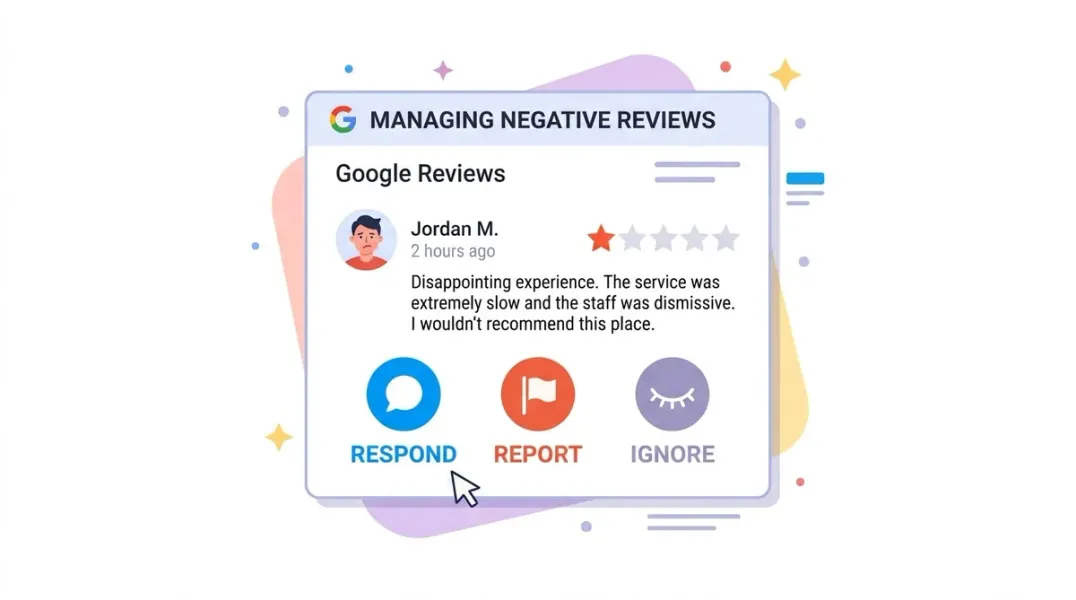
But not every negative review warrants the same approach. Some require a thoughtful public response. Some violate Google’s policies and should be reported. And some are best left alone, because engagement gives them more visibility than silence ever would.
In this guide, you’ll learn how to distinguish between these scenarios, how to respond effectively when you should, how to flag reviews that break the rules, and when silence is the smartest move.
Before diving into specific situations, here are the principles that apply across the board.
Rule 1: Respond Quickly—But Not Emotionally
Aim to respond within 4 to 24 hours. Speed signals that you take feedback seriously, but responding within minutes risks a reactive, defensive tone . Take a breath. Draft your response. Read it as if you were a potential customer.
Rule 2: You’re Writing for Future Customers, Not the Reviewer
This is the most important mindset shift. Your response is marketing. The reviewer has already had their experience. The people reading your response are deciding whether to trust you. They want to see that you handle problems like a professional .
Rule 3: Never Argue Publicly
Even if the reviewer is factually wrong, arguing in public makes you look defensive and combative. Take the conversation offline. Resolve it privately. If the reviewer updates their review after resolution, that’s a bonus—but it’s not the goal .
Rule 4: Keep It Brief
Three to five sentences is sufficient. Acknowledge, apologize (for their dissatisfaction, not necessarily for being wrong), and invite them to contact you directly .
Rule 5: Sign Your Name
Include your first name and title. It humanizes the response and shows that a real person is paying attention .
When to Respond: The Reviews That Deserve a Reply
Most negative reviews fall into this category. Here’s how to handle them.
Service Quality Complaints
Example: “The work was sloppy and they didn’t finish what they promised.”
Response approach: Acknowledge their experience, apologize for falling short, and offer to make it right. Include your direct contact information .
Template:
“Hi [Name], I appreciate your honest feedback about your recent experience. We take quality seriously, and I’m disappointed we fell short in your case. I’d like to understand what happened and make this right. Please reach out to me directly at [phone/email]. — [Your Name], [Title]“
Pricing or Value Complaints
Example: “Way overpriced for what you get.”
Response approach: Acknowledge that pricing is important, apologize if you didn’t communicate value clearly, and invite them to discuss it directly .
Template:
“Hi [Name], thank you for your feedback. I understand that pricing is an important factor, and I’m sorry if we didn’t communicate the value of our service clearly enough upfront. I’d welcome the chance to discuss your experience directly—please reach out at [phone/email]. — [Your Name], [Title]“
Wait Time or Scheduling Complaints
Example: “Waited 45 minutes past my appointment time. Terrible.”
Response approach: Validate their frustration about their time being wasted. Mention any changes you’ve made to prevent it in the future .
Template:
“Hi [Name], thank you for letting us know about the wait time you experienced. Your time is valuable, and we take scheduling seriously. I’ve reviewed what happened and am implementing changes to prevent this in the future. I’d love to make it up to you—please contact me directly at [phone/email]. — [Your Name], [Title]“
Suspected Fake or Competitor Reviews
Example: “Worst place ever, staff was rude and the owner screamed at me.” (But you have no record of this person.)
Response approach: Don’t accuse them of lying. Calmly state that you can’t find a record of their visit, and invite them to provide details so you can investigate .
Template:
“Hi, we take all feedback seriously. However, we’re unable to find a record of your visit in our system. We’d like to look into this further—could you please contact us at [phone/email] with your appointment or order details? We want to make sure we address any legitimate concern. — [Your Name], [Title]“
When to Report: Reviews That Violate Google’s Policies
Not every negative review is legitimate. Google has clear policies about what constitutes a removable review. You can flag reviews that contain :
- Spam or fake content – Reviews not based on actual experience
- Off-topic content – Unrelated to your business
- Conflicts of interest – Reviews from competitors, former employees, or the business owner
- Harassment or threats – Dangerous or derogatory content
- Personal information – Phone numbers, addresses, or other private details
- Offensive language – Profanity or obscene content
How to Flag a Review
You can report a review through several channels :
Via Google Maps:
- Open Google Maps and find your Business Profile
- Locate the review
- Click the three dots next to it
- Select “Report review” or “Flag as inappropriate”
- Choose the violation reason and submit
Via Your Business Profile:
- Sign in to Google Business Profile
- Go to the Reviews tab
- Find the review and click the three dots
- Select “Report review”
Via the Reviews Management Tool:
- Go to the Reviews Management Tool
- Select your business
- Choose “Report a new review for removal”
- Flag the review with the appropriate reason
What Happens After You Report
Google typically reviews flagged content within 3 to 5 days . If the review violates policy, it will be removed. If not, it remains live.
If your report is rejected: You can submit a one-time appeal through the Reviews Management Tool . Select “Check the status of a review I reported previously and appeal options,” choose the eligible review, and fill out the appeal form. Google will send you a case number and a final decision via email.
Important: You cannot appeal a second time. Make your appeal count by providing clear evidence—screenshots, records showing the reviewer was never a customer, or documentation of the policy violation .
When to Ignore: The Reviews That Don’t Deserve Your Energy
Sometimes the smartest response is no response at all. Here’s when silence wins.
The Isolated Negative Review
If a single one-star review appears and nothing else follows, responding may give it more visibility than it deserves. Your future customers will see one negative review among many positives—and most will understand that you can’t please everyone .
When this applies:
- One negative review with no pattern
- No social media amplification
- No news coverage
- The complaint is subjective or minor (“my coffee was cold once”)
The Obvious Troll
Some reviews are written to provoke a reaction. They’re inflammatory, exaggerated, or clearly designed to get under your skin. Responding gives the troll what they want: attention.
How to handle it: If it violates Google’s policies (harassment, threats, off-topic), report it. If it doesn’t violate policy but is clearly bad-faith, leave it alone. A single unreasonable review among many reasonable ones reflects more on the reviewer than on you.
The Review That’s Already Buried
If you have 200 reviews and one negative one, that negative review is already buried. Responding publicly draws attention to it. Let it stay buried .
The Decision Framework: Respond, Report, or Ignore?
Use this quick checklist when a negative review appears:
| Question | If Yes | If No |
|---|---|---|
| Does it violate Google’s policies (spam, harassment, off-topic)? | Report it | Continue |
| Is it from a real customer with a legitimate complaint? | Respond publicly | Continue |
| Is it an isolated negative review with no pattern? | Consider ignoring | Continue |
| Is it likely to be seen by many potential customers? | Respond publicly | Consider ignoring |
| Does it contain factual errors you can correct? | Respond publicly (calmly) | Continue |
The default: Respond publicly to legitimate complaints. Report policy violations. Ignore only when engagement would give the review more attention than it deserves.
What NOT to Do
Don’t get defensive. Even if you’re right, arguing publicly makes you look bad .
Don’t offer incentives for removal. Offering discounts or freebies in exchange for removing a review violates Google’s policies and could expose you to FTC issues .
Don’t respond emotionally. Write your response, save it as a draft, and come back to it later. If it sounds angry, rewrite it.
Don’t ignore all negative reviews. 57% of consumers are unlikely to use a business that doesn’t respond to reviews at all .
Don’t mention the reviewer’s personal information. Even if they mentioned it first, you shouldn’t repeat it publicly .
Turning a Negative Review into a Positive
Here’s the counterintuitive truth: a well-handled negative review can build more trust than five positive ones .
When future customers see you respond calmly, professionally, and with a genuine offer to resolve the issue, they learn something important: this business handles problems well. That’s a powerful signal.
One contractor reportedly gained more business after a negative review with a great response than they would have from five additional five-star reviews . The response showed character. It demonstrated that when things go wrong, someone real is paying attention.
Your response is your chance to show who you are.
Conclusion
Negative Google reviews are inevitable. How you handle them is a choice.
Respond when the review is from a real customer with a legitimate complaint. Acknowledge, apologize, and take it offline. Your response is for future customers, not the reviewer.
Report when the review violates Google’s policies. Flag it, document the violation, and appeal if your first report is rejected.
Ignore when the review is an isolated troll or a buried complaint that would only gain attention from engagement.
The businesses that master this framework don’t just survive negative reviews—they use them to build trust.
Call to Action
Not sure how to handle a negative review you’ve received?
We’ve created a Negative Review Response Playbook with templates for every scenario—from service complaints to suspected fakes—plus a decision flowchart to help you choose the right approach.
👉 Download the Playbook and handle your next negative review with confidence.
👉 Or run a free GBP audit to see how your review profile compares to competitors.
FAQs
1. Should I respond to every negative Google review?
No. Respond to legitimate complaints from real customers. Report reviews that violate Google’s policies. Ignore isolated trolls or reviews that would only gain attention from engagement.
2. How quickly should I respond to a negative review?
Aim for 4 to 24 hours. Speed signals that you take feedback seriously, but responding too quickly risks an emotional, defensive tone .
3. What should I say in a negative review response?
Acknowledge their experience, apologize for their dissatisfaction (not necessarily for being wrong), and invite them to contact you directly. Keep it to 3-5 sentences and sign your name .
4. Can I get a fake review removed?
Yes, if it violates Google’s policies. Flag it for spam, fake engagement, or conflicts of interest. If Google rejects your report, you can submit a one-time appeal .
5. How long does it take Google to review a flagged review?
Typically 3 to 5 days. You can check the status in the Reviews Management Tool .
6. What if Google won’t remove a fake review?
You can appeal once. If the appeal is rejected, you cannot appeal again. In that case, respond professionally and focus on generating positive reviews to bury it.
7. Should I offer a discount to get a negative review removed?
No. Offering incentives for review removal violates Google’s policies and could expose you to FTC issues .
8. Can I respond to a review with no text (star-only)?
Yes. For a one-star rating with no text, treat it like any negative review—stay calm and invite the reviewer to share their experience privately .
9. What if a competitor is leaving fake reviews?
This violates Google’s conflict of interest policy. Flag the review as “Conflict of interest” and provide evidence if possible .
10. How do I know if I should ignore a negative review?
If it’s an isolated review with no pattern, no social media amplification, and no serious allegations, silence may be the smartest move. Engagement draws attention .
Internal & External Links
Internal Links
- How Review Velocity Can Influence Local Search Visibility
- How to Build a Google Review Funnel That Generates Reviews Consistently
- Why Your Competitor Ranks Higher on Google Maps Even With Fewer Reviews
- Google Business Profile vs Google Maps: What’s the Difference?
- How to Find Your Competitors in the Google Local Pack
External Sources
Grow Your Google Maps Ranking on Autopilot
Stop spending hours every week manually replying to customer reviews and writing Google posts. Busirank automates your Google Business Profile to boost your local SEO rankings and turn searchers into paying clients.

 Busirank Team
