 Busirank Team
Introduction
Most businesses treat review generation like a marketing campaign. They run a push for a few weeks, collect a burst of reviews, then go silent for months until the next push.
This pattern doesn’t work—and worse, it can actively hurt you.
Google’s algorithm rewards consistency, not spikes. A business that receives 5 new reviews every month signals ongoing relevance and active customer engagement. A business that gets 30 reviews in one week and then nothing for six months signals… something else entirely .
The businesses that dominate local search don’t run review campaigns. They build review funnels—systematic, repeatable processes that generate a steady stream of authentic reviews without requiring heroic effort from the owner or team.
In this guide, you’ll learn exactly how to build a Google review funnel that runs on autopilot. We’ll cover the four components of an effective funnel, how to avoid Google’s review gating prohibition, and the specific channels and timing that produce the highest conversion rates.
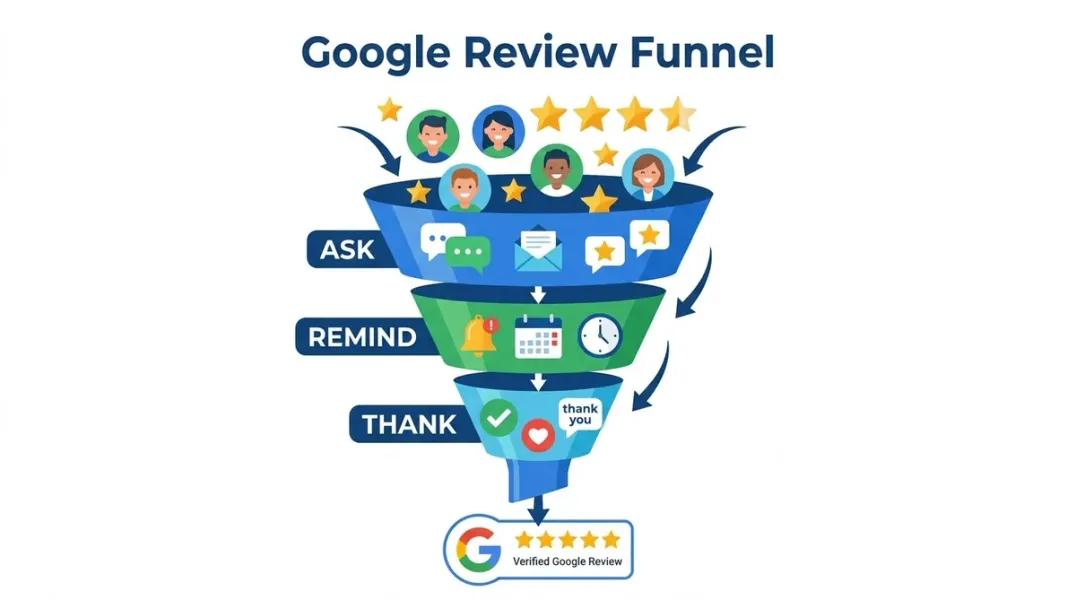
A review funnel is a systematic process for identifying satisfied customers, asking them for feedback at the right moment through the right channel, and making it as easy as possible for them to leave a public review.
It’s called a “funnel” because customers move through stages:
- Trigger event – Service completed, purchase made, experience delivered
- Outreach – The ask (email, text, in-person, QR code)
- Friction removal – Direct link to the Google review form
- Conversion – Customer leaves the review
- Follow-up – Response and occasional reminder
Most businesses fail at review generation because they skip steps or execute them poorly. They ask at the wrong time, through the wrong channel, with too much friction, and no follow-up.
The result: sporadic reviews and a reliance on “when customers feel like it” rather than a predictable pipeline.
The Ethical Foundation: No Review Gating
Before building your funnel, you need to understand a critical rule.
Review gating is prohibited by Google. Review gating is the practice of selectively asking only happy customers to leave a public review while routing unhappy customers to a private feedback form .
If you’re caught gating, Google may remove some or all of your reviews or suspend your profile entirely .
The alternative is simple: ask everyone. A mix of 4-star and 5-star reviews with detailed feedback converts better than a wall of generic 5-star reviews. Consumers trust authenticity more than perfection .
Your funnel should make it easy for every customer to leave a review—regardless of their experience.
Component 1: Identification – Who to Ask
The first component of an effective funnel is knowing who to ask.
The Answer: Everyone
Google’s policy requires that all customers have the same opportunity to leave a review . Beyond the policy issue, asking everyone produces more authentic, diverse reviews that consumers trust more .
Segmenting for Timing and Channel
While you ask everyone, you may choose different timing and channels based on customer type:
| Customer Type | Best Timing | Best Channel |
|---|---|---|
| Service business (plumber, dentist) | Within 2 hours of service completion | SMS with direct link |
| Retail (second purchase) | After the second purchase | Email or in-person |
| B2B services | After delivering first measurable result | Email sequence |
| Hospitality (hotel, restaurant) | At checkout or within 24 hours | In-person QR code or SMS |
The key is matching the ask to the moment when satisfaction is highest .
Component 2: Timing – When to Ask
Timing is everything in review generation. Ask too early, and the customer hasn’t experienced the full value. Ask too late, and the experience has faded.
The Optimal Window
For service businesses, the highest conversion window is within 2 hours of service completion . The customer’s experience is fresh, their satisfaction is high, and they’re most likely to take action.
For retail and hospitality, checkout or the moment of expressed satisfaction is ideal. The “1-Minute Review Strategy” suggests catching the client in the “win moment”—the second they say “thank you so much!” or “you guys were amazing” .
The Follow-Up Sequence
If the initial ask doesn’t convert, a follow-up sequence can double response rates :
| Timing | Action | Message |
|---|---|---|
| Day 0 (2 hours after) | Satisfaction check | ”How was your experience? Any issues we should address?” |
| Day 1 (if positive) | Review request | ”We’re glad you had a great experience. Would you share it on Google?” |
| Day 3 (if no response) | Gentle reminder | ”Just a quick follow-up—if you have 30 seconds, your Google review helps us a lot.” |
| Stop | Never send more than one reminder | Multiple follow-ups feel pushy |
Component 3: Channel – How to Ask
Different channels produce dramatically different conversion rates. Here’s what the data shows.
Channel Comparison
| Channel | Conversion Rate | Best For | Key Tip |
|---|---|---|---|
| In-person | 20–30% | Retail, hospitality | Ask at moment of expressed satisfaction; hand them a QR code |
| Phone | 15–25% | High-touch services | Ask during the “anything else?” wrap-up of a follow-up call |
| SMS | 12–18% | Service businesses | Send within 2 hours with direct review link |
| 3–8% | B2B, professional services | Use a satisfaction check email first, then review request | |
| Post-service card | 5–10% | Home services | Leave a branded card with QR code at the job site |
Why SMS Outperforms Email
Text message requests have higher open rates (98% vs. ~20% for email), immediate delivery, and lower friction . The key is including a direct link to the Google review form—not a homepage link .
The Power of In-Person + QR Code
For businesses with physical locations, in-person asks combined with QR codes produce the highest conversion rates. A simple “We’d love a review if you enjoyed your visit—here’s a QR code” can convert 20–30% of satisfied customers .
Google’s own guidance recommends including the review link or QR code on receipts, in thank-you emails, at the end of chat interactions, and printed in-store .
Component 4: Friction Removal – Make It Effortless
Every step between “I’ll leave a review” and “review submitted” is an opportunity for abandonment.
The Direct Review Link
Google provides a direct review link through your Business Profile dashboard. This link opens the review form immediately—no searching, no clicking around .
How to get it:
- Sign in to Google Business Profile
- Go to Home or Reviews
- Click “Get more reviews” or “Share review form”
- Copy the generated link
The QR Code
For physical touchpoints, QR codes are essential. Google allows you to generate a QR code from your Business Profile dashboard (desktop browser only) .
Where to place QR codes:
- Receipts and invoices
- Table tents and checkout counters
- Business cards
- Appointment cards
- In-store signage
Branded Short Links
Raw Google review links are long and look suspicious in text messages. Create a branded short link—like yourbusiness.com/review—that redirects to the Google review form .
Use a 302 (temporary) redirect, not a 301, so the redirect continues working even if Google changes the underlying URL format .
Building the Automation Stack
For businesses serving more than 20 customers per month, manual review requests become unsustainable. Automation is essential.
What to Automate
- Trigger: Service completion, purchase, or appointment end
- Message: Personalized SMS or email with direct review link
- Timing: Send within the optimal window for your business type
- Follow-up: One gentle reminder if no response after 3 days
Tools That Support Review Funnels
| Tool | Best For | Key Feature |
|---|---|---|
| Birdeye | Multi-location businesses | All-in-one review generation, listings, messaging; used by 80,000+ businesses |
| LocalClarity | Multi-location businesses, agencies | ReviewsInbox, reputation management, white-label options |
| ActiveCampaign | Small businesses | Email automation; one user generated 763 five-star reviews with a 4-email sequence |
| Podium | Local service businesses | SMS-first review requests |
| GatherUp | Small to mid-size businesses | Review funnel automation |
DIY Option: For businesses with low volume, a simple Google Sheet + email automation tool can work. One user built a system using ActiveCampaign that sends a first email immediately after importing a customer list, followed by three additional emails spaced over about two days each—generating 763 five-star reviews with a 4.9 rating .
Avoiding Google’s Review Penalties
Google actively polices review manipulation. Here’s what to avoid.
Prohibited Practices
- Incentivizing reviews: Offering discounts, freebies, or giveaways in exchange for reviews is strictly prohibited
- Review gating: Selectively asking only happy customers to leave public reviews
- Employee reviews: Posting reviews from employee accounts
- Buying reviews: Purchasing reviews from services
- Mass review requests: Sending bulk requests that trigger spam filters
What Happens If You Violate Policies
Google may:
- Temporarily disable new reviews
- Unpublish existing reviews
- Show a warning to consumers that fake reviews were removed
- Suspend your Business Profile entirely
The Safe Approach
- Ask every customer
- Never offer incentives
- Use direct review links without pre-filled content
- Send personalized, not mass, requests
- Monitor review volume weekly to spot unusual drops
Measuring and Optimizing Your Funnel
A review funnel isn’t set-and-forget. Track these metrics monthly.
| Metric | Target | What It Tells You |
|---|---|---|
| Reviews per month | 5–15 depending on volume | Velocity health |
| Response rate | 12–18% (SMS), 3–8% (email) | Channel effectiveness |
| Conversion rate | Track by channel | Where to focus |
| Time to review | 24–48 hours after ask | Timing effectiveness |
| Review quality | Detailed, specific feedback | Message effectiveness |
Optimization tip: Track which channels and message templates produce the most reviews. Test variations and double down on what works.
Conclusion
A review funnel isn’t a campaign—it’s a system. It runs consistently, generates predictable results, and compounds over time.
The four components are simple:
- Identify who to ask (everyone)
- Time the ask for peak satisfaction
- Choose the right channel for your business
- Remove every barrier to leaving a review
Avoid review gating. Never incentivize reviews. Monitor your metrics. Optimize continuously.
Businesses that build review funnels don’t chase reviews—reviews come to them. Five to fifteen new reviews every month, steadily building the prominence signals that drive local search visibility.
Stop running campaigns. Start building a funnel.
Call to Action
Ready to build a review funnel that runs on autopilot?
We’ve created a Review Funnel Blueprint with templates, timing sequences, and automation workflows to help you generate 5–15 new reviews every month.
👉 Download the Blueprint and start building your funnel today.
👉 Or run a free GBP audit to see how your current review velocity compares to competitors.
FAQs
1. What is a Google review funnel?
A review funnel is a systematic process for identifying satisfied customers, asking them for feedback at the right moment through the right channel, and making it as easy as possible to leave a public review.
2. Is review gating allowed by Google?
No. Review gating—selectively asking only happy customers to leave public reviews—is prohibited. Google requires that all customers have the same opportunity to leave a review .
3. What’s the best channel for review requests?
In-person asks with QR codes convert 20–30% of satisfied customers. SMS converts 12–18%. Email converts 3–8% .
4. When should I ask for a review?
For service businesses, within 2 hours of service completion. For retail, at checkout. For B2B, after delivering first measurable result .
5. How many reviews should I aim for per month?
Aim for 3–5 new reviews per month as a baseline. In competitive markets, target 10–15 .
6. Can I offer discounts in exchange for reviews?
No. Offering free or discounted goods or services in exchange for reviews is considered fake engagement and is strictly prohibited .
7. How do I create a direct Google review link?
Sign in to your Google Business Profile, go to Home, click “Get more reviews,” and copy the generated link. You can also create a QR code from the same screen .
8. What’s the best follow-up sequence for review requests?
Send a satisfaction check within 2 hours. If positive, send the review request the next day. If no response, send one gentle reminder 3 days later. Never send more than one reminder .
9. How do I automate review requests?
Use a review management platform like Birdeye, LocalClarity, or Podium, or build a DIY system with email automation tools like ActiveCampaign .
10. What happens if Google penalizes my business for review violations?
Google may temporarily disable new reviews, unpublish existing reviews, show a warning to consumers, or suspend your Business Profile entirely .
Internal & External Links
Internal Links
- How Review Velocity Can Influence Local Search Visibility
- Why Your Competitor Ranks Higher on Google Maps Even With Fewer Reviews
- Google Business Profile vs Google Maps: What’s the Difference?
- How to Find Your Competitors in the Google Local Pack
- Local SEO Competitor Analysis: 15 Things to Compare Before You Optimize
External Sources
Grow Your Google Maps Ranking on Autopilot
Stop spending hours every week manually replying to customer reviews and writing Google posts. Busirank automates your Google Business Profile to boost your local SEO rankings and turn searchers into paying clients.

 Busirank Team
