 Busirank Team
Introduction
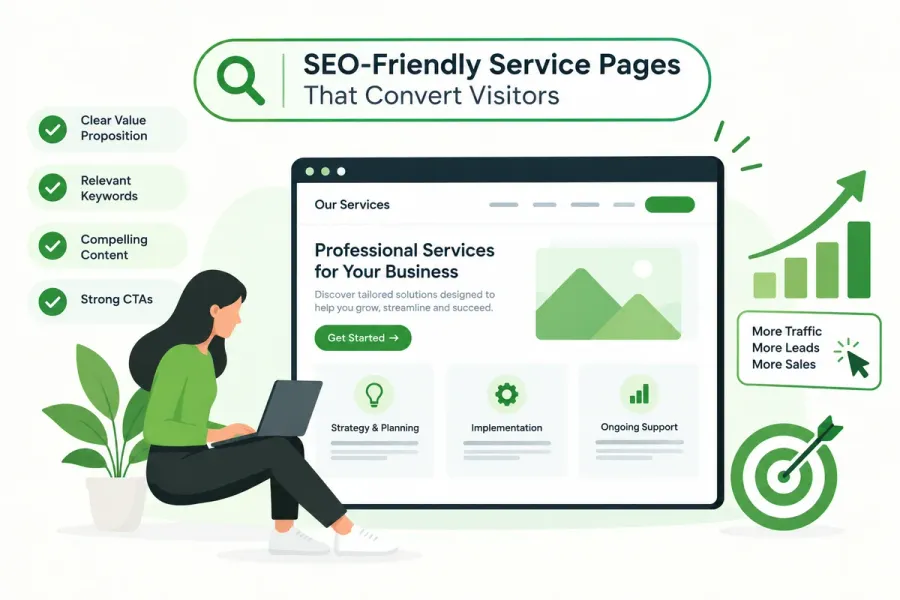
Your service pages are where SEO meets revenue. They’re the pages people land on when they’re ready to buy, book, or inquire — and they’re the pages most business websites get wrong.
Too many service pages fall into one of two traps. Either they’re written purely for Google (stuffed with keywords, thin on substance) or purely for humans (beautiful design, no search visibility). The best service pages do both: they rank for commercial keywords and convince visitors to take action.
That balance is what this guide is about. You’ll learn how to structure a service page for search, what to include to drive conversions, and the mistakes that quietly cost you both rankings and customers.
What Is an SEO Service Page?
A service page is a page dedicated to a specific service your business offers. It’s distinct from:
- Homepage — broad overview of everything you do
- Location pages — service pages targeted at a specific city or area
- Blog posts — informational content that supports service pages
- Category pages — groupings of multiple services
An SEO service page targets a commercial intent keyword — someone searching “emergency plumber near me” or “corporate tax accountant in Austin” — and is optimized to rank for it while converting the visitor.
Why Service Pages Matter More Than Any Other Page Type
1. They target high-intent searches
Someone searching for a service is close to buying. Informational content attracts researchers; service pages attract buyers.
2. They’re your conversion engine
Blog posts educate. Service pages sell. If your service pages don’t convert, your traffic doesn’t turn into revenue.
3. They carry the most commercial value
A single well-ranking service page can generate more revenue than dozens of blog posts.
4. They build topical and local authority
A cluster of strong service pages, properly interlinked, signals expertise and geographic relevance.
Related: This connects to our guide on topical authority for local business websites.
5. They’re what competitors neglect
Most small business service pages are thin, generic, and outdated. A genuinely strong page stands out immediately.
The Two Goals: Rank and Convert
Every service page must serve two masters:
| Goal | What It Requires |
|---|---|
| Rank | Keyword targeting, structure, internal links, technical health |
| Convert | Clear value prop, trust signals, easy next step |
Optimize for one and neglect the other, and the page fails.
How to Structure an SEO-Friendly Service Page
1. Title Tag (H1 and Meta Title)
Meta title formula: [Primary Service] in [Location] | [Brand]
Example: Emergency Plumbing in Austin | Reliable Rooter Co.
- Keep under 60 characters
- Front-load the primary keyword
- Include location for local services
- Add brand at the end
H1: Slightly more descriptive than the meta title, written for humans.
Example: 24/7 Emergency Plumbing Services in Austin, TX
2. Meta Description
150–160 characters. Include the primary keyword, a benefit, and a call to action.
Example: Fast, licensed emergency plumbers in Austin. Available 24/7 with upfront pricing. Call now for same-day service.
3. Introduction (Above the Fold)
The first 100 words determine whether visitors stay or bounce. Include:
- The service name
- Who it’s for
- The primary benefit
- Location (if local)
Example:
“When a pipe bursts at 2 AM, you need a plumber who answers. Our licensed Austin emergency plumbers respond in under 60 minutes, 24/7, with upfront pricing and no hidden fees.”
4. Service Overview Section
Explain what the service includes. Be specific. List deliverables, process steps, or scope.
Use H2s to break it up:
- What’s included
- How the process works
- What makes your approach different
5. Benefits Section
Move from features to outcomes. Instead of “we use premium materials,” say “your repair lasts 10+ years.”
Use bullet points for scannability.
6. Social Proof
Trust signals are non-negotiable on service pages:
- Customer reviews (with names and photos if possible)
- Case studies or before/after examples
- Certifications and licenses
- Years in business
- Number of customers served
- Awards or recognitions
- Logos of clients or partners
7. Pricing or Pricing Guidance
You don’t always need to publish exact prices, but you should address cost. Options:
- Transparent pricing table
- “Starting at” ranges
- “Get a free quote” CTA
- Pricing factors explained
Silence on pricing increases bounce rates.
8. FAQ Section
Answer common questions about the service. This supports both UX and SEO — especially if you use FAQPage schema.
Examples:
- How long does the service take?
- What areas do you serve?
- Do you offer emergency service?
- What’s included in the price?
9. Clear Call to Action (Multiple)
Every service page needs multiple CTAs throughout:
- Above the fold: primary CTA button
- Mid-page: secondary CTA after benefits
- Bottom: final CTA with contact form or phone
- Sticky CTA on mobile
CTA examples:
- “Get a Free Quote”
- “Call Now: (555) 123-4567”
- “Book Your Consultation”
- “Request Same-Day Service”
10. Location and Service Area
For local businesses, include:
- City and neighborhood names naturally
- Service area map or list
- Embedded Google Map
- LocalBusiness schema
Related: See our guide on LocalBusiness schema within the technical SEO checklist.
Keyword Targeting for Service Pages
Choose One Primary Keyword
Each service page should target one primary keyword. Examples:
- “emergency plumber Austin”
- “corporate tax accountant Chicago”
- “commercial cleaning services Denver”
Add Secondary and Long-Tail Keywords
Support the primary keyword with related terms:
- Service + location variations
- Service + intent modifiers (“cost,” “near me,” “best”)
- Related services
Match Search Intent
Service pages target commercial intent. If someone searches “how to fix a leaky faucet,” that’s informational — send them to a blog post, not a service page.
Related: Learn more in our guide on optimizing content for search intent.
Avoid Keyword Cannibalization
Don’t create multiple pages targeting the same keyword. One service = one page.
Related: See our guide on keyword cannibalization.
On-Page SEO Elements for Service Pages
| Element | Best Practice |
|---|---|
| Meta title | Under 60 chars, keyword + location + brand |
| Meta description | 150–160 chars, benefit + CTA |
| H1 | One per page, descriptive, keyword-inclusive |
| H2/H3 | Break up content logically, include secondary keywords |
| URL | Clean, keyword-based (/services/emergency-plumbing) |
| Images | Descriptive filenames, alt text, compressed |
| Internal links | Link to related services, blogs, contact |
| External links | Cite authorities where relevant (licensing bodies, etc.) |
| Schema | Service, LocalBusiness, FAQPage, BreadcrumbList |
| Mobile | Fully responsive, fast-loading, tappable CTAs |
Conversion Elements That Drive Action
Clarity Over Cleverness
Say exactly what you do and who it’s for. Avoid vague taglines.
Specificity Builds Trust
“Over 3,000 Austin homes serviced since 2012” beats “trusted by many.”
Reduce Friction
- Short forms (name, email, phone only)
- Click-to-call buttons on mobile
- Live chat if you can support it
- Multiple contact options
Use Visual Proof
- Real photos of your team, work, or facilities
- Before/after images
- Video testimonials
- Screenshots of results
Address Objections
Anticipate concerns:
- “Is it expensive?”
- “How soon can you come?”
- “Are you licensed and insured?”
- “What if I’m not satisfied?”
Answer these directly on the page.
Common Mistakes on Service Pages
- Thin content — 200 words with no substance
- No clear CTA — visitors don’t know what to do next
- Keyword stuffing — unnatural repetition that hurts readability
- No social proof — asking for trust without earning it
- Hiding pricing — silence drives people to competitors
- Generic copy — could describe any business in any city
- No internal links — missing opportunities to guide visitors
- Slow-loading pages — especially on mobile
- Missing location signals — no local relevance for local searches
- Duplicate service pages — cannibalizing your own keywords
How Service Pages Fit Into Your SEO Strategy
Service pages are the destination. Everything else supports them:
| Content Type | Role |
|---|---|
| Blog posts | Build topical authority and link to service pages |
| Location pages | Target city-specific service searches |
| Case studies | Provide proof and link to relevant services |
| FAQs | Address objections and support schema |
| Testimonials | Build trust from every page |
| Internal links | Direct authority and users to service pages |
Related: See our guide on internal linking SEO for how to link strategically.
How to Measure Service Page Performance
Track these metrics in Google Analytics and Search Console:
- Impressions and clicks for the target keyword
- Average position for primary and secondary keywords
- Conversion rate — form fills, calls, bookings
- Bounce rate — are visitors staying?
- Time on page — are they reading?
- Scroll depth — do they reach the CTA?
- Assisted conversions — do service pages contribute to multi-page journeys?
Conclusion
Service pages are the most commercially valuable pages on your website. They rank for the keywords that matter most and convert visitors into paying customers — but only if they’re built with both search and humans in mind.
Structure them clearly. Target the right keywords. Include proof, pricing guidance, and multiple CTAs. Support them with internal links, blog content, and location pages.
Get this right, and your service pages become the engine that drives predictable, sustainable growth.
Call to Action
Are your service pages ranking and converting the way they should?
BusiRank audits your service pages for keyword targeting, on-page SEO, conversion structure, and internal linking — then gives you a prioritized action plan.
👉 Get Your Free Service Page Audit
FAQs
1. What is an SEO service page?
An SEO service page is a page dedicated to a specific service you offer, optimized to rank for commercial-intent keywords and designed to convert visitors into customers.
2. How long should a service page be?
Most competitive service pages should be 800–1,500 words. Cover the service thoroughly — scope, process, benefits, proof, pricing guidance, and FAQs. Length should follow substance, not a target number.
3. Should I include pricing on my service pages?
Ideally yes, even if only ranges or “starting at” pricing. Silence on cost drives visitors to competitors. If you can’t publish prices, explain pricing factors and offer a free quote.
4. How many service pages should I have?
One page per distinct service. Don’t combine unrelated services on one page, and don’t create multiple pages targeting the same keyword.
5. What’s the difference between a service page and a location page?
A service page targets a service (“emergency plumbing”). A location page targets a service in a specific area (“emergency plumbing in Austin”). Both are valuable — use them together.
6. How do I optimize a service page for local SEO?
Include city and neighborhood names naturally, add LocalBusiness schema, embed a map, include local testimonials, and link to relevant location pages.
7. How often should I update my service pages?
Review them every 6–12 months, or whenever your offerings, pricing, or competitive landscape changes. Refresh content, update proof, and review keyword performance.
Internal & External Links
Internal Links
- topical authority for local business websites
- internal linking SEO
- optimizing content for search intent
- keyword cannibalization
- technical SEO checklist
- E-E-A-T SEO
- Get Your Free Service Page Audit
- Contact our team
External Sources
| Source | Purpose |
|---|---|
| Google Search Central – Creating Helpful Content | Guidance on people-first content |
| Nielsen Norman Group – Service Page UX | Research on service page usability |
| Baymard Institute – Checkout & Form UX | Conversion research |
| Google Business Profile Help | Local service visibility |
Grow Your Google Maps Ranking on Autopilot
Stop spending hours every week manually replying to customer reviews and writing Google posts. Busirank automates your Google Business Profile to boost your local SEO rankings and turn searchers into paying clients.

 Busirank Team
