 Busirank Team
Introduction
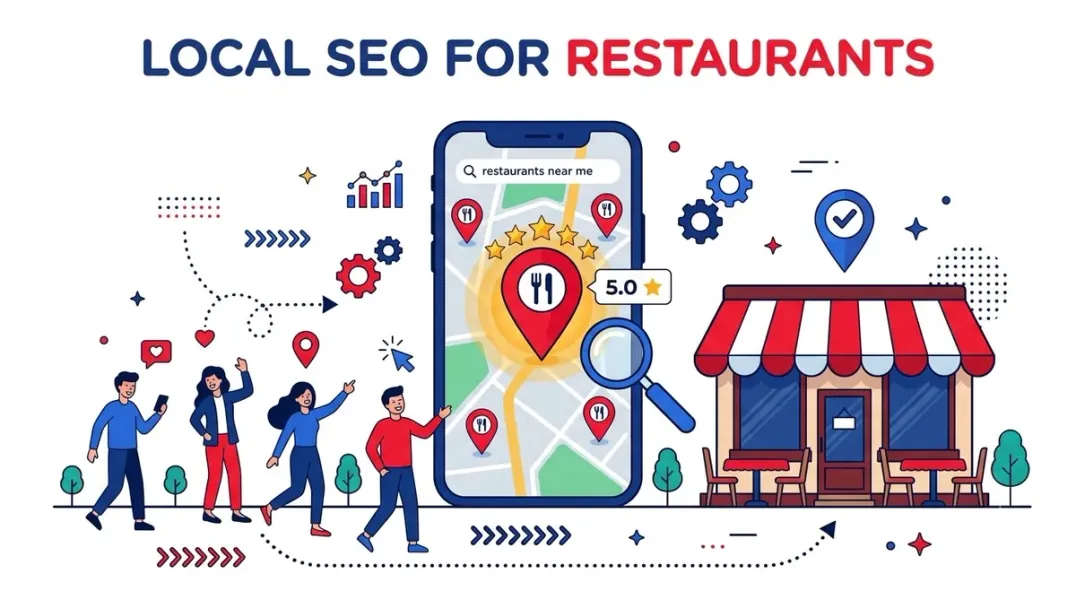
“Restaurants near me” is one of the most searched queries on Google. Every day, millions of hungry diners pull out their phones, search for nearby options, and make a decision within minutes. If your restaurant isn’t showing up in those top local results, you’re losing customers to competitors who are.
Unlike most local businesses, restaurants compete on a visual, emotional level in search results. Your Google listing’s photos, star rating, price range, and cuisine type all influence whether someone walks through your door or keeps scrolling . The diner isn’t just looking for a restaurant—they’re looking for the restaurant that satisfies their craving, fits their budget, and feels right for the occasion.
This guide covers everything you need to know about local SEO for restaurants in 2026: optimizing your Google Business Profile, generating a steady stream of reviews, using menu schema markup, and turning search visibility into actual foot traffic.
Restaurant SEO isn’t just about ranking. It’s about making your listing irresistible at the moment of decision .
Three factors make restaurant local SEO unique:
-
High-frequency, intent-driven searches. People searching for restaurants are often ready to act quickly. According to Google, searches for “open now near me” have skyrocketed by over 400% year-over-year . 76% of people who conduct a local search visit a business within 24 hours, and 28% make a purchase—often on the spot .
-
Visual and emotional decision-making. Your photos, star rating, and cuisine type influence clicks more than almost any other industry. A photo-rich listing consistently outperforms a sparse one on calls and direction requests .
-
Time-sensitive and seasonal. Friday dinner searches behave differently from Tuesday lunch searches. Holiday weekends spike different cuisine types. Understanding these patterns separates thriving restaurants from those wondering why their dining room is half-empty .
Step 1: Master Your Google Business Profile
Your Google Business Profile (GBP) is your restaurant’s digital storefront. If it’s not polished and complete, you’re invisible for local intent searches .
Choose the Right Categories
Select your primary category as specifically as possible. “Italian Restaurant” outperforms “Restaurant” because it matches more specific, higher-converting searches. Google offers over 100 restaurant subcategories—use the one that most accurately describes your cuisine .
Add secondary categories for additional offerings: “Pizza Restaurant,” “Bar,” “Catering Food and Drink Supplier,” “Vegan Restaurant” .
Pro tip: Your primary category is the single most impactful ranking factor in Google Maps. Choosing the right one can mean the difference between page 1 and page 5 .
Complete Every Field
Fill out every section of your GBP :
- Hours: Including special holiday hours. Wrong or inconsistent hours drop Google’s confidence in your listing .
- Phone number: Use a local number, not a toll-free number, for stronger geo-signals .
- Website URL: Link to a locally optimized landing page, not just your homepage .
- Menu URL: Link to a crawlable HTML menu, not a PDF. Google extracts menu items for search matching .
- Attributes: Toggle everything that applies—Dine-in, Takeout, Delivery, Outdoor seating, Reservations, Family-friendly, Vegan options, Wheelchair-accessible .
- Services: Add individual services with descriptions and pricing where applicable.
Add Action Buttons
Ranking is half the job. Once the diner is looking at your profile, they need a one-tap action—book, order, call, or get directions. If they have to hunt, they’re already moving on .
Enable:
- “Reserve a Table” button via your booking system (OpenTable, Resy, etc.)
- “Order Online” button for direct ordering
- Messaging for quick questions
The diner never has to leave Google, and you never lose them in a click-through to a slow website .
Optimize Your Menu
Upload your menu as HTML, not PDF. Google can crawl HTML menu items and match your restaurant to specific food searches like “gluten-free pizza near me” .
Include:
- Dish names and descriptions
- Prices
- Dietary attributes (vegetarian, gluten-free, halal)
Photo and Video Optimization
Photo-rich listings dramatically outperform sparse ones. But quantity alone isn’t enough—quality and categorization matter .
Upload:
- Professional photos of signature dishes (tagged as “Food & drink”)
- Your dining room during service (“Interior”)
- Your exterior at night with signage lit (“Exterior”)
- Your team (“Team”)
Add new photos weekly via GBP posts to signal freshness. Geo-tag all images with your restaurant’s coordinates before uploading .
Short-form video (under 30 seconds) is an underused Maps feature. Record quick walkthroughs, team introductions, or before-and-after showcases. Videos appear prominently in your profile and drive significantly higher engagement than static photos alone .
Step 2: Generate a Steady Stream of Reviews
Reviews are both a ranking factor and a conversion factor. Google weighs them heavily in the map pack, and the diner reading your profile is deciding whether to trust you .
Velocity Beats Volume
Review recency matters more than review count. A restaurant with 50 reviews from the last six months will outrank a restaurant with 200 reviews spread over five years .
Google wants signal that you’re still open and still good. A steady trickle of new reviews tells Google you’re busy and active right now. A wall of five-star reviews that all landed two years ago tells the opposite story—the kind of profile that belongs to a place that might have quietly closed .
Make the Ask Automated
The biggest factor in whether a happy guest leaves a review is timing. Ask when they’re happiest, and most say yes. Ask three days later with a generic email, and they’ve moved on .
For a dine-in guest, the good moments are easy to spot: when you drop the bill, when someone praises a dish, when they reach for their coats .
But willpower doesn’t scale. A server at the end of a busy Friday service isn’t going to remember to ask the guest at table eight. Post-visit automation—triggered when the experience is fresh—outperforms in-person asks by a wide margin .
Implementation:
- Place a small table card or receipt insert with a QR code linking directly to your Google review page
- Use a review management platform to send automated requests after visits or orders
- Train servers to mention the QR code to satisfied tables
Respond to Every Review
Replies are a ranking signal and a trust signal at the same time. They tell Google your profile is active, and they tell the next person reading that you’re paying attention .
Most restaurants skip this, which is what makes it a cheap advantage. A good reply is prompt, specific, and human. Name the dish they loved or the occasion they mentioned. Keep it to a couple of sentences .
The data: 91% of consumers use reviews to evaluate local businesses. 65% say they’re more likely to choose a business that responds to reviews .
Step 3: Implement Restaurant Schema Markup
Most restaurants ignore structured data, but Restaurant and Menu schema markup can dramatically improve your visibility .
Restaurant Schema
Use Restaurant as your primary schema type with these properties:
- servesCuisine (e.g., “Italian,” “Japanese”)
- priceRange (e.g., ”$$”)
- acceptsReservations (true/false)
Menu Schema
Implement Menu schema with MenuSection and MenuItem markup for each dish, including:
- Name
- Description
- Price
- Dietary attributes (vegetarian, gluten-free, halal)
Why it matters: Google uses this data to match your restaurant to specific food searches like “gluten-free pizza near me” . AI tools also rely on structured data to recommend restaurants—a cafe in Ahmedabad saw ChatGPT and Gemini recommending it after schema work was done months earlier .
Step 4: Optimize Your Website for Local Search
Your website is where Google confirms who you are .
NAP Consistency
Name, Address, Phone—identical everywhere. Your GBP, your website footer, your Yelp listing, TripAdvisor, and all directories must match. Inconsistent NAP drops Google’s confidence in your location data and may rank you lower .
Menu Page (HTML, Not PDF)
Create a regularly updated HTML menu page. Google can crawl it, extract items, and match your restaurant to dish-specific searches .
Location-Specific Pages
If you have multiple locations, each location should have its own page with unique local details. Avoid using the exact same content for every location .
Local Content Strategy
Traditional blog posts rarely drive restaurant traffic. Instead, focus on :
- Private events and catering page targeting “[event type] venue [city]”
- Neighborhood guide page positioning your restaurant within the local dining scene
- Seasonal pages for holiday menus and special events
- “Best of” pages targeting “best [cuisine] in [city]”
Each page should include internal links to your reservation system and core menu.
Step 5: Build Local Signals and Citations
Local Directories
Ensure your restaurant is listed on :
- Yelp
- TripAdvisor
- OpenTable
- Zomato
- Local chamber of commerce directories
- Neighborhood business associations
Keep your NAP consistent across all listings. This matters enough that Google’s confidence in your entire listing drops if any of these are wrong or inconsistent .
Local Backlinks
Earn links from local sources:
- Local news coverage (pitch stories about new menu items, chef features, community involvement)
- Food blogger reviews
- Local “best of” lists
- Event sponsorships
Community Partnerships
Participate in local events and partnerships. Host a booth at a farmers market. Sponsor a local event. Collaborate with another local business on a joint promotion. These opportunities spread brand awareness and build trust in the neighborhood .
Step 6: Compete in “Near Me” Searches
“Restaurants near me” is the new front door for hungry consumers .
Google uses three signals to rank local restaurants :
-
Proximity: How close your restaurant is to the searcher. You can’t change this, but strong prominence and relevance can widen your ranking radius .
-
Relevance: How well your business information matches the search. Categories, attributes, menu items, and review content all contribute.
-
Prominence: How well-known and well-reviewed you are online. Reviews are by far the biggest piece of prominence you can influence day to day .
Winning the Local Pack
The Local Pack (the boxed map results with three businesses) gets the lion’s share of clicks—and therefore foot traffic and orders . To compete:
- Keep your GBP complete and active (weekly posts, new photos)
- Generate reviews consistently (velocity matters)
- Respond to every review
- Use the right categories and attributes
- Build local citations and backlinks
Track Your Performance
Use GBP Insights to track :
- Website clicks
- Menu clicks
- Order clicks
- Reservation clicks
- Phone calls
- Direction requests
- Review volume and rating trends
- Popular search terms
Track what’s working and double down on it.
Common Mistakes Restaurants Make
-
Using a keyword-stuffed business name. Your name should be your real-world name, not “Best Pizza Downtown.” Google flags and penalizes keyword stuffing .
-
Forgetting to update holiday hours. Inconsistent hours drop Google’s confidence in your entire listing .
-
Linking to an outdated menu. If your menu URL points to a PDF that hasn’t been updated in months, you’re losing search visibility and frustrating customers .
-
Sending customers to third-party apps by default. Your “Order Online” button should link to your direct ordering system, not a third-party marketplace. Capture the customer relationship .
-
Ignoring reviews. 94% of diners choose where to eat based on online reviews. Not responding is leaving trust on the table .
-
Uploading low-quality or outdated photos. Photos impact click-through and conversion rates. A sparse or outdated photo library signals a neglected restaurant .
Conclusion
Local SEO for restaurants comes down to one core idea: make it as easy as possible for Google, Maps, and AI tools to understand who you are, where you are, what you serve, and why diners love you .
The businesses that win “near me” searches aren’t the ones with the biggest budgets. They’re the ones that execute the fundamentals consistently:
- Optimize your Google Business Profile with the right categories, complete information, and action buttons
- Generate reviews consistently—velocity beats volume
- Implement Restaurant and Menu schema to help Google match you to dish-specific searches
- Keep your website locally optimized with consistent NAP and crawlable HTML menus
- Build local citations and backlinks from directories, news, and community partnerships
- Track and iterate based on GBP Insights
Results typically come within 4 to 8 weeks of optimizing your GBP and publishing consistent content. In more competitive markets, expect 3 to 6 months for strong results. The most important factor is consistency .
Call to Action
Ready to fill more tables with local search?
We’ve created a Restaurant Local SEO Checklist covering GBP optimization, review generation, schema markup, and local content strategy—with step-by-step guidance for each.
👉 Download the Checklist and start winning more nearby customers today.
👉 Or run a free GBP audit to see how your restaurant compares to competitors.
FAQs
1. How long does local SEO take for restaurants?
Most restaurants see improvements in local rankings within 4 to 8 weeks of optimizing their GBP and publishing consistent content. In more competitive markets, it may take 3 to 6 months for strong results .
2. Can a small restaurant compete with large chains in local search?
Yes. Large chains often run national SEO strategies that aren’t optimized for individual neighborhoods. A well-optimized local profile, consistent review stream, and location-specific content can outrank a chain that isn’t paying attention at the local level .
3. Why do reviews matter more than just star rating?
Google analyzes review velocity (how often you get new reviews), recency, keyword mentions within review text, and whether you respond. A steady stream of recent reviews signals you’re active and currently good. A wall of old reviews signals a place that might have quietly closed .
4. Should I link to my menu as a PDF or HTML?
Always HTML. Google can crawl HTML menus, extract dish names and descriptions, and match your restaurant to specific food searches. PDFs are not crawlable for menu items .
5. How do I get more Google reviews for my restaurant?
Use post-visit automation—send a review request via text or email shortly after the visit. Place QR codes on table cards, receipts, or menus. Train servers to mention it to satisfied tables. The key is timing: ask when the experience is fresh .
6. What is Restaurant schema and why does it matter?
Restaurant schema is structured data that tells Google your cuisine type, price range, and whether you accept reservations. Menu schema marks up individual dishes with names, descriptions, and dietary attributes. Google uses this to match you to dish-specific searches like “gluten-free pizza near me” .
7. How important is NAP consistency for restaurants?
Critical. Your Name, Address, and Phone must be identical across your GBP, website, Yelp, TripAdvisor, and all directories. Inconsistent NAP drops Google’s confidence in your location data and may rank you lower .
8. What’s the biggest mistake restaurants make with GBP?
Using a keyword-stuffed business name (e.g., “Best Pizza Downtown” instead of “Tony’s Pizzeria”). Google flags and penalizes keyword stuffing . Other common mistakes include forgetting holiday hours, linking to outdated menus, and ignoring reviews.
9. How do I rank for “restaurants near me”?
You need to optimize for all three local ranking factors: relevance (categories, attributes, menu content), proximity (you can’t change this, but prominence can widen your radius), and prominence (reviews, citations, backlinks). A complete, active GBP is the foundation .
10. How many photos should I have on my GBP?
There’s no magic number, but photo-rich listings consistently outperform sparse ones. Upload professional photos of signature dishes, interior, exterior, and team. Add new photos weekly via GBP posts to signal freshness .
Internal & External Links
Internal Links
- Google Business Profile vs Google Maps: What’s the Difference?
- How Review Velocity Can Influence Local Search Visibility
- How to Build a Google Review Funnel That Generates Reviews Consistently
- Industry-Specific Citations: How to Find the Best Directories for Your Business
- Why Google Maps Rankings Change by Location: Understanding Local Search Grids
External Sources
- Oddle – Local SEO for Restaurants: How to Get Found on Google (2026)
- Locafy – Local SEO for Restaurants: Fill More Tables with Google
- Google – GBP Best Practices Playbook 2026
- AIOSEO – Restaurant SEO: How to Rank in Local Searches in 2026
- Food & Beverage Magazine – How Restaurants Can Win With ‘Near Me’ Searches
Grow Your Google Maps Ranking on Autopilot
Stop spending hours every week manually replying to customer reviews and writing Google posts. Busirank automates your Google Business Profile to boost your local SEO rankings and turn searchers into paying clients.

 Busirank Team
