 Busirank Team
Introduction
A wave of one-star reviews appears overnight. A five-star review reads like it was written by a chatbot. A competitor’s listing suddenly jumps from 4.2 to 4.8 stars with reviews from accounts that have never reviewed anything else.
Fake reviews are a growing problem in local search. Industry estimates suggest that 30% of all online reviews are fake, and 46% of consumers are suspicious of reviews that appear AI-generated . As AI tools make it easier to generate convincing fake content, the challenge of distinguishing authentic feedback from manufactured noise is becoming harder every year.
For local businesses, the stakes are high. A single wave of fake negative reviews can tank your rating, drive away customers, and damage your local search rankings. Conversely, competitors using fake positive reviews gain an unfair advantage that Google’s algorithm may reward—at least temporarily.
But here’s the good news: fake reviews leave patterns. They can’t hide the signals that expose them—the timing, the reviewer history, the language, the behavior. Once you know what to look for, you can identify suspicious reviews with confidence and take action.
In this guide, you’ll learn the red flags of fake reviews, how to investigate reviewer profiles, and what to do when you find them.
Fake reviews generally fall into two categories, and they require different detection approaches.
1. Fake Positive Reviews (Review Buying)
These are reviews purchased or incentivized to artificially inflate a business’s rating. They’re typically:
- Written by paid reviewers or incentivized customers
- Overwhelmingly five-star
- Vague and generic (“Great service!”)
- Posted in bursts
Google’s policies explicitly prohibit “reviews or ratings that are paid for, directly or indirectly” and “content posted by the same person or through multiple accounts at their request” .
2. Fake Negative Reviews (Review Bombing)
These are coordinated attacks designed to damage a business’s reputation. They’re typically:
- Overwhelmingly one-star
- Posted in sudden waves
- Sometimes accompanied by extortion demands (“Pay us or we keep posting”)
Google has launched a dedicated form to report review extortion scams, where scammers leave negative reviews and demand payment for their removal .
Red Flag 1: Timing Anomalies
The most reliable indicator of fake reviews is timing patterns.
What to Look For
- Sudden spikes: A wave of reviews appearing within hours or days, rather than the natural trickle of genuine customer feedback
- Off-hours posting: Reviews posted at 3 AM when your business is closed
- Rating cliffs: A sudden shift from 4.5 stars to 4.0 stars (or vice versa) without operational changes to explain it
Why It Matters
A tool like the Google Reviews Analysis Actor checks “reviews arriving far faster than this listing’s normal rate” and flags “a burst that is overwhelmingly one-star, or overwhelmingly five-star, against what this listing usually receives” .
How to Investigate
Check your Google Business Profile insights. Compare review volume to your transaction volume. If reviews spike but customers don’t, that’s a red flag .
Red Flag 2: Reviewer Profile Red Flags
Fake reviews often come from accounts with suspicious characteristics.
What to Look For
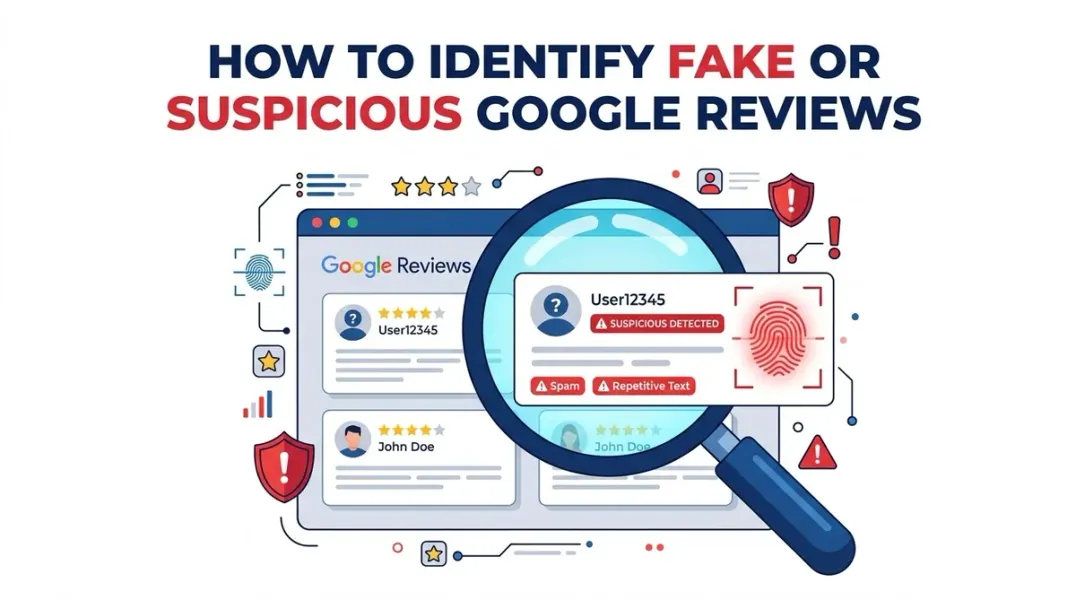
- No avatar or generic username: Accounts with no profile picture or names like “John Smith 12345”
- Single-review accounts: Accounts created solely to leave one review
- New accounts: Accounts created within the last few weeks
- Review history patterns: An account that exclusively reviews businesses in your category, in your city, with negative ratings
How to Investigate
Click on the reviewer’s name to view their public review history. Google shows:
- Their display name
- Their review history (all public reviews they’ve left)
- Whether they’re a Local Guide (higher levels are more trustworthy)
An account that’s new, has no other reviews, or exclusively reviews competitors is a red flag for a fake or targeted review .
Advanced option: Tools like the Google Maps Contributor Reviews API can pull a reviewer’s full review history as JSON, showing their rating pattern, Local Guide level, and places reviewed . The Google Maps Reviewer Geo Profile API goes further, clustering a reviewer’s public review locations into a “home-region guess” to identify out-of-town reviewers .
Red Flag 3: Language and Content Patterns
Fake reviews often have telltale linguistic signatures.
What to Look For
- Robotic or templated phrasing: Generic sentences that could apply to any business (“Great place, highly recommend!”)
- Vague complaints or praise: No specific details about the experience (“Bad service” with no context)
- Repeated wording across reviews: The same distinctive phrasing appearing from accounts with no other connection
- Content mismatches: Reviews that mention products you don’t sell, services you don’t offer, or staff members who don’t exist
- Copy-paste duplicates: Word-for-word identical reviews on other businesses’ profiles
Why It Matters
AI-generated reviews are becoming harder to spot. Research from IEEE shows that transformer-based models can now detect AI-written reviews by analyzing “subtle signs that differentiate fake reviews from real ones” . But you don’t need a machine learning model to spot the obvious ones.
The key insight from the Apify analysis tool: “A campaign says one thing in one way; real customers say eight things in eight ways” . If all the reviews sound the same, something is wrong.
How to Investigate
Read the reviews aloud. Do they sound like a human wrote them? Do they mention specific details that only a real customer would know? Or are they generic enough to apply to any business in your category?
Red Flag 4: Conflict of Interest Signals
Some fake reviews come from people with a direct stake in your business’s reputation.
What to Look For
- Competitor reviews: Reviews from accounts that have also reviewed your competitors
- Employee reviews: Current or former employees leaving negative reviews under personal accounts
- Owner reviews: The business owner or their family reviewing their own business
Why It Matters
Google’s policies explicitly prohibit “content based on a conflict of interest,” including “current or previous employment, contractual or consultative relationships, or other business or personal affiliations that present a conflict of interest (such as industry competitors, family relationships)” .
How to Investigate
Check the reviewer’s history. If they’ve left positive reviews for your competitors and negative reviews for you, that’s a conflict of interest. If you recognize them as a current or former employee, that’s also grounds for removal .
Red Flag 5: The Extortion Pattern
A particularly malicious form of fake review is review extortion—a scam where someone leaves negative reviews and then demands payment for their removal.
What to Look For
- Sudden wave of 1-star and 2-star reviews
- Followed by a message (often via WhatsApp or email) demanding money, goods, or services in exchange for removing the reviews
- Specific threats: “Pay us or we’ll keep posting”
Google’s help documentation describes this as “scams may involve a sudden increase in 1-star and 2-star reviews on your Google Business Profile, followed by someone demanding money, goods, or services in exchange for removing the negative reviews” .
What to Do
Do not engage or pay. Google advises:
- Don’t engage with or pay the individuals. This can encourage further attempts and doesn’t guarantee removal.
- Don’t try to resolve it yourself by offering money or services.
- Gather all evidence immediately.
- Report all relevant communication using Google’s dedicated form .
Google launched a form specifically for reporting negative review extortion scams in late 2025. One local SEO reported that using the form resulted in the review being removed within days .
How to Investigate a Suspicious Review
When you suspect a review is fake, follow this step-by-step process.
Step 1: Check the Reviewer’s Profile
Click the reviewer’s name. Review their history:
- How many reviews have they left?
- Are they a Local Guide?
- Do they review businesses in your area or elsewhere?
- Do they exclusively review your category?
Step 2: Analyze the Review Content
Look for:
- Specificity (or lack thereof)
- Language that seems templated or robotic
- Mentions of products, services, or staff that don’t match your business
Step 3: Check the Timing
When was the review posted? Does it coincide with a spike in other suspicious reviews?
Step 4: Document Everything
Take screenshots. Save the reviewer’s profile URL. Note the review text and date. This documentation will be needed if you report the review .
Step 5: Decide Whether to Report
Not every suspicious review warrants a report. Google is unlikely to remove reviews unless they clearly violate policy . Focus on reviews that:
- Are clearly fake (not based on a real experience)
- Contain prohibited content (harassment, threats, off-topic)
- Come from a conflict of interest (competitor, employee)
How to Report a Fake Review
If you’ve identified a review that violates Google’s policies, here’s how to report it.
Via Google Maps
- Open Google Maps and find your Business Profile
- Locate the review
- Click the three dots next to it
- Select “Report review”
- Choose the violation reason
- Submit
Via Your Business Profile
- Sign in to Google Business Profile
- Go to the Reviews tab
- Find the review and click the three dots
- Select “Report review”
- Choose the violation reason
What Happens After You Report
Google will send you an email confirming the report. Reviews are typically assessed within 3 to 5 days .
If the review is not removed and you believe it should be, you can submit a one-time appeal through the Reviews Management Tool .
In your appeal, clearly state:
- Why the review is fake
- That the reviewer’s name/details do not match your customer records (invoices, client database)
- That the review contains inconsistent facts about your service
What NOT to Do
Don’t Offer Incentives for Removal
Offering discounts, freebies, or money to remove a review violates Google’s policies and could expose you to FTC penalties .
Don’t Respond Emotionally
A public argument with a fake reviewer makes you look defensive and draws attention to the review. If you must respond, keep it professional and brief .
Don’t Flag Every Negative Review
Google’s review team will lose credibility in your reports if you flag legitimate criticism. Save your flags for reviews that clearly violate policy .
Don’t Assume “A Google User” Is Fake
Many “A Google User” reviews are legitimate reviews from accounts that were later deleted. Treating them as fake without other evidence is rarely successful .
Preventing Fake Reviews
You can’t prevent all fake reviews, but you can reduce your vulnerability.
Keep Your Profile Active
A well-maintained Google Business Profile with regular posts, photos, and review responses builds authority and makes it harder for fakes to blend in .
Monitor Reviews Regularly
Assign someone to check your Google reviews daily or weekly. The sooner you spot a fake review, the sooner you can report it .
Never Buy Reviews
Buying reviews is a violation of Google’s policies and can result in review removal, profile suspension, or worse .
Don’t Gate Reviews
Selectively asking only happy customers to leave reviews violates Google’s policies. Ask everyone .
Conclusion
Fake reviews are a persistent threat to local businesses, but they’re not undetectable. The signals are there—in the timing, the reviewer profiles, the language, and the patterns.
The red flags:
- Sudden spikes in review volume
- Accounts with no history or generic usernames
- Robotic or templated language
- Content that doesn’t match your business
- Conflict of interest (competitors, employees)
- Extortion demands
The response:
- Document everything
- Report reviews that violate policy
- Appeal if your first report is rejected
- Do not engage with extortionists
- Never incentivize removal
The best defense is a strong offense: maintain an active profile, generate authentic reviews consistently, and monitor for suspicious activity. A business with a healthy review velocity and engaged owner is harder to attack—and easier to trust.
Call to Action
Dealing with suspicious reviews right now?
We’ve created a Fake Review Investigation Checklist with step-by-step guidance on identifying red flags, documenting evidence, and reporting violations to Google.
👉 Download the Checklist and take action on fake reviews today.
👉 Or run a free GBP audit to see how your review profile compares to competitors.
FAQs
1. How can I tell if a Google review is fake?
Look for red flags: sudden timing spikes, accounts with no review history, generic or templated language, content that doesn’t match your business, and reviewers with a conflict of interest .
2. Can I see who left a Google review?
You can see the reviewer’s display name and their public review history. You cannot see their email address, real name (if using a pseudonym), or physical location .
3. What does “A Google User” mean?
“A Google User” is the display name for reviews from deleted accounts or pre-login era reviews. These are often legitimate—don’t assume they’re fake .
4. How do I report a fake Google review?
Open the review in Google Maps or your Business Profile, click the three dots, select “Report review,” and choose the violation reason .
5. What happens after I report a fake review?
Google typically assesses reports within 3 to 5 days. If the review violates policy, it will be removed. If not, you can submit a one-time appeal .
6. Can I appeal if Google doesn’t remove a fake review?
Yes. You can submit one appeal through the Reviews Management Tool. Provide clear evidence that the review violates policy .
7. What is review extortion?
Review extortion is a scam where someone leaves negative reviews and demands payment for their removal. Google has a dedicated form to report these scams .
8. Should I respond to a fake review?
A brief, professional response can reassure future customers that the review is not genuine. Avoid arguments or emotional language .
9. Can I offer a refund to get a fake review removed?
No. Offering any incentive for review removal violates Google’s policies and could expose you to FTC penalties .
10. How can I prevent fake reviews?
Keep your profile active, monitor reviews regularly, never buy reviews, and don’t gate reviews (selectively asking only happy customers) .
Internal & External Links
Internal Links
- Negative Google Reviews: When to Respond, Report, or Ignore Them
- How Review Velocity Can Influence Local Search Visibility
- How to Build a Google Review Funnel That Generates Reviews Consistently
- Why Your Competitor Ranks Higher on Google Maps Even With Fewer Reviews
- How to Find Your Competitors in the Google Local Pack
External Sources
Grow Your Google Maps Ranking on Autopilot
Stop spending hours every week manually replying to customer reviews and writing Google posts. Busirank automates your Google Business Profile to boost your local SEO rankings and turn searchers into paying clients.

 Busirank Team
