 Busirank Team
Page 1: What Google Business Profile Posts Are and Why They Matter
The Feature Most Businesses Ignore
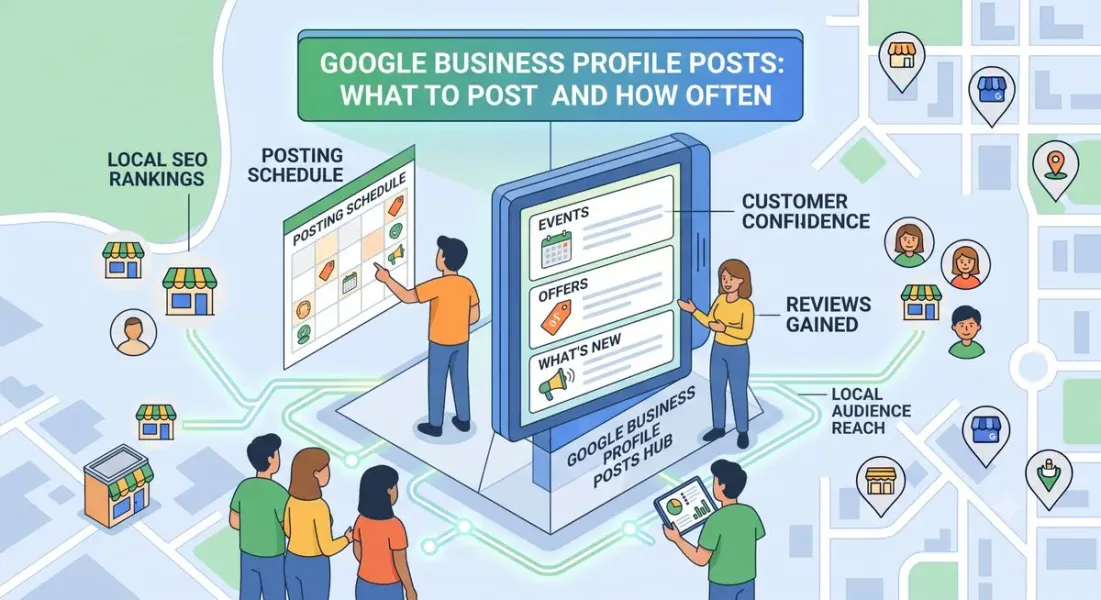
Google Business Profile Posts—sometimes called Google Posts or GBP updates—are short, social-media-style updates that appear directly on your business listing in search results and Google Maps.
They sit prominently on your profile, often right below your core business information and above reviews. When someone searches for your business or a relevant local query, your posts can appear in the results without the customer ever visiting your website.
Despite being free, easy to use, and visible at the exact moment customers are deciding, most local businesses ignore them entirely. That’s a missed opportunity—and an advantage for the businesses that don’t.
Why Posts Matter for Local SEO
Posts aren’t a direct ranking factor in the way reviews or categories are. But they influence local performance indirectly and meaningfully:
-
They signal activity. An active profile tells Google your business is alive and engaged. Dormant profiles signal neglect.
-
They add fresh content. Google favors fresh, relevant content. Posts give your profile a steady stream of new material without touching your website.
-
They add keyword context. Posts can mention services, locations, and offers naturally, reinforcing what your business does and where.
-
They increase engagement. Posts can drive calls, messages, bookings, and website clicks—all of which are engagement signals Google tracks.
-
They take up search real estate. Posts appear in your listing, pushing competitors further down and giving you more visual space in results.
-
They support conversion. Offers, events, and product posts give customers a reason to act now rather than later.
Think of posts as the “living layer” of your profile. Your core information is static. Posts keep it current.
The Visibility Advantage
Here’s what makes posts uniquely valuable: they appear in two high-intent environments.
In Google Search: When someone searches your business name or a relevant local query, your recent posts can appear in the knowledge panel on the right side of results (desktop) or in your business listing (mobile).
In Google Maps: When someone taps your pin, your posts show up in your profile, giving them something current to engage with.
Both environments are moments of high intent. The customer is already looking at your business. Posts give them a reason to choose you over the next listing.
Why Most Businesses Don’t Post
The reasons are predictable:
- They don’t know the feature exists
- They think it’s for social media only
- They don’t know what to post
- They’re unsure how often to post
- They don’t see immediate results and stop All of these are solvable. This guide solves them.
What This Guide Covers
Over the next five pages, you’ll learn:
- Page 1: What GBP posts are and why they matter
- Page 2: The post types and how to use each one
- Page 3: What to actually post—content ideas by industry and goal
- Page 4: How often to post, scheduling, and images
- Page 5: Tracking, mistakes, and conclusion
Page 2: The Post Types and How to Use Each One
The Four Core Post Types
Google Business Profile offers four primary post types. Each serves a different purpose, and using a mix keeps your profile dynamic.
- What’s New General updates about your business. This is the most flexible post type and the one you’ll use most often.
Best for:
- Announcements
- Behind-the-scenes content
- Tips and advice
- Seasonal messages
- Community involvement
- New team members
- Events Promote upcoming events with dates, times, and descriptions. Events stay visible until their end date, unlike other posts that expire after seven days.
Best for:
- Open houses
- Sales events
- Workshops and classes
- Community gatherings
- Webinars
- Seasonal celebrations
- Offers Share discounts, promotions, and special deals. Offers also remain visible until their end date.
Best for:
- Limited-time discounts
- Bundle deals
- New customer promotions
- Seasonal sales
- Loyalty offers
- Free consultations
- Products Highlight specific products with photos, descriptions, and prices. These can be especially useful for retail and e-commerce-adjacent businesses.
Best for:
- New arrivals
- Best sellers
- Featured items
- Seasonal products
- Gift ideas
- Product categories
Post Anatomy: What Goes Into Each Post
Every post has the same basic building blocks:
| Element | Details |
|---|---|
| Image or video | Recommended size 1200 x 900 px, minimum 400 x 300 px |
| Text | Up to 1,500 characters; first 100–150 show before “Read more” |
| Call to action button | Book, Order online, Buy, Learn more, Sign up, Call now |
| Link | Optional but recommended for driving traffic |
| Date range | Required for Events and Offers |
Choosing the Right Call to Action
The CTA button is one of the most important parts of your post. Match it to your goal:
| Goal | CTA to Use |
|---|---|
| Get phone calls | Call now |
| Drive website traffic | Learn more |
| Get bookings | Book |
| Sell products | Buy or Order online |
| Collect leads | Sign up |
| Promote an event | Learn more or Sign up |
Best practice: Use one CTA per post. Multiple options create hesitation.
How Posts Display Differently
Posts appear differently depending on where they’re seen:
- On mobile search: Posts appear in your business listing, often with the image and a snippet of text.
- On desktop search: Posts appear in the knowledge panel on the right.
- In Google Maps: Posts appear when someone taps your listing. Because most local searches happen on mobile, prioritize mobile readability. Keep headlines short, use clear images, and front-load the important information.
Post Expiration: What You Need to Know
This is where posts differ from social media:
- What’s New posts expire after 7 days
- Event posts remain until the event end date
- Offer posts remain until the offer end date
- Product posts remain until you remove them This means your “What’s New” posts have a short shelf life. If you post once and forget, your profile looks stale within a week. Consistency is the whole game.
The Compliance Rules
Google has guidelines for posts. Violating them can get posts rejected or your profile flagged.
Don’t post:
-
Misleading or false claims
-
Content unrelated to your business
-
Offensive or inappropriate material
-
Competitor attacks
-
Regulated products without proper compliance (alcohol, cannabis, firearms, etc.)
-
Excessive promotion that resembles spam Do post:
-
Accurate, helpful information
-
Clear images that represent your business
-
Honest offers with clear terms
-
Content relevant to your services and location
Page 3: What to Actually Post—Content Ideas That Work
The Content Categories
Every post should fall into one of six categories. Rotating through them keeps your profile varied and useful.
- Informational Teach your audience something relevant to your business.
Examples:
- “3 signs your water heater needs replacing”
- “How often should you get a dental cleaning?”
- “What to check before buying a used car”
- Promotional Highlight offers, discounts, or new services.
Examples:
- “20% off all services this month”
- “New: same-day appointments now available”
- “Free consultation for new clients”
- Trust-Building Show your expertise, credentials, or community involvement.
Examples:
- “Meet our team: Sarah, our lead stylist with 12 years of experience”
- “We’ve been serving Austin since 2009”
- “Proud sponsor of the local little league team”
- Behind-the-Scenes Give customers a look inside your business.
Examples:
- “How we prepare your order”
- “A day in the life at our workshop”
- “Our new equipment just arrived”
- Seasonal and Timely Tie your posts to seasons, holidays, or local events.
Examples:
- “Holiday hours: We’re open until 8pm through December 23”
- “Summer special: AC tune-ups before the heat hits”
- “Back-to-school checkups now booking”
- Engagement-Focused Encourage interaction and community participation.
Examples:
- “What’s your favorite item on our menu?”
- “Tag us in your photos for a chance to be featured”
- “Vote for us in the local Best of 2026 awards”
Content Ideas by Industry
Different industries benefit from different post mixes. Here’s a practical starting point:
Restaurants & Cafes
- Daily specials
- New menu items
- Seasonal dishes
- Behind-the-scenes in the kitchen
- Staff spotlights
- Event announcements
- Holiday hours
Home Services (Plumbing, HVAC, Electrical)
- Seasonal maintenance tips
- Warning signs of common problems
- Before-and-after job photos
- Emergency availability reminders
- Special offers on tune-ups
- New equipment or certifications
Medical & Dental
-
Health tips
-
New services or technology
-
Insurance reminders
-
Seasonal health advice
-
Staff introductions
-
Appointment availability updates Retail
-
New arrivals
-
Best sellers
-
Gift guides
-
In-store events
-
Limited-time sales
-
Product spotlights
Salons & Spas
- Before-and-after photos
- New services
- Seasonal treatments
- Product recommendations
- Staff certifications
- Booking availability
Professional Services (Legal, Accounting, Consulting)
-
Common questions answered
-
Regulatory updates
-
Client success stories (anonymized)
-
Service explanations
-
Community involvement
-
Availability for consultations Automotive
-
Maintenance reminders
-
Seasonal vehicle tips
-
Service specials
-
New equipment or capabilities
-
Customer testimonials (with permission)
-
Safety checks
Writing Posts That Convert
Great posts follow a consistent pattern:
-
Hook (first 100 characters) Lead with the value. “Your AC is working harder than it needs to” beats “We offer AC services.”
-
Value (middle) Explain the benefit, offer, or information clearly. Keep it concise.
-
Action (CTA + link) Tell them exactly what to do next.
Example:
Hook: Is your water heater making strange noises?
Value: Those rumbling sounds usually mean sediment buildup—and ignoring it can lead to a costly failure. We offer same-week inspections across the Austin area, and this month, inspections are free.
Action: [Call now] or [Learn more]
Why it works: It speaks to a real problem, positions your business as the solution, adds a time-sensitive offer, and gives a clear next step.
Using Keywords Naturally
Posts are an opportunity to reinforce keywords—but only if it feels natural.
Do:
-
Mention your service (“drain cleaning,” “teeth whitening,” “oil change”)
-
Mention your location if relevant (“serving Round Rock and Cedar Park”)
-
Use the language customers actually search with Don’t:
-
Cram keywords unnaturally
-
Repeat the same keyword in every post
-
Sacrifice readability for SEO Rule of thumb: If it sounds like a human wrote it, it’s fine. If it sounds like a robot stuffing keywords, rewrite it.
Page 4: How Often to Post, Scheduling, and Images
The Frequency Question
There’s no single perfect number. But there’s a clear range:
| Frequency | Effect |
|---|---|
| Daily | Maximum freshness, but unsustainable for most small businesses |
| 2–3x per week | Excellent visibility and freshness |
| Weekly | Strong baseline—the recommended minimum |
| Biweekly | Acceptable but starting to feel slow |
| Monthly | Profile looks inactive |
| Quarterly or less | Effectively abandoned |
The recommendation: Post at least once a week. If you can manage two to three times per week, even better.
Since “What’s New” posts expire after seven days, weekly posting means your profile always has at least one active post. Anything less leaves gaps where your profile looks dormant.
Building a Sustainable Posting Schedule
The best schedule is one you can actually maintain. Here’s how to build it:
Step 1: Decide your frequency. Start with once a week. Add more later if you can sustain it.
Step 2: Pick your posting days. Consistency matters more than spontaneity. Choose specific days—say Tuesday and Friday—and stick to them.
Step 3: Plan content in advance. Create a monthly content calendar. Outline four to eight posts per month. You don’t need to write them all at once—just know what’s coming.
Step 4: Batch create. Set aside one hour per month to write and schedule posts. Batching is far more efficient than creating one at a time.
Step 5: Schedule where possible. Google’s native scheduling is limited, but third-party tools like Podium, Birdeye, and Local Falcon offer post scheduling. Some social media management tools also support GBP posting.
Step 6: Leave room for spontaneity. Plan 70–80% of your posts. Save the rest for timely opportunities—weather events, local news, seasonal moments.
A Simple Monthly Posting Calendar
Here’s a practical four-post-per-month framework:
Week 1: Informational Share a tip or answer a common question. Builds authority.
Week 2: Promotional Highlight an offer, service, or product. Drives action.
Week 3: Trust-Building Introduce a team member, share a milestone, or highlight community involvement. Builds connection.
Week 4: Seasonal or Engagement Tie to the season, a holiday, or invite engagement. Keeps things fresh.
This framework is easy to repeat, covers all your bases, and never feels repetitive.
Image and Video Best Practices
Visuals make or break a post. Posts with images get significantly more engagement than text-only updates.
Image specifications:
-
Recommended size: 1200 x 900 pixels
-
Minimum size: 400 x 300 pixels
-
Format: JPG or PNG
-
Aspect ratio: 4:3 works well for most displays What makes a good post image:
-
Clear subject, not cluttered
-
Real photos of your business, team, or products
-
Natural lighting
-
Readable text overlay if you use one (keep it minimal)
-
Consistent branding (colors, logo placement) What to avoid:
-
Stock photos (they perform poorly and feel inauthentic)
-
Low-resolution images
-
Heavy filters
-
Text-heavy graphics that get cut off
-
Images that don’t match the post content Video:
-
Keep videos under 30 seconds where possible
-
Ensure they autoplay without sound (add captions if needed)
-
Show real activity—your team, your work, your space
Seasonal and Timely Posting
Some of your best post opportunities are tied to the calendar. Plan ahead for:
- Holidays: Adjusted hours, holiday specials, greetings
- Seasons: Spring cleaning, summer AC prep, fall maintenance, winter readiness
- Local events: Festivals, fairs, school events, community drives
- Industry moments: Awareness months, national days relevant to your business Pro tip: Create a yearly calendar with 12–20 seasonal opportunities and plan posts around them in advance.
What to Do When You Miss a Week
Don’t panic. Don’t post five times to “catch up.” Just resume your normal schedule.
The goal isn’t perfection—it’s consistency over time. A business that posts weekly for two years will outperform one that posts daily for three months and then stops.
Page 5: Tracking, Mistakes, and Conclusion
Tracking Post Performance
Google Business Profile doesn’t offer detailed post analytics, but you can track meaningful signals.
In your GBP dashboard, monitor:
- Calls – Are they increasing month over month?
- Website clicks – Are posts driving traffic?
- Direction requests – Are posts motivating visits?
- Messages – Are posts generating inquiries?
- Bookings – If you use booking links, track conversions Use UTM parameters on post links. Tag every link so you can see traffic in Google Analytics:
yourwebsite.com/offer?utm_source=google&utm_medium=gbp&utm_campaign=spring_special
This lets you compare post performance against other channels.
Track qualitative signals too:
- Are customers mentioning your posts when they call?
- Are offers being redeemed?
- Are event posts driving attendance?
Measuring What Matters
Not every post needs to drive immediate action. Different post types serve different goals:
| Post Type | Primary Goal | How to Measure |
|---|---|---|
| Informational | Authority and engagement | Views, engagement |
| Promotional | Conversions | Clicks, calls, redemptions |
| Trust-Building | Brand perception | Engagement, follower growth |
| Behind-the-Scenes | Connection | Views, engagement |
| Seasonal | Timely relevance | Clicks, calls |
| Engagement | Community | Comments, shares |
Benchmark over time, not against others. Compare your post performance month over month. Look for trends, not single data points.
Common Google Business Profile Post Mistakes
- Posting once and stopping. The most common mistake. Posts expire; consistency matters.
- Using stock photos. They underperform and feel inauthentic.
- Writing for Google instead of customers. Keyword stuffing hurts readability.
- No call to action. Every post should tell the reader what to do next.
- Ignoring mobile. Most local searches happen on phones—check how posts look on mobile.
- Posting the same thing repeatedly. Vary content types and topics.
- Promoting too aggressively. Balance promotional posts with informational and trust-building content.
- Forgetting seasonal opportunities. Holidays and seasons are prime posting moments.
- Not tracking results. Without measurement, you can’t improve.
- Ignoring post rejection notices. If a post is rejected, review Google’s guidelines and revise.
Quick Posting Checklist
- Post at least once a week
- Choose specific posting days and stick to them
- Rotate through informational, promotional, trust-building, and seasonal content
- Use real photos of your business
- Lead with a hook in the first 100 characters
- Add a clear call to action
- Tag links with UTM parameters
- Check posts on mobile before publishing
- Track calls, clicks, and direction requests monthly
- Plan seasonal posts in advance
- Stay compliant with Google’s guidelines
- Review your calendar quarterly and adjust
Building Posts Into Your Routine
The businesses that succeed with GBP posts don’t treat them as a separate project. They build posting into their existing marketing rhythm.
If you already do social media: Repurpose content. A post that works on Instagram often works on GBP with minimal changes.
If you don’t: Start small. One post per week. Use the four-week framework in Page 4.
If you have a team: Assign ownership. One person owns GBP posting, with a monthly review.
If you’re solo: Batch create. One hour per month to plan and write four posts is enough to stay consistent.
The goal is sustainability. A modest, consistent effort beats an ambitious one that fizzles out.
Conclusion
Google Business Profile posts are one of the most underused free tools in local marketing. They appear at the exact moment customers are deciding, they signal activity to Google, and they give your profile a living, current layer that static information can’t provide.
The strategy isn’t complicated:
- Post at least once a week
- Rotate through informational, promotional, trust-building, and seasonal content
- Use real photos
- Lead with value
- Add a clear call to action
- Track what works
- Stay consistent You don’t need a big budget or a content team. You need a simple schedule, a handful of good ideas, and the discipline to keep showing up.
Start this week. Post once. Then do it again next week. In three months, your profile will look more active than most of your competitors’—and that alone is worth the effort.
Call to Action
Want a year’s worth of post ideas ready to go? Download our free Google Business Profile Posting Calendar, including 52 post prompts, seasonal hooks, image guidelines, and a monthly tracking sheet. [Link to calendar]
FAQs
How often should I post on Google Business Profile?
At least once a week. Two to three times per week is better if you can sustain it. Since “What’s New” posts expire after seven days, weekly posting keeps your profile consistently active.
Do Google Business Profile posts help SEO?
They’re not a direct ranking factor, but they indirectly support local SEO by signaling activity, adding fresh content, reinforcing keywords, and driving engagement like calls and clicks.
How long do Google Business Profile posts last?
“What’s New” posts expire after 7 days. Event and Offer posts remain visible until their end date. Product posts stay until you remove them.
What’s the best image size for GBP posts?
1200 x 900 pixels is recommended. The minimum is 400 x 300 pixels. Use JPG or PNG, and prioritize real photos over stock images.
Can I schedule Google Business Profile posts?
Google’s native scheduling is limited. Third-party tools like Podium, Birdeye, and Local Falcon offer scheduling. Many businesses batch-create posts monthly and publish manually.
What should I post about?
Rotate through six categories: informational, promotional, trust-building, behind-the-scenes, seasonal, and engagement-focused. Aim for a mix rather than all promotions.
Do I need to use keywords in posts?
Use them naturally. Mention your services and location where relevant, but prioritize readability. Keyword stuffing hurts more than it helps.
Can I post the same content on Google Business Profile and social media?
Yes, with adjustments. Repurposing works well, but tailor the call to action and link for each platform. GBP posts should focus on driving local action.
What happens if my post is rejected?
Google may reject posts that violate its guidelines—misleading claims, inappropriate content, or unrelated material. Review the policies, revise the post, and resubmit.
How do I know if my posts are working?
Track calls, website clicks, direction requests, and messages in your GBP dashboard. Use UTM parameters on links to measure traffic in Google Analytics. Compare month over month.
Internal & External Links
Internal links: Replace these with your own URLs.
-
Local SEO checklist External links:
Grow Your Google Maps Ranking on Autopilot
Stop spending hours every week manually replying to customer reviews and writing Google posts. Busirank automates your Google Business Profile to boost your local SEO rankings and turn searchers into paying clients.

 Busirank Team