 Busirank Team
Page 1: Why Google Reviews Are Your Most Valuable Local Asset
The Real Impact of Reviews
Google reviews are the closest thing to word-of-mouth marketing at scale. They shape buying decisions, influence local rankings, and build the kind of trust that no ad campaign can buy.
Consider what the data shows:
- 91% of consumers read online reviews before choosing a local business.
- 88% of consumers trust online reviews as much as personal recommendations.
- Businesses with a rating between 4.0 and 4.7 stars tend to earn the most clicks in local search.
- Nearly 50% of consumers say they’d only use a business with at least a 4-star rating.
- A single negative review can cost a business roughly 30 customers.
But reviews don’t just affect conversion—they affect visibility. Google uses review quantity, quality, velocity, and your responses as ranking signals for the local pack. More reviews mean more chances to rank, and better rankings mean more customers, which means more reviews. It’s a flywheel.
Why Most Businesses Struggle
The problem isn’t that customers are unhappy. It’s that happy customers rarely leave reviews on their own. People are far more motivated to complain than to compliment.
Think about it:
- A dissatisfied customer has a strong emotional trigger and acts immediately.
- A satisfied customer feels good, moves on with their day, and forgets. You have to engineer the ask. That means building review requests into your customer journey so they happen automatically, at the right moment, through the right channel.
The Psychology of Getting Reviews
Three principles drive review generation:
-
Timing – Ask when satisfaction is highest, not days later when the feeling has faded.
-
Friction – Every extra tap, click, or step reduces response rates. Remove as many as possible.
-
Reciprocity – People are more likely to help when they feel valued, appreciated, or personally asked.
What This Guide Covers
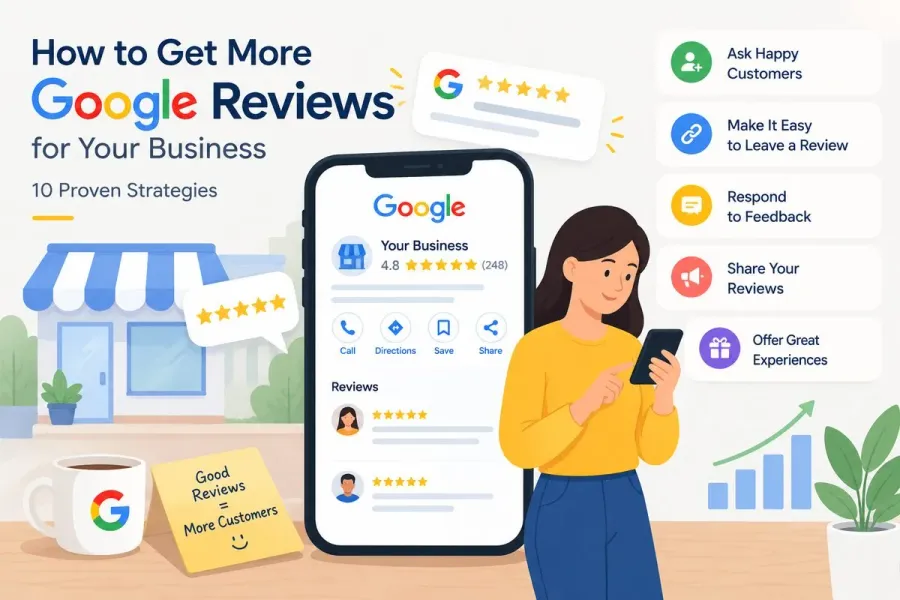
Over the next five pages, you’ll learn ten proven strategies for getting more Google reviews, including:
- Page 1: Why reviews matter and the psychology behind them
- Page 2: Strategies 1–3 (foundation and infrastructure)
- Page 3: Strategies 4–7 (systems and automation)
- Page 4: Strategies 8–10 (advanced and reputation management)
- Page 5: Tracking, templates, mistakes, and conclusion
Page 2: Strategies 1–3 — Build the Foundation
Strategy 1: Ask at the Moment of Peak Satisfaction
Timing is everything. The best moment to ask for a review is right after a customer experiences a win—not a week later.
Peak satisfaction moments by industry:
| Industry | Peak Moment |
|---|---|
| Restaurant | When the bill is settled and they compliment the meal |
| Dental/Medical | Immediately after a successful appointment |
| Home Services | Right after the job is completed and inspected |
| Retail | At checkout after a positive interaction |
| SaaS/Software | After a customer hits a milestone or solves a problem |
| Automotive | When they pick up the car and it’s running well |
| Salon/Spa | At checkout when they love the result |
How to execute:
- Train staff to recognize verbal cues—“This looks amazing,” “Thank you so much,” “You guys were great.”
- Keep a review request card at the counter or in the service vehicle.
- For online businesses, trigger the request immediately after a positive support interaction or successful onboarding. Why it works: Emotion decays fast. A review request delivered within minutes of a positive experience converts far better than one sent days later.
Strategy 2: Create a Direct Review Link and Put It Everywhere
The single biggest improvement most businesses can make is removing friction. A direct review link takes customers straight to the review box—no searching, no guessing.
How to get your direct review link:
- Go to your Google Business Profile dashboard.
- Click “Ask for reviews.”
- Copy the short link Google generates.
- Shorten it further with Bitly or your own branded short domain if you like. Where to place your link:
- Email signature
- Website footer and contact page
- Thank-you page after purchase
- Receipts and invoices
- Appointment confirmation emails
- Text message follow-ups
- Social media bios
- Customer portal or app Pro tip: Create a dedicated landing page like yourdomain.com/review that redirects to your Google review link. It’s easier to say out loud, easier to remember, and you can track clicks.
Strategy 3: Use QR Codes at Every Physical Touchpoint
QR codes bridge the physical and digital worlds, and they’re perfect for review requests.
Where to place QR codes:
-
Table tents at restaurants
-
Checkout counters
-
Service vehicles and uniforms
-
Business cards
-
Packaging and inserts
-
Waiting room signage
-
Invoices and delivery slips
-
Countertop displays Best practices:
-
Add a short instruction: “Scan to leave us a review ⭐”
-
Test the code on multiple phones before printing
-
Use a trackable QR code so you can measure scans
-
Make it large enough to scan easily (at least 2x2 cm for close-range, larger for distance)
-
Place it where customers naturally pause—waiting, paying, or leaving Why it works: QR codes eliminate the need to type, search, or remember anything. One scan and they’re at your review box.
Page 3: Strategies 4–7 — Build Systems and Automation
Strategy 4: Automate Email and SMS Requests
Manual requests don’t scale. Automation ensures every customer gets asked, every time.
Email request sequence:
- Day 0: Thank-you email with a review request
- Day 3: Gentle reminder if no review
- Day 7: Final reminder with a different angle SMS request template:
Hi [Name], thanks for choosing [Business]! If you had a great experience, would you mind leaving us a quick Google review? It takes 30 seconds: [link]. Thank you!
Best practices:
- Keep texts under 160 characters where possible
- Send SMS between 10am–6pm local time
- Always identify your business
- Include an opt-out for compliance
- Personalize with the customer’s name and service Tools to automate: Birdeye, Podium, NiceJob, Grade.us, GatherUp, or your CRM’s built-in review request feature.
Why it works: Consistency beats intensity. A steady trickle of requests generates a steady trickle of reviews—which is exactly what Google rewards.
Strategy 5: Train Your Team with a Simple Script
Your frontline staff are your best review generators—if they know what to say.
A simple script:
“We’re so glad you’re happy with [service]. Would you mind leaving us a quick Google review? It really helps our small business. I can text you the link right now if that’s easiest.”
Training points:
- Ask in person when possible
- Make it personal, not robotic
- Offer to send the link immediately
- Never pressure or guilt
- Celebrate team members who generate reviews Incentivize internally (compliantly): You can reward staff for asking, not for the reviews themselves. Contests, bonuses, or recognition for the most review requests sent are fine. Paying for reviews is not.
Strategy 6: Time Your Requests After Positive Interactions
Not all customers are equal candidates. Focus your energy where satisfaction is highest.
Signals of a happy customer:
-
Repeat purchase
-
Referral to a friend
-
Compliment to staff
-
Positive survey response
-
Renewed contract or subscription
-
Upgraded service Signals to hold off:
-
Recent complaint or support ticket
-
Refund or return
-
Missed appointment
-
Unresolved issue The rule: Never ask for a review while a problem is open. Fix it first, then ask. A customer who had an issue resolved brilliantly often leaves the most powerful review of all.
Strategy 7: Respond to Every Review You Receive
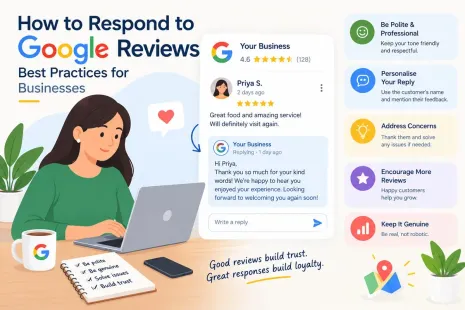
Responding to reviews isn’t just polite—it directly encourages more reviews.
Why it works:
-
It signals that you’re listening
-
It shows future customers you care
-
It makes reviewers feel valued, which encourages others
-
It gives you a chance to add keywords naturally
-
Google has confirmed that responding to reviews is good practice and can improve local visibility Response framework:
-
Positive: Thank them, mention specifics, invite them back.
-
Neutral: Thank them, ask what would have made it better.
-
Negative: Acknowledge, apologize, offer to resolve offline, never argue. Timing: Respond within 48 hours. Faster is better.
Page 4: Strategies 8–10 — Advanced Tactics and Reputation Management
Strategy 8: Ask for Feedback First, Then Route Happy Customers to Google
This is one of the highest-converting tactics available—and it’s completely compliant.
How it works:
- Send a short internal survey: “How was your experience? 😊 😐 😞”
- If they select happy → redirect to your Google review link.
- If they select unhappy → route to a private feedback form or support ticket. Why it works:
- You catch problems before they become public reviews
- Happy customers are pre-qualified and primed
- You collect valuable internal feedback
- You avoid asking unhappy customers to publicly review you Important: Never gate reviews or selectively suppress negatives. Google’s policies prohibit review gating—where only positive customers are shown the review option. The survey should be a genuine feedback tool, not a manipulation tactic. Route everyone to the public review option if they choose; just handle unhappy customers privately first.
Strategy 9: Turn Your Reviews Into Content (and Close the Loop)
Reviews are content. When you repurpose them, you amplify their value and encourage more.
Ways to repurpose reviews:
- Add testimonials to your website’s homepage and service pages
- Quote reviews in social media posts
- Include snippets in email newsletters
- Add review highlights to sales decks and proposals
- Create a “wall of love” page
- Feature reviews in Google Posts The loop: When customers see their review featured, they feel rewarded. When prospects see real reviews, they’re more likely to become customers—and eventually reviewers.
Pro tip: Ask permission before using a reviewer’s full name and photo, and always quote accurately.
Strategy 10: Handle Negative Reviews So Well It Generates Positive Ones
Counterintuitive but true: a well-handled negative review can generate more trust—and more reviews—than a perfect 5-star record.
The negative review playbook:
-
Respond fast. Within 24 hours if possible.
-
Stay calm. Never argue, never get defensive, never blame the customer publicly.
-
Acknowledge specifically. Reference the actual issue, not a generic apology.
-
Apologize sincerely. “We’re sorry” is fine. “We’re sorry you feel that way” is not.
-
Take it offline. Provide a direct contact—phone or email—and invite them to resolve it.
-
Follow up. If you resolve it, ask if they’d consider updating their review. Some will. Many won’t. Both are fine.
-
Flag policy violations. If a review is fake, spammy, off-topic, or violates Google’s policies, flag it for removal.
Template:
[Name], thank you for sharing this feedback. We’re genuinely sorry about [specific issue]—that’s not the experience we want anyone to have. We’d like to make it right. Please contact us directly at [email/phone] so we can resolve this. — [Owner name]
Why it works: Prospects reading negative reviews aren’t just judging the complaint. They’re judging your response. A calm, professional, solution-oriented reply builds more trust than silence ever could.
Bonus: Stay Compliant
Google’s review policies matter. Violating them can get your profile suspended.
Never:
-
Buy reviews
-
Offer discounts, free items, or payment in exchange for reviews
-
Write reviews for your own business
-
Ask employees or family to leave fake reviews
-
Use review gating (only showing happy customers the review option)
-
Post negative reviews about competitors Always:
-
Ask genuinely
-
Make it easy
-
Respond professionally
-
Report policy violations through Google’s official channels
Page 5: Tracking, Templates, Mistakes, and Conclusion
Track Your Review Performance
You can’t improve what you don’t measure. Track these metrics:
| Metric | Why It Matters | Where to Find It |
|---|---|---|
| Total review count | Overall trust and ranking signal | GBP dashboard |
| Average rating | Conversion driver | GBP dashboard |
| Review velocity | Signals ongoing activity | Track monthly |
| Response rate | Engagement signal | Manual audit |
| Response time | Customer experience | Manual audit |
| Sentiment | Reputation health | Review monitoring tool |
| Review source mix | Where reviews come from | CRM or review tool |
Benchmark: Aim for at least 4–8 new reviews per month for most small businesses. Higher-volume businesses should target more.
Tools: Birdeye, Podium, BrightLocal, GatherUp, Grade.us, or a simple spreadsheet if you’re just starting.
Review Request Templates You Can Copy
Email (initial):
Subject: Thanks for choosing [Business]!
Hi [Name],
Thank you for choosing [Business] for [service]. We hope you’re happy with the results!
If you have a moment, would you mind leaving us a quick Google review? It helps other people find us and means a lot to our small team.
[Review Link]
Thanks again,
[Your Name]
SMS:
Hi [Name], thanks for visiting [Business]! If you enjoyed your experience, a quick Google review would mean a lot: [link]. Thanks!
In-person:
“We’re so glad you’re happy! Would you mind leaving us a Google review? I can text you the link right now.”
Follow-up (Day 3):
Hi [Name], just a quick follow-up—if you have 30 seconds, a Google review would really help us out: [link]. Thank you!
Common Mistakes to Avoid
- Asking too late, after the emotional high has passed
- Making customers search for your business manually
- Only asking once and giving up
- Ignoring reviews, especially negative ones
- Buying or incentivizing reviews
- Using review gating
- Arguing with reviewers publicly
- Not responding at all
- Forgetting to track results
- Not training staff to ask
Quick Review Generation Checklist
- Get your direct Google review link
- Add the link to email signatures, receipts, and website
- Create QR codes for physical locations
- Set up automated email and SMS sequences
- Train staff with a simple script
- Identify peak satisfaction moments per service
- Respond to every review within 48 hours
- Use a feedback-first routing system
- Repurpose reviews into marketing content
- Handle negatives professionally
- Track review count, rating, and velocity monthly
- Stay compliant with Google’s policies
Conclusion
Getting more Google reviews isn’t about luck or begging. It’s about building a system that asks the right people, at the right time, through the right channel—consistently.
Start with the foundation: get your direct review link and make it easy to find. Then layer in automation, staff training, and timing. Respond to every review you receive. Handle negatives with grace. And track your progress so you can keep improving.
The businesses that win locally aren’t always the biggest or the cheapest. They’re the ones with the strongest reputation—and reputation is built one review at a time.
Call to Action
Ready to build a review engine that runs on autopilot? Download our free Google Review Request Toolkit, including email templates, SMS scripts, a QR code generator guide, and a monthly tracking sheet. [Link to toolkit]
FAQs
How many Google reviews do I need to rank locally?
There’s no magic number. It depends on your market and competitors. Look at the top three businesses in your local pack and aim to match or exceed their review count while maintaining a strong rating.
Can I offer discounts or freebies in exchange for reviews?
No. Google’s policies prohibit incentivizing reviews. You can ask genuinely, but you cannot offer payment, discounts, or gifts in exchange. Doing so can get your profile suspended.
What’s a good average rating?
Anything above 4.0 stars performs well. Businesses between 4.0 and 4.7 often see the most clicks, since a perfect 5.0 can sometimes look suspicious to consumers.
How do I get a direct link to my Google review page?
Go to your Google Business Profile dashboard, click “Ask for reviews,” and copy the link Google generates. You can shorten it with a URL shortener for easier sharing.
Should I respond to every review?
Yes. Responding to positive and negative reviews shows engagement, builds trust, and can improve local visibility. Aim to respond within 48 hours.
Can I delete a negative Google review?
You can’t delete reviews directly, but you can flag them if they violate Google’s policies (spam, fake, off-topic, hate speech, personal information). If Google won’t remove it, respond professionally and move on.
How often should I ask for reviews?
Ask every satisfied customer, every time. A steady flow of reviews is better than a burst followed by silence. Aim for at least 4–8 new reviews per month.
Do reviews really affect local rankings?
Yes. Google considers review quantity, quality, velocity, and your responses as local ranking signals. Reviews also heavily influence conversion rates.
What if I’m a service-area business with no storefront?
You can still get reviews. Send review requests via text or email after each job. Add your review link to invoices, receipts, and follow-up messages.
How do I handle a fake review?
Flag it through Google’s review management tools. Grounds for removal include spam, fake content, off-topic content, hate speech, personal information, and conflicts of interest. If it stays, respond professionally.
Internal & External Links
Internal links: Replace these with your own URLs.
-
Local citation guide
-
Reputation management playbook
-
Customer feedback survey template External links:
Grow Your Google Maps Ranking on Autopilot
Stop spending hours every week manually replying to customer reviews and writing Google posts. Busirank automates your Google Business Profile to boost your local SEO rankings and turn searchers into paying clients.
 Busirank Team