 Busirank Team
Page 1: Introduction to Google Business Profile SEO
What Is Google Business Profile SEO?
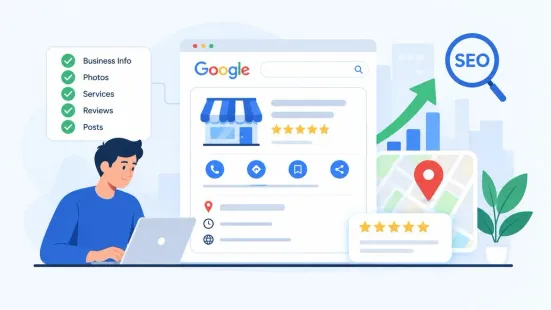
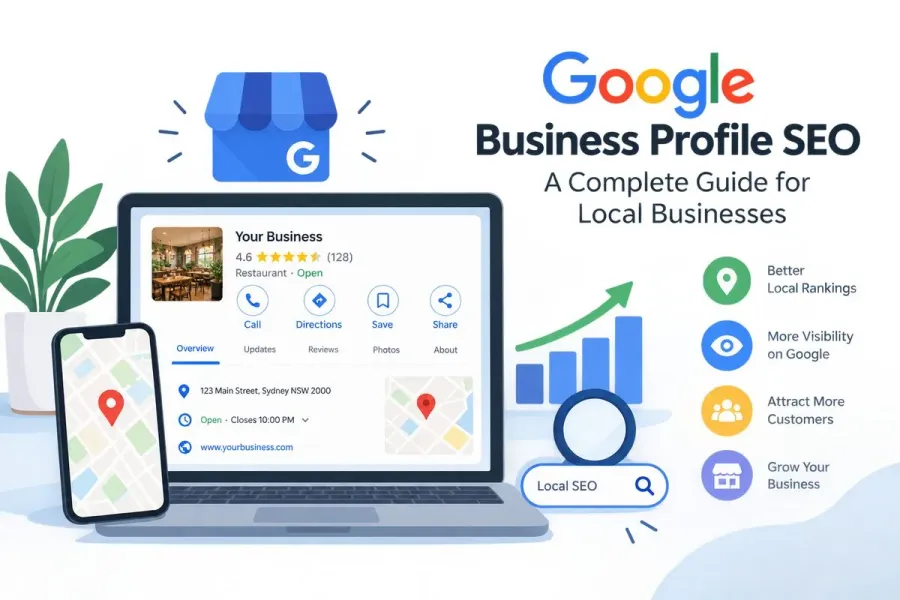
Google Business Profile SEO is the practice of optimizing your Google Business Profile (GBP)—formerly Google My Business—to rank higher in local search results, Google Maps, and the local pack. It’s the foundation of local SEO for any business that serves a geographic area.
When someone searches “dentist near me,” “best pizza in Chicago,” or “emergency plumber open now,” Google pulls from its database of business profiles to show the most relevant, trustworthy, and nearby options. Your GBP is what determines whether you appear in those results.
Why It Matters More Than Ever
Local search has exploded in recent years. Consider these statistics:
- 46% of all Google searches have local intent.
- 76% of people who search for something nearby visit a related business within a day.
- 28% of local searches result in a purchase.
- Businesses with complete profiles are 2.7x more likely to be considered reputable.
- 88% of consumers who do a local search on their smartphone visit or call a store within 24 hours. If your profile is incomplete, outdated, or poorly optimized, you’re invisible to a massive pool of ready-to-buy customers.
How Google Ranks Local Businesses
Google’s local ranking algorithm is built on three core pillars:
-
Relevance – How well your business matches the search query. This is influenced by your categories, services, description, and website content.
-
Distance – How close your business is to the searcher or the location they specified. You can’t change your physical location, but you can optimize for service areas and proximity signals.
-
Prominence – How well-known and trusted your business appears. This comes from reviews, citations, backlinks, social signals, and overall online activity.
Your GBP influences all three pillars, but it has the strongest impact on relevance and prominence. That’s why optimizing it is the highest-leverage local SEO activity you can do.
What This Guide Covers
Over the next five pages, you’ll learn:
- Page 1: Introduction and why GBP SEO matters
- Page 2: Setting up and optimizing your profile
- Page 3: Content, photos, posts, and engagement
- Page 4: Reviews, Q&A, and reputation management
- Page 5: Tracking, advanced strategies, and common mistakes By the end, you’ll have a complete action plan to improve your local rankings and attract more nearby customers.
Page 2: Setting Up and Optimizing Your Profile
Step 1: Claim and Verify Your Business
Start at business.google.com. If your business isn’t listed, create a new profile. If it already exists (someone else may have created it), claim it and request access.
Verification methods include:
- Postcard by mail (5–14 days)
- Phone or email (for select businesses)
- Video verification (increasingly common)
- Instant verification via Google Search Console Once verified, you can edit your profile, respond to reviews, and publish posts. Store your login credentials securely and add a secondary owner to avoid access issues later.
Step 2: Complete Every Core Field
Google rewards completeness. Fill out every relevant field:
Business Name: Use your real-world name. No keyword stuffing. “Joe’s Plumbing” is correct. “Joe’s Plumbing – Emergency Plumber Austin TX 24/7” violates guidelines and can get you suspended.
Address or Service Area: If customers visit you, add your address. If you travel to them, set a service area. You can do both.
Phone Number: Use a local number if possible. Tracking numbers work if they connect to your business and match your website.
Website: Link to a relevant page, not just your homepage. If you offer emergency services, link to that page.
Hours: Add regular and special hours, including holidays. Update at least two weeks in advance for holidays.
Description: Write a clear 750-character description explaining what you do, who you serve, and what makes you different. Use keywords naturally.
Step 3: Choose the Right Primary Category
Your primary category is one of the strongest ranking signals. Choose the category that best describes your core business. Then add secondary categories only if truly relevant.
Examples:
- A bakery: Primary = “Bakery,” Secondary = “Cafe,” “Caterer”
- A marketing agency: Primary = “Marketing Agency,” Secondary = “Website Designer,” “Consultant” Look at competitors in your top three local pack results to see what categories they use. Tools like GMB Everywhere or Local Falcon can help.
Step 4: Add Services, Products, and Attributes
Services: List each service individually with clear names and descriptions. A plumber might list drain cleaning, water heater installation, leak detection, and emergency repair.
Products: If you sell physical goods, add them with photos, descriptions, and prices.
Attributes: Add relevant attributes like wheelchair accessible, women-led, free Wi-Fi, online appointments, LGBTQ+ friendly, or veteran-owned. These help you appear in filtered searches.
Step 5: Keep NAP Consistent
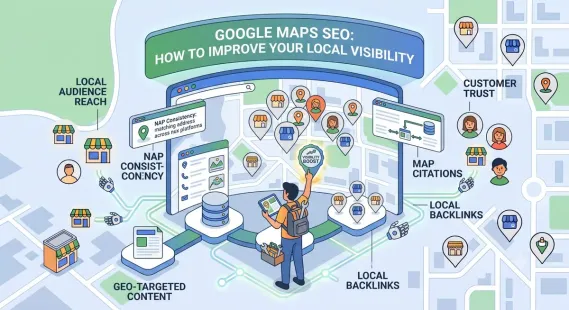
NAP stands for Name, Address, and Phone number. Make sure it’s identical across your website, GBP, social profiles, and directories. Inconsistent information confuses Google and customers.
Build citations on:
- Yelp
- Bing Places
- Apple Maps
- Industry-specific directories
- Local chambers of commerce
- Better Business Bureau Quality matters more than quantity. A few authoritative citations beat dozens of low-quality ones.
Step 6: Add Structured Data to Your Website
While not part of GBP itself, adding LocalBusiness structured data to your website helps Google connect your site to your profile. Use schema markup for:
- Business name
- Address
- Phone number
- Hours
- Geo coordinates
- Price range This reinforces your NAP and improves local search visibility.
Page 3: Content, Photos, Posts, and Engagement
Why Content Matters for GBP SEO
Your Google Business Profile isn’t just a static listing. It’s a dynamic content channel. Google rewards profiles that are active, fresh, and engaging. The more you post, upload, and respond, the more signals you send that your business is alive and relevant.
Photos and Videos
Profiles with photos get 42% more direction requests and 35% more website clicks. Add a variety of media:
-
Exterior photos so people can find you
-
Interior photos to set expectations
-
Team photos to build trust
-
Photos of your work or products
-
Short videos under 30 seconds Best practices:
-
Use natural lighting
-
Show real people and real work
-
Include your logo as your profile picture
-
Upload 10–20 photos to start, then add 2–5 new ones monthly
-
Avoid stock photos—they perform worse than authentic images
Google Posts
Google Posts let you share offers, events, new products, and updates directly on your profile. They appear in your listing and can improve engagement while giving Google fresh signals.
Post types:
-
What’s New: General updates
-
Events: Promote upcoming events with dates and times
-
Offers: Share discounts or promotions
-
Products: Highlight specific items Best practices:
-
Post at least once a week, or every two weeks minimum
-
Use a clear, high-quality image
-
Write a short headline and 150–300 character description
-
Add a call to action like “Learn more,” “Call now,” or “Book”
-
Include keywords naturally Posts expire after seven days (offers and events last until their end date), so consistency is key.
Q&A Section
Anyone can ask or answer questions on your profile. Monitor it regularly. Seed your own FAQs and answer them accurately. Upvote helpful answers and report spam.
Common Q&A topics:
- Parking availability
- Walk-ins vs. appointments
- Payment methods
- Service areas
- Turnaround times
- Accessibility This section often appears in search results, so it’s worth managing.
Messages
If you enable messaging, respond within 24 hours. Slow responses hurt your profile and frustrate customers. Set up automated replies if you can’t respond immediately, but always follow up personally.
Products and Services Updates
Keep your services and products current. Add new offerings, remove discontinued ones, and update prices. Google favors profiles that reflect accurate, up-to-date information.
Page 4: Reviews, Q&A, and Reputation Management
Why Reviews Matter
Reviews are a major trust signal and directly influence local rankings. They also impact conversion rates—91% of consumers read online reviews before choosing a local business.
Google considers:
- Review quantity: More reviews signal popularity.
- Review quality: Detailed, positive reviews carry more weight.
- Review velocity: A steady flow of new reviews is better than a burst followed by silence.
- Review responses: Responding to reviews shows engagement and care.
How to Get More Reviews
- Ask happy customers in person or via follow-up email
- Include a direct review link in your email signature and receipts
- Use QR codes in your physical location
- Send SMS requests after a positive interaction
- Train staff to ask for reviews at the right moment Never buy fake reviews or offer incentives in exchange for reviews. This violates Google’s policies and can get your profile suspended.
How to Respond to Reviews
Positive reviews:
-
Thank the reviewer
-
Mention specific details they shared
-
Keep it brief and genuine Negative reviews:
-
Respond professionally and promptly
-
Acknowledge the issue
-
Apologize sincerely
-
Offer to resolve it offline
-
Never argue or get defensive A well-handled negative review can actually improve trust with potential customers.
Review Response Templates
Positive: “Thank you so much, [Name]! We’re glad you enjoyed [specific detail]. We appreciate your business and hope to see you again soon.”
Negative: “[Name], thank you for your feedback. We’re sorry to hear about your experience. We’d like to make this right—please contact us at [email/phone] so we can resolve this personally.”
Q&A Management
Monitor your Q&A section weekly. Answer questions accurately and upvote helpful answers. Report spam or inappropriate content. Seed your own FAQs to control the narrative.
Reputation Beyond Google
Your Google reviews don’t exist in a vacuum. Monitor reviews on:
- Yelp
- Industry-specific sites
- Better Business Bureau Respond to reviews on all platforms. Consistency builds trust.
Handling Fake or Unfair Reviews
If you receive a fake or unfair review, you can flag it for removal if it violates Google’s policies. Grounds for removal include:
- Spam or fake content
- Off-topic content
- Hate speech
- Personal information
- Conflicts of interest If Google won’t remove it, respond professionally. Future customers will see how you handle criticism.
Page 5: Tracking, Advanced Strategies, and Common Mistakes
Track Performance with GBP Insights
Use the Performance section in your GBP dashboard to track:
-
Searches that found your business
-
Calls
-
Direction requests
-
Website clicks
-
Messages
-
Bookings Key metrics:
-
Discovery vs. Direct searches: Discovery means people found you by searching a category. Direct means they searched your business name. High discovery is good for new customer acquisition.
-
Customer actions: Calls, direction requests, and website clicks are the clearest signals of intent.
-
Photo views: Compare your photos to competitors to see if you need better visuals. Compare month over month. If calls are low, improve your description and photos. If direction requests are high but website clicks are low, add a stronger CTA.
Advanced GBP SEO Strategies
-
Use UTM Parameters Add UTM tags to your GBP website link to track traffic in Google Analytics. Example: ?utm_source=google&utm_medium=gbp&utm_campaign=local
-
Build Local Landing Pages Create dedicated pages for each service area. For example:
/plumber-austin/plumber-round-rock/plumber-cedar-parkLink these pages to your GBP and build citations for each.
-
Leverage Google Posts for Seasonal Content Promote seasonal offers, holiday hours, and local events. Fresh content signals activity.
-
Optimize for “Near Me” Searches Include “near me” phrases in your description, services, and posts naturally. Google uses proximity and relevance to match these queries.
-
Get Local Backlinks Earn links from local news sites, chambers of commerce, sponsorships, and community organizations. Local backlinks boost prominence.
-
Use Google Maps Embed Embed your Google Map on your website’s contact page. This reinforces your location and improves local signals.
-
Monitor Competitors Use tools like Local Falcon or BrightLocal to see how you rank against competitors in the local pack. Adjust your strategy based on gaps.
Common Google Business Profile Mistakes to Avoid
- Keyword-stuffing your business name
- Choosing too many irrelevant categories
- Ignoring reviews or responding emotionally
- Letting hours go out of date
- Using a virtual office or fake address
- Uploading stock photos instead of real ones
- Neglecting Q&A and messages
- Not posting regularly
- Using a toll-free number instead of a local one
- Failing to respond to messages within 24 hours
- Not tracking performance
- Building low-quality citations
Quick Optimization Checklist
- Claim and verify your profile
- Complete every core field
- Choose the right primary category
- Add services, products, and attributes
- Upload 10+ real photos
- Post weekly or biweekly
- Ask for and respond to reviews
- Monitor Q&A
- Keep NAP consistent
- Build quality local citations
- Add LocalBusiness schema to your website
- Use UTM parameters
- Track performance monthly
- Update hours for holidays
- Respond to messages promptly
Conclusion
Google Business Profile SEO is the foundation of local search success. When your profile is complete, accurate, and active, Google has more reasons to show it to nearby customers—and those customers have more reasons to choose you.
Focus on relevance, prominence, and trust. Complete every field, choose the right categories, upload real photos, publish regular posts, manage reviews, and keep your NAP consistent. Then track your results and keep improving.
Local SEO isn’t about quick hacks. It’s about building a strong, trustworthy presence that Google and customers can rely on. Start with your GBP, and you’ll see the impact across your entire local marketing strategy.
Call to Action
Want a faster way to improve your local rankings? Download our free Google Business Profile SEO Checklist and audit your profile in under 10 minutes. It includes a step-by-step worksheet, a review request template, and a monthly tracking sheet. [Link to checklist]
FAQs
How long does it take to rank in Google Maps?
It varies. Some businesses see improvements in a few weeks, while competitive markets can take several months. Consistency matters more than quick fixes.
Does Google Business Profile help SEO?
Yes. A complete, active profile improves visibility in local search results, Maps, and the local pack. It also drives calls, direction requests, and website visits.
Can I add keywords to my business name?
No. Google’s guidelines require your real-world business name. Keyword stuffing can lead to suspension. Use your description, services, posts, and Q&A for keywords instead.
How often should I post on Google Business Profile?
At least once a week is ideal, but every two weeks is a good minimum. Posts expire after seven days, so consistency is key.
Do reviews affect local rankings?
Yes. Reviews influence prominence and trust. A steady flow of authentic, positive reviews—and professional responses—can help your local rankings and conversion rates.
What if I serve customers at their location?
Set a service area instead of showing your address. You can still rank in the areas you serve, but you must verify your business according to Google’s guidelines.
How do I optimize without a physical address?
If you’re a service-area business, hide your address and define your service areas. Build local landing pages and citations for each area to strengthen relevance.
How many photos should I upload?
Aim for at least 10–20 photos to start, then add 2–5 new ones each month. Real photos of your team, work, and location perform best.
Can I use a virtual office address?
No. Google’s guidelines prohibit virtual offices, PO boxes, and addresses where you don’t actually operate. Using a fake address can get your profile suspended.
How do I respond to negative reviews?
Respond professionally and promptly. Acknowledge the issue, apologize sincerely, and offer to resolve it offline. Never argue or get defensive.
Internal & External Links
Internal links: Replace these with your own URLs.
-
Google review strategy
-
Local citation guide
-
Service-area business SEO
-
Local landing page template External links:
Grow Your Google Maps Ranking on Autopilot
Stop spending hours every week manually replying to customer reviews and writing Google posts. Busirank automates your Google Business Profile to boost your local SEO rankings and turn searchers into paying clients.
 Busirank Team