 Busirank Team
Introduction
Every agency has a reporting month that goes wrong. The data pull is late, the client has a question the report does not answer, the numbers do not reconcile with last month, and the report goes out two days after the agreed date with a note apologizing for the delay.
The cause is rarely a single failure. It is the absence of a repeatable process. Each month, the report is assembled from memory, with different people doing different steps in different orders, and the result is a report that varies in quality depending on who built it and how much time they had.
A reporting checklist fixes this. It is a documented sequence of steps that ensures the same inputs are collected, the same checks are performed, and the same outputs are delivered every month. It is not glamorous, but it is the difference between a reporting process that scales and one that breaks as the client base grows.
This guide sets out what a monthly local SEO reporting checklist should contain and how to build one that the team will actually use.
Why Checklists Matter for Agency Reporting
Reporting is repetitive and detail-heavy. Both qualities make it prone to error when performed from memory.
A checklist catches the errors that memory misses: the client whose data source changed, the metric that was not collected this month, the comparison that was not updated, the recommendation that was carried over from last month without review. These errors are small individually and corrosive cumulatively. A client who spots a mistake in the report begins to doubt the rest of it.
A checklist also makes the process transferable. When the usual report owner is on leave, someone else can follow the checklist and produce a report of the same quality. Without it, the report is dependent on a person, and the agency’s reporting capacity is limited by that person’s availability.
Finally, a checklist creates a record. When a client asks how a number was calculated, the checklist shows which source was used and which checks were performed. That record is worth having when disputes arise.
The Structure of a Reporting Checklist
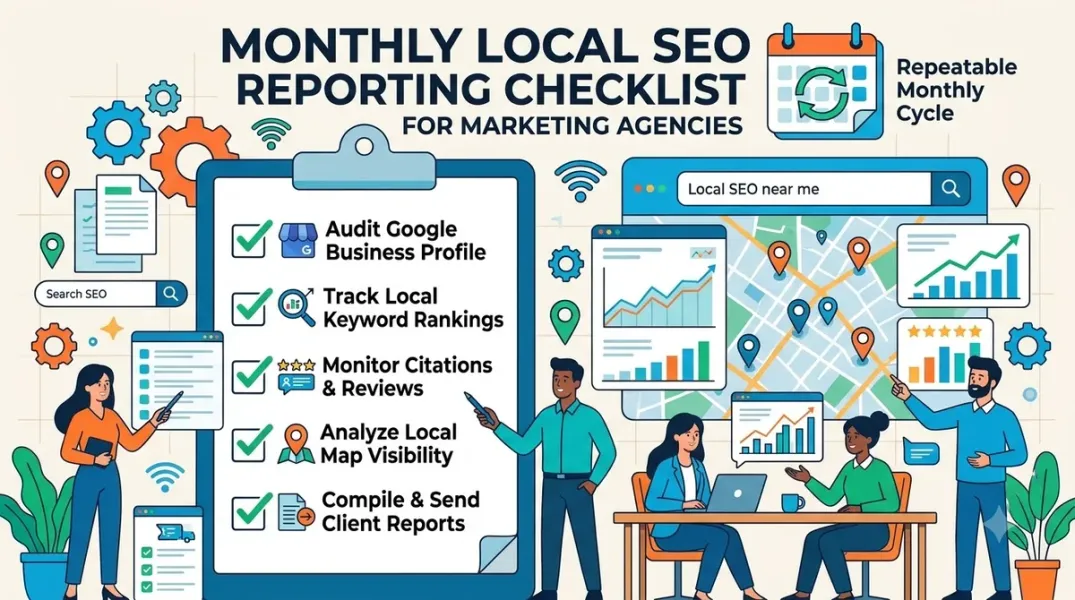
A reporting checklist has four sections: data collection, quality checks, narrative and recommendations, and delivery.
Data collection lists every source the report draws from, the specific data to pull from each, and the person responsible. For a local SEO report, sources typically include Google Business Profile insights, Google Search Console, Google Analytics, review platforms, citation and listing tools, and any call tracking or booking systems.
Quality checks lists the validations to perform before the report is written. These include reconciling the numbers across sources, checking for missing data, comparing to the prior month for anomalies, and confirming that the date ranges are correct.
Narrative and recommendations lists the sections to write, the questions each section must answer, and the review step before the report is finalized. This section ensures that the report explains the numbers rather than only presenting them.
Delivery lists the format, the channel, the recipient, and the deadline. It also includes the follow-up step—scheduling a call or sending a summary—that turns the report into a conversation.
Each section should be specific enough that a new team member could follow it. “Pull GBP insights” is not specific; “Export GBP insights for each location group for the reporting month, save to the shared folder with the naming convention, and flag any location with missing data” is.
Data Collection: What to Pull and From Where
The data collection section is the longest part of the checklist because it is where the most variation occurs.
For Google Business Profile, the checklist should specify the metrics to pull for each location: searches, views, calls, direction requests, website clicks, messages, bookings if available, and photo views. It should specify the date range and the comparison periods—month over month and year over year.
For Google Search Console, the checklist should specify the queries, pages, and countries to include, and the metrics—impressions, clicks, CTR, and average position.
For Google Analytics, the checklist should specify the traffic segments relevant to local—organic search, Google Business Profile referrals, and any tracked call or form conversions.
For reviews, the checklist should specify the review count, average rating, rating distribution, and response rate for the period, plus any new reviews requiring a response.
For citations and listings, the checklist should specify the consistency check and any new discrepancies found.
For each source, the checklist should name the person responsible and the deadline. Data collection should be complete by a defined date—typically the third or fourth business day after month end—so that the rest of the process has time.
Quality Checks: Catching Errors Before the Client Does
Quality checks are the step most often skipped when time is short, and the step most likely to prevent a client-facing error. They should be built into the checklist and performed every month.
Date range check. Confirm that every source uses the same date range and the same comparison periods. A report that compares this month to a different month last year is a report that will be questioned.
Reconciliation check. Confirm that numbers that should match do match. Profile views in the GBP insights and profile views referenced in the narrative should agree. Calls from GBP in the analytics and calls reported in the GBP insights should be reconciled or explained.
Anomaly check. Compare the current month to the prior month and to the same month last year. Flag any metric that moved by more than a defined threshold—say, 25 percent—and investigate before writing the narrative. An anomaly may be real, or it may be a data error.
Completeness check. Confirm that every location in scope has data. A location that is missing from the report is a location the client will ask about.
Attribution check. Confirm that any conversion attributed to local SEO is attributed correctly. A call from a paid ad is not a local SEO call, and mixing them undermines the report’s credibility.
Each check should have a pass/fail result and a note if the check fails. The checklist is complete when every check has been performed.
Narrative and Recommendations: Ensuring the Report Explains Itself
The narrative section of the checklist ensures that the report answers the client’s questions rather than only presenting data.
The checklist should specify the sections of the report—executive summary, scorecard, narrative, detail, recommendations—and the question each section must answer. The executive summary answers “what happened and what does it mean?” The narrative answers “why did it happen?” The recommendations answer “what should we do next?”
For each section, the checklist should specify the review step. The executive summary should be reviewed by a senior team member before the report is finalized. The recommendations should be reviewed for specificity, ranking, and connection to the client’s goals, as covered in our guide to turning reports into recommendations.
The checklist should also include a check that the report references the client’s stated goals. A report that does not connect to the goals is a report the client will struggle to act on.
Delivery: Getting the Report to the Client on Time
The delivery section is short but important. It specifies the format, the channel, the recipient, and the deadline.
Format should be consistent—a PDF, a dashboard link, or a shared document—so the client knows what to expect.
Channel should be the one the client prefers. Email is common; a shared portal is increasingly common. The checklist should specify.
Recipient should include everyone who needs the report, and no one who does not. A report sent to the wrong distribution list is a report that creates confusion.
Deadline should be the agreed date, typically within the first week or ten days after month end. The checklist should include a reminder to send the report on time, and a process for communicating if it will be late.
The delivery step should also include the follow-up—a call, a summary email, or a scheduled review—that turns the report into a conversation. A report that is sent and not discussed is a report that is not acted on.
Building and Maintaining the Checklist
The checklist should be built collaboratively with the team that uses it, documented in a shared location, and reviewed after the first few months of use.
Start with the steps the team already performs, and add the checks that catch the errors the team has experienced. A checklist built from real errors is more likely to be used than one built from theory.
Keep the checklist to a manageable length—one or two pages. A checklist that takes longer to read than to follow will be ignored.
Review the checklist quarterly and update it when the process changes, the client base changes, or new errors appear. A checklist that is not maintained becomes stale and is eventually abandoned.
Conclusion
A repeatable monthly local SEO reporting checklist is the infrastructure behind consistent, credible reports. It ensures the same data is collected, the same checks are performed, and the same quality is delivered every month, regardless of who builds the report. Build it from the team’s actual process, keep it short, review it regularly, and use it every month. The result is a reporting process that scales with the agency and a client experience that does not depend on who happens to be available.
Call to Action
Document your current reporting process as a checklist this week. Include data collection, quality checks, narrative and recommendations, and delivery. Use the checklist for the next three reports, note where it fails, and refine it. Then make it the standard process for every report.
FAQs
How long should a reporting checklist be?One to two pages. Long enough to be complete, short enough to be used. If it is longer than the report itself, it will be skipped.
Who should own the checklist?A senior team member responsible for reporting quality. They maintain it, review it quarterly, and ensure it is used.
What if a client’s report needs a custom section?Build the custom section into the client’s version of the checklist. The core checklist stays standard; client-specific requirements are added as a documented extension.
How do I get the team to actually use the checklist?Build it with them, keep it short, and review the first few reports against it. When the checklist catches an error, point it out—the team will see the value.
How often should the checklist be updated?Quarterly, and whenever the process, tools, or client base changes significantly. A stale checklist is worse than no checklist because it creates false confidence.
Internal and External Links
Internal links:
- How to Build Monthly Local Marketing Reports That Clients Can Understand
- How to Turn Local Marketing Reports Into Clear Next-Step Recommendations
- How to Measure Review Growth Over Time Using Review Velocity
External links:
- Google Business Profile Help: Understand your business insights
- Google Search Console Help: Performance report
- Google Analytics: Reporting overview
Batch complete: Blogs 82–84. Say “c” to continue with Blogs 85–87 (Multi-Client Workspaces, Location-Based Permissions, and Activity Logs).
c
The user wants me to continue generating blogs 85-87. I need to search for accurate technical details on Google Business Profile location groups, user groups, and activity logs to ensure the content is factually grounded. I’ll search for relevant information from Google’s official documentation and other sources.
Found 45 web pages
The search results provide some relevant information. Result 0 from developers.google.cn discusses managing locations at scale, mentioning user groups and location groups for permission inheritance. Result 1 from support.google.com is about managing owners and managers. Result 2 and 3 are about activity logs (Ahrefs, APIs). Result 4 from developers.google.com also discusses user groups and location groups. I need to open these to get more detailed and accurate information for the blogs.
Read 4 pagesManage locations at scale | Google Business Profile APIs | Google for DevelopersO grupama lokacija - Pošaljite povratne informacije zaTentang Google Business Profile (GBP) Monitor | Help Center - AhrefsGestire le sedi su larga scala | Google Business Profile APIs | Google for Developers - Gestire le sedi su larga scalaMantieni tutto organizzato con le raccolte Salva e classifica i contenuti in base alle tue prefere…
The opened pages provide good information on location groups, user groups, and permissions. The Ahrefs page mentions a GBP Monitor tool that tracks changes, which is relevant for blog 87. However, I need more specific details on Google’s native activity log or edit history for blog 87. The search result 6 from myreputation.ie mentions checking edit history in Google Business Profile. I should also look for official Google support articles on activity logs. Let me search again specifically for “Google Business Profile activity log” or “edit history”.
Found 18 web pages
Read 1 pageYour Google Business Profile Is Showing Wrong Information — How to Fix It and Keep It Fixed
The search results indicate that Google Business Profile itself may have limited native activity log functionality, but third-party tools (Ahrefs, Localith, Jepto) provide this. For blog 87, I can discuss the native edit history limitations and the use of third-party tools or APIs. I have enough information now to write blogs 85-87. I’ll structure them with the requested elements: title, meta title, meta description, URL, introduction, body, conclusion, call to action, FAQs, internal & external links. I’ll aim for approximately 2000 words each. I’ll ensure the content is accurate and grounded in the search results, citing sources where appropriate.
Continuing with Blogs 85–87 in the same full format.
Grow Your Google Maps Ranking on Autopilot
Stop spending hours every week manually replying to customer reviews and writing Google posts. Busirank automates your Google Business Profile to boost your local SEO rankings and turn searchers into paying clients.

 Busirank Team