 Busirank Team
Introduction
For millions of people with disabilities, finding a business that can accommodate their needs is not a convenience—it is a necessity. Before visiting a restaurant, clinic, or retail store, these customers need to know: Is there a wheelchair-accessible entrance? Are there accessible restrooms? Is parking available? Will my hearing aid work inside?
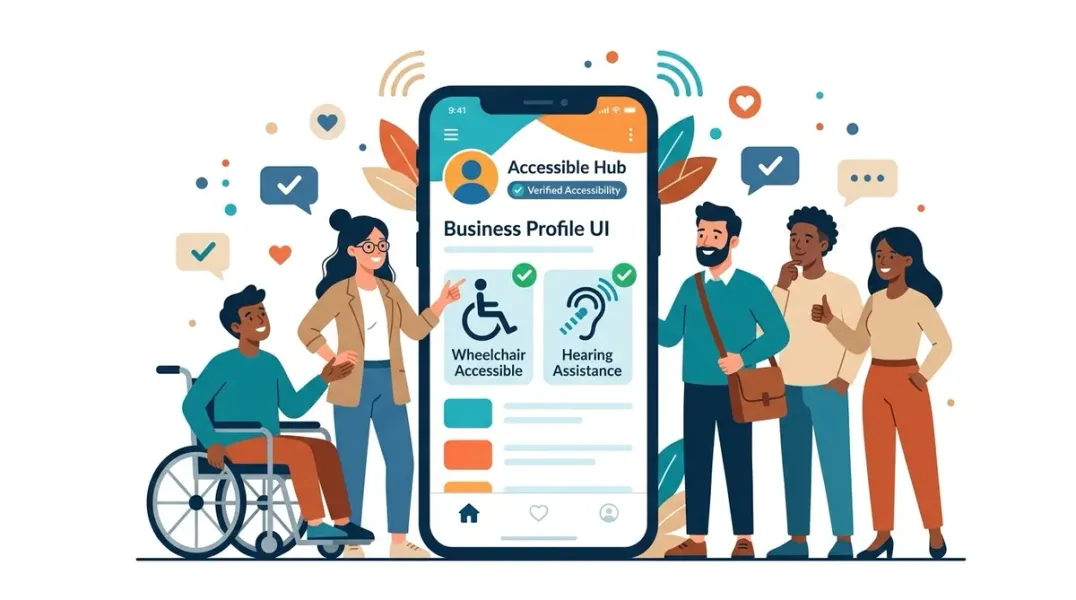
Google Business Profiles provide a dedicated Accessibility attributes section to answer these questions. When set up correctly, these attributes appear on your profile in Google Search and Maps, helping customers with disabilities make informed decisions and choose your business with confidence .
This guide explains how to use Google Business Profile accessibility attributes effectively, from understanding each attribute to communicating facilities and services clearly.
Accessibility attributes are structured data points that describe specific features of your business that support customers with disabilities . Google organizes these attributes into a dedicated category that appears under the “Accessibility” section of your profile editing interface.
These attributes appear on your Business Profile across Google platforms and can influence whether your business appears in searches for places with specific accessibility features . For example, if a user searches for “wheelchair accessible restaurant near me,” businesses that have set the appropriate attributes may be more likely to surface.
The Six Core Wheelchair Accessibility Attributes
Google provides six specific attributes for wheelchair accessibility. Each has clear criteria you should review before marking “Yes” or “No” .
- Wheelchair-accessible entrance
Select “Yes” if your entrance is at least 1 meter (3 feet) wide and has no steps or stairs. If there are steps, you should have a permanent ramp or at least a movable ramp available. If your entrance consists only of revolving doors, select “No” .
The 1-meter width recommendation corresponds to the space two people need to comfortably stand side by side .
- Wheelchair-accessible restroom
Select “Yes” if the restroom entrance is at least 1 meter wide with no steps or stairs. If wheelchair users need to enter a stall inside the restroom, the stall entrance must also be 1 meter wide .
- Wheelchair-accessible seating
Select “Yes” if your main business area has no steps or stairs and offers enough space for someone in a wheelchair to navigate to and sit at a table. If all tables are high (standing level only), select “No” .
- Wheelchair-accessible parking
Select “Yes” if you have a parking spot specifically reserved for people with accessibility needs. These spots are typically marked with specific ground painting, placards, or signs depending on local regulations .
- Wheelchair-accessible elevator
Select “Yes” if your business has multiple floors and an elevator large enough to accommodate a wheelchair .
Hearing Assistance Attributes
Beyond wheelchair accessibility, Google offers attributes for customers with hearing needs :
Offers assisted listening devices
Select “Yes” if you offer devices that customers can borrow while at your location. These devices help amplify sound for individuals with hearing loss.
Assistive hearing loop
Select “Yes” if you have a permanently installed hearing loop at your location. Hearing loops transmit sound directly to hearing aids equipped with a telecoil (T-coil), reducing background noise and improving clarity.
Auracast broadcast audio
Select “Yes” if you have a permanently installed Auracast broadcaster. Customers with Auracast-compatible devices can connect directly to your audio stream. If you select “No,” this attribute will not appear on your profile .
How to Add or Edit Accessibility Attributes
The process for managing accessibility attributes is straightforward :
- Sign in to your Google Business Profile Manager or use the Google Business Profile app
- Navigate to “Edit profile” and then select “More”
- Find the “Accessibility” category
- Select “Yes” or “No” for each applicable attribute
- Save your changes
Important timing note: Reviews of your edits typically take about 10 minutes, but in some cases can take up to 30 days. Attribute availability can also vary by business category, location, and country .
Best Practices for Multi-Location Brands
For brands managing multiple locations, accessibility attributes require systematic governance .
Do not assume uniformity. A location in an older building may lack an accessible entrance that a newer location has. Review attributes for each location individually .
Validate against reality. Before setting attributes, confirm that the features actually exist and meet Google’s specific criteria. An inaccurate “Yes” creates a negative customer experience and could lead to complaints or profile issues .
Align with your website and listings. Accessibility information on your Google Business Profile should match what you communicate on your website, location pages, and other directories .
Review after changes. If a location undergoes a remodel, accessibility updates, or operational changes, revisit attributes to ensure they remain accurate .
Why Accessibility Attributes Matter
Setting accurate accessibility attributes is not just a compliance exercise—it is a customer service decision that can shape whether someone chooses your business .
For customers with disabilities, these attributes answer practical questions before they take action. They reduce anxiety and uncertainty. A person using a wheelchair who sees “Wheelchair-accessible entrance: Yes” knows they can enter your business without difficulty. A customer with hearing loss who sees “Assistive hearing loop: Yes” knows they can participate in conversations or events.
When attributes are accurate, every Google Business Profile becomes more useful, more complete, and easier for customers to trust .
Conclusion
Accessibility attributes on Google Business Profile give you a direct way to communicate your facilities to customers who need this information. The six wheelchair accessibility attributes (entrance, restroom, seating, parking, elevator) and three hearing assistance attributes (assisted listening devices, hearing loop, Auracast) cover the most common accessibility needs.
Take the time to review each attribute against Google’s specific criteria. Confirm that your location meets the requirements before selecting “Yes.” For multi-location brands, make accessibility attributes part of your regular listings governance so customers always receive accurate information.
Call to Action
Is your business accurately communicating its accessibility features online? Download our Accessibility Attribute Checklist to audit your Google Business Profiles and ensure customers with disabilities can easily find the information they need.
FAQs
Q: What is the minimum width for a wheelchair-accessible entrance on Google Business Profile? A: Google’s guideline is 1 meter (3 feet) wide with no steps or stairs. If steps exist, a permanent or movable ramp should be available .
Q: Can I set accessibility attributes for a location I don’t physically manage? A: You can only set attributes for locations you own or manage in your Google Business Profile account. For other locations, Google may populate attributes based on customer feedback .
Q: What is the difference between an assistive hearing loop and Auracast? A: A hearing loop uses a telecoil system to transmit sound directly to hearing aids. Auracast is a newer Bluetooth broadcast technology that compatible devices can connect to. Both improve audio accessibility in different ways .
Q: How long does it take for accessibility attribute changes to appear? A: Reviews typically take about 10 minutes, but can take up to 30 days in some cases .
Internal & External Links
Internal Links
- How to Manage Google Business Profiles for Businesses With Multiple Phone Lines
- Google Business Profile Website Links: How to Choose the Right Destination Page
- How to Create a Business Profile Data Dictionary for Multi-Location Brands
External Sources
- Google Support: Manage Your Business Attributes https://support.google.com/business/answer/9049526
- Google Support: Accessibility Attributes https://support.google.com/business/answer/7298639
Grow Your Google Maps Ranking on Autopilot
Stop spending hours every week manually replying to customer reviews and writing Google posts. Busirank automates your Google Business Profile to boost your local SEO rankings and turn searchers into paying clients.

 Busirank Team
