 Busirank Team
Introduction
When you manage ten, fifty, or five hundred business locations, a single data inconsistency can multiply into hundreds of errors across the web. A missing suite number, a phone number formatted differently in one system, or a business name with an extra “Inc.” can fragment your brand’s online presence and confuse both customers and search engines.
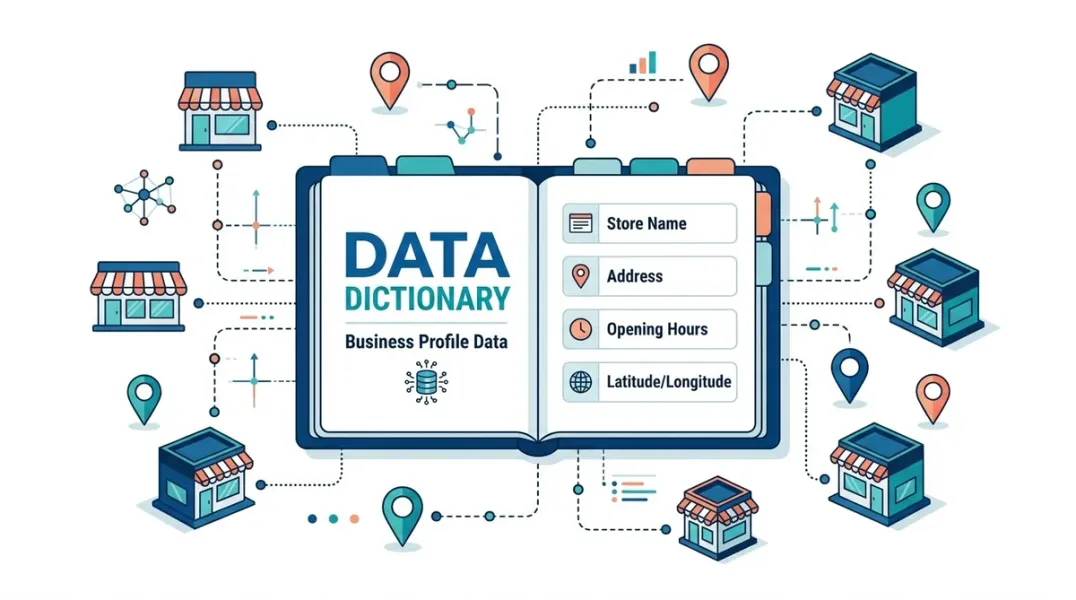
The solution is a business profile data dictionary—a central reference document that defines every field, format, and rule for your location data. It is the single source of truth that every team member, agency partner, and software system should follow.
This guide explains what a business profile data dictionary is, why it matters for multi-location brands, and how to create one that scales with your operations.
A business profile data dictionary is a document that defines:
- Every data field that appears in your business profiles (name, address, phone, hours, categories, attributes, etc.)
- The exact format each field must follow
- The source of truth for each field
- Validation rules that determine whether a value is acceptable
Think of it as a contract between your brand and every system or person that touches your location data. It removes ambiguity and ensures that a location’s information is identical whether it appears on Google Business Profile, Apple Maps, your website, or a vertical directory .
Why Multi-Location Brands Need a Data Dictionary
Consistency at scale. When you have one location, you can correct errors manually. When you have 100, a single formatting inconsistency replicated across 50 directories takes significantly more effort to fix than catching it before submission .
Efficient onboarding. New locations, new team members, and new agency partners need clear rules. A data dictionary eliminates the guesswork and reduces the learning curve.
Accurate automation. Bulk upload tools and API integrations require data in specific formats. A data dictionary ensures your source data will not cause upload failures or create invalid records .
Audit readiness. When Google flags a duplicate or an aggregator reports a mismatch, a data dictionary lets you quickly identify whether the issue is a formatting problem or a genuine data error.
Core Fields to Define
Every business profile data dictionary should cover at least these fields, with specific formatting rules for each:
Business Name
- Include legal suffixes (Inc., LLC) only if they appear on physical signage
- Define alternate brand names for recently acquired businesses
- Rule: Use the exact same name across all locations of the same brand
Address
- Standardize between “Street” and “St.”, “Suite” and “Ste.”
- Define how to handle secondary address lines (Suite, Building, Floor)
- Rule: Use the exact postal address as registered, not a marketing version
Phone Number
- Choose one format: (312) 555-0100 or 312-555-0100
- Specify the primary number (local, direct line) and whether additional numbers are permitted
- Rule: Each location must have its own local number
Website URL
- Use location-specific page URLs, not the homepage
- Define whether to include “www” and enforce HTTPS
- Rule: Include UTM parameters for tracking where appropriate
Business Hours
- Define time format: 24-hour (HH:MM) or AM/PM
- Specify how to handle: open past midnight, multiple sets of hours per day, 24-hour operations, and closed days
- Rule: Regular hours must not overlap on the same day
Categories
- Define the primary category for each location type
- List approved additional categories (up to 9)
- Rule: Categories should describe what the business is, not what it has
Attributes
- List which attributes are required, optional, or prohibited for each location type
- Define the validation criteria (e.g., wheelchair-accessible entrance requires 1-meter width)
Example: A Minimal Data Dictionary Entry
| Field | Format | Required | Source of Truth | Validation Rule |
|---|---|---|---|---|
| business_name | Text, max 255 | Yes | Legal entity name | No “Inc.” unless on signage |
| street_address | Text, max 255 | Yes | Registered address | Use “St.” not “Street” |
| primary_phone | +1 XXX XXX XXXX | Yes | Location manager | Must be local, not toll-free |
| website_url | https://… | Yes | Marketing team | No homepage; location page only |
| monday_hours | HH:MM-HH:MM or X | Yes | Operations | Overlapping periods not allowed |
Validation Beyond the Dictionary
A document alone is not enough. The most mature multi-location brands implement programmatic validation that checks data against the dictionary rules before it goes live.
JSON Schema can validate that fields have the correct type and format . A business rules layer can catch logical errors that schema alone cannot: overlapping hours on the same day, special hours in the past, or a permanently closed location that still has regular hours defined .
This two-layer approach—schema validation plus business rules—catches errors before they propagate to hundreds of directories.
Governance: Keeping the Dictionary Alive
A data dictionary is not a one-time project. It needs an owner, a review cadence, and a process for updates.
Assign an owner. Typically, this is a local marketing operations manager or a data governance lead.
Review quarterly. Business models change. New location types emerge. Categories and attributes evolve. The dictionary should reflect current reality.
Version control. Treat the dictionary like code. Every change should be documented with a date, the reason for the change, and who approved it.
Train your teams. Agency partners, regional managers, and new hires should be onboarded with the dictionary as a required reference.
Conclusion
A business profile data dictionary is the foundation of reliable multi-location marketing. It transforms location data from a collection of scattered spreadsheets into a governed, validated asset. By defining every field, format, and rule in one place, you prevent the inconsistencies that fragment your brand’s online presence and waste hours of manual correction.
Start with the core fields—name, address, phone, hours, categories—and expand as your operations grow. Validate programmatically where possible. And treat the dictionary as a living document that evolves with your business.
Call to Action
Ready to standardize your location data? Download our Business Profile Data Dictionary Template to jumpstart your governance framework and eliminate inconsistencies across your multi-location brand.
FAQs
Q: What is the difference between a data dictionary and a master location database? A: A data dictionary defines the rules for your data (format, validation, source of truth). A master location database stores the actual data for each location following those rules. The dictionary is the standard; the database is the implementation.
Q: How often should I update my business profile data dictionary? A: Review it quarterly at minimum, and immediately after any major change to your business model, location types, or the platforms you use (like a new directory or listing management tool).
Q: Can I use a spreadsheet as my data dictionary? A: A spreadsheet is a fine starting point for small brands, but it lacks validation. For multi-location operations, consider a structured document (like Markdown or a wiki page) paired with programmatic validation in your data pipeline.
Q: What is the most common field that causes problems in multi-location data? A: Address formatting is the most frequent culprit. Minor differences like “Suite” versus “Ste.” are treated as different addresses by search engines and can fragment your citations .
Internal & External Links
Internal Links
- How to Build a Master Location Database for Local Marketing Teams
- How to Manage Google Business Profiles for Businesses With Multiple Phone Lines
- Google Business Profile Website Links: How to Choose the Right Destination Page
External Sources
- Schema.org LocalBusiness Documentation https://schema.org/LocalBusiness
- Google Business Profile Bulk Upload Guidelines https://support.google.com/business/answer/3370250
- JSON Schema Specification https://json-schema.org/
How to Build a Master Location Database for Local Marketing Teams
Grow Your Google Maps Ranking on Autopilot
Stop spending hours every week manually replying to customer reviews and writing Google posts. Busirank automates your Google Business Profile to boost your local SEO rankings and turn searchers into paying clients.

 Busirank Team
