 Busirank Team
Introduction
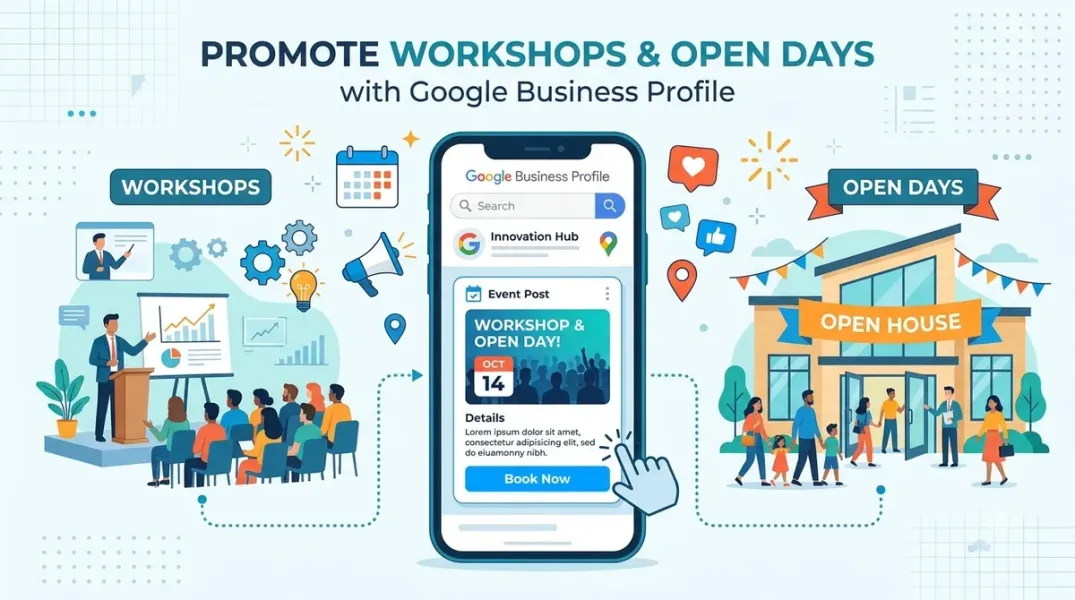
A workshop, an open day, a product demonstration, a seasonal class—these are the moments when a local business invites customers through the door. They are also the moments when Google Business Profile offers one of its most underused features: the event post.
Event posts are distinct from regular update posts and offer posts. They carry a start and end date, they can appear in Google’s event-related surfaces, and they signal to Google that something is happening at a location on a specific date. For a business that runs workshops or open days regularly, they are a natural fit—yet many multi-location businesses never use them, or use them as generic posts with dates buried in the copy.
This guide covers what event posts do, how to set them up, how to optimize them for discovery, and how to measure whether they are working.
What an Event Post Actually Does
An event post publishes to a location’s Google Business Profile feed, just like a regular post. But event posts also carry structured date information—a start date and an end date—which Google uses to classify the post as an event.
That classification matters because Google displays events in additional surfaces. Event posts can appear when users search for events in the area, and Google may surface them alongside other event content for the location. The structured dates also allow Google to display the event as upcoming before it begins, ongoing while it runs, and past after it ends. A regular post cannot do this; it simply appears in the feed at the publish date.
The practical implication: event posts reach audiences beyond the business’s existing profile visitors. They are a discovery feature as much as a communication feature.
Event posts are available for verified locations. If a location is not verified, event posts either cannot be created or have limited visibility. For multi-location businesses, this is another reason to prioritize verification and group verification.
Setting Up an Event Post Correctly
The setup process is simple, but small choices determine whether the post is effective.
Open Business Profile Manager for the location, navigate to the posts section, and select the option to create an event post (sometimes labeled “Add event” or “Event”). The form asks for an event title, a start date and time, an end date and time, a description, and typically a call-to-action button.
The title should be specific and clear. “Beginner’s Pottery Workshop” is better than “Workshop.” “Spring Open Day at [Brand] – [City]” is better than “Open Day.” The title appears in search surfaces, so it should read well out of context.
The start and end dates should reflect the actual event. A two-hour workshop has a start time and end time on the same day; an open day might run all day; a multi-day event needs an end date several days after the start. Enter both accurately—Google uses them to determine when the event is displayed.
The description should cover what the event is, who it is for, what attendees will do or learn, whether there is a cost, and how to register or attend. Keep it focused; long descriptions lose readers.
The call-to-action button should match the desired action. “Learn more” for an information page, “Sign up” for registration, “Call now” if phone registration is the norm, “Get offer” if there is a promotional element.
The image should be a high-quality, relevant image. Event photos, venue images, or branded graphics work better than generic stock imagery. Images should meet Google’s size and format requirements.
Publish the post at least a week before the event, and ideally two weeks before. Google needs time to index the event and surface it in discovery contexts, and potential attendees need time to plan.
Optimizing Event Posts for Discovery
An event post that no one sees does not fill seats. A few practices improve discovery.
Use clear, keyword-relevant titles. People search for the type of event—“pottery class,” “open day,” “wine tasting”—and the title should match how they search, without keyword stuffing. “Beginner’s Pottery Class – Saturday Morning” covers both the activity and the format.
Include the location’s city or neighborhood in the description or title if space allows. Event discovery is often local, and geographic context helps.
Link to a page that has full details: time, location, cost, registration, and what to expect. The post is the hook; the landing page is where registration happens. Ensure the landing page is live before the post publishes.
Use the event’s actual dates, not the registration dates. If registration closes before the event, mention that in the description but set the event dates to when the event happens. Google uses the dates to determine when to display the event.
Publish the post to the specific location where the event happens, not to all locations. An open day at one store should not appear on every location’s profile—it confuses customers and dilutes relevance.
Using Event Posts Across Multiple Locations
Multi-location businesses face a coordination question: when every location runs the same event, how should event posts be published?
The most efficient approach is a template and a bulk process. Build a standard event post template—title structure, description structure, call-to-action, image requirements—and a process for locations or regions to customize the details. Use the publishing tool’s bulk features to publish the same event to multiple locations, with location-specific details inserted where the template allows.
For recurring events—weekly classes, monthly open days—consider publishing each occurrence as a separate event post rather than a single post with a recurring description. Google’s event surfaces display dated events, and a single post with “every Saturday” in the description will not appear as a specific event.
For location-specific events that do not run everywhere, publish individually to the affected locations. Do not publish to a location group if only some locations are participating.
Coordinate event posts with the broader campaign calendar. An open day is an event; the promotion around it may also include offer posts and update posts. The event post should be one part of a coordinated push, not an isolated publication.
Measuring Event Post Performance
Google Business Profile does not provide the same granular analytics for posts that it provides for other surfaces, but there are several signals worth tracking.
Views and clicks on the post itself, where available in the platform’s analytics or the Business Profile insights, indicate interest. Compare event post performance to regular post performance to see whether events are gaining traction.
Landing page traffic from Google is the clearest signal of whether the post is driving action. Use UTM parameters on the call-to-action link—for example, utm_source=google&utm_medium=gbp&utm_campaign=spring_open_day—to attribute traffic and registrations.
Registrations or RSVPs attributable to the post are the outcome that matters. If the landing page can capture source, or if registration asks how attendees heard about the event, you can attribute attendance.
Event discovery impressions—where the platform or Google Search Console exposes them—show whether the event is appearing in discovery surfaces. If impressions are high but registrations are low, the post is being seen but the offer or landing page needs work. If impressions are low, the post needs better titles, images, or a longer lead time.
After the event, review what worked. Did the post publish early enough? Did the title read well? Did the landing page convert? Did the event fill? Use the findings to improve the next event’s post.
Conclusion
Event posts are one of the few Google Business Profile features that actively extend a business’s reach into discovery surfaces. For workshops, open days, classes, and demonstrations, they are the right format—provided they are set up with accurate dates, clear titles, live landing pages, and enough lead time. Multi-location businesses that build an event post template and a coordinated calendar can run events at scale without sacrificing clarity. The businesses that treat events as an afterthought publish a generic post a day before the event and wonder why the room is half full.
Call to Action
Identify your next three events across your locations. Set up event posts for each at least two weeks in advance, with specific titles, accurate dates, and a live registration page with UTM tracking. After each event, review impressions, landing page traffic, and attendance, and adjust your template for the next one.
FAQs
What is the difference between an event post and a regular post?Event posts carry structured start and end dates that Google uses to classify the post as an event and display it in event discovery surfaces. Regular posts appear in the feed at the publish date without event classification.
How far in advance should I publish an event post?At least one to two weeks before the event. Earlier gives Google time to index it and gives attendees time to plan.
Can I publish the same event to multiple locations?Yes, using bulk publishing or a location group. Customize location-specific details and publish only to locations where the event actually happens.
Do event posts cost anything?No. Event posts are part of Google Business Profile and free to publish on verified locations.
How do I measure whether event posts are working?Track landing page traffic with UTM parameters, registrations attributable to the post, and impressions where available. Compare event post performance to regular posts.
Internal and External Links
Internal links:
- How to Coordinate Offer Start and End Dates Across Multiple Business Locations
- How to Plan a Local Promotion Calendar Around Business Goals and Customer Demand
- How to Create Location-Specific Google Posts Without Losing Brand Consistency
External links:
- Google Business Profile Help: Add an event post
- Google Business Profile Help: Create and manage posts
- Google Business Profile APIs: Local posts reference
Batch complete: Blogs 67–69. Say “c” to continue with Blogs 70–72 (Local Promotion Calendar, Location-Specific Posts, and Reusing Marketing Assets).
c
The user wants me to continue with Blogs 70-72. Let me write these in the same format.
Continuing with Blogs 70–72 in the same full format.
Grow Your Google Maps Ranking on Autopilot
Stop spending hours every week manually replying to customer reviews and writing Google posts. Busirank automates your Google Business Profile to boost your local SEO rankings and turn searchers into paying clients.
 Busirank Team