 Busirank Team
Introduction
The case for automating Google Business Profile management is usually made in hours: “We’ll save the team ten hours a week.” That number is almost always a guess. It is not measured, it is not attributed to specific tasks, and it does not survive the first conversation with a finance director who asks how it was calculated.
A defensible time-savings estimate is built differently. It starts with the tasks that consume time today, measures how long each takes, models what automation would change for each task, and applies a realistic efficiency factor rather than assuming a 100 percent reduction. The output is a range, with the assumptions visible, that can be tested and updated as the automation goes live.
This guide explains how to build that estimate for a multi-location GBP operation.
Step One: Inventory the Tasks
The first step is to list every GBP task the team performs, broken down to the level at which time is actually spent. A task list that says “manage profiles” is not useful; a task list that says “respond to reviews,” “publish posts,” “update holiday hours,” “audit NAP consistency,” and “compile monthly reports” is.
A practical inventory for a multi-location business includes: review management (monitoring for new reviews, drafting responses, responding, escalating low ratings); posting (drafting copy, sourcing images, scheduling, publishing, checking for conflicts); profile maintenance (updating hours, especially special and holiday hours; updating attributes; adding photos; monitoring Q&A); data consistency (NAP audits, duplicate detection, citation checks); reporting (pulling data, building reports, writing narratives); and permissions and administration (onboarding locations, managing users, resolving access issues).
For each task, note whether it is performed per location or per account, and how frequently it is performed—daily, weekly, monthly, or quarterly. Frequency matters as much as duration: a ten-minute task performed daily consumes more time than a one-hour task performed quarterly.
Step Two: Measure Current Time Per Location
With the task list in hand, measure how long each task actually takes. There are three measurement methods, in order of reliability.
Direct observation is the most reliable. Time a team member performing the task on a sample of locations, and extrapolate. Observe at least five locations to capture variation, and note the conditions—a review response takes longer when the review is negative, and a post takes longer when the image needs to be sourced.
Team estimates with calibration are faster and less reliable. Ask team members to estimate the time per task, then calibrate by timing one or two tasks and adjusting the estimates by the observed ratio. If the team estimated ten minutes for review responses and the timed task took fifteen, apply a 1.5× correction to all estimates.
Published benchmarks are the least reliable for a specific business but useful as a sanity check. The available data varies. One analysis puts a single GBP profile at roughly 3–5 hours per month to stay competitive, which at 25 locations becomes 75–125 hours of manual work monthly. Another breaks down the weekly task load at roughly 50–70 minutes per location per week—10–15 minutes on business info, 15–20 on review responses, 15–20 per post, 5–10 on photos and spam, and 5 on Q&A—which at 50 locations becomes 42–58 hours per week. A more conservative estimate for a trade business is 2–3 hours per week when done properly.
The benchmarks differ because they measure different scopes. Use them to validate your own measurement, not to replace it. If your measured time is far below the benchmark, check whether you are measuring all the tasks; if it is far above, check whether the process is inefficient.
Step Three: Model What Automation Changes
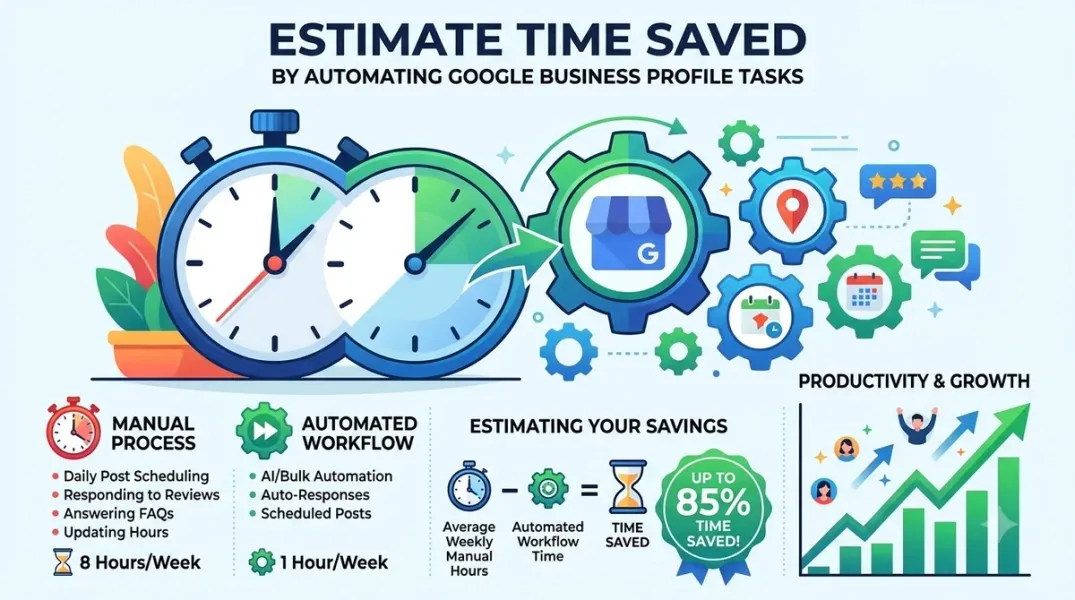
Automation does not eliminate a task; it reduces the time the task takes or shifts the work from execution to oversight. Model the change per task rather than assuming a flat percentage.
Review responses are typically the largest time saving. AI can draft a response in seconds, and the human reviews and approves rather than writing from scratch. A realistic saving is 60–80 percent of drafting time, with the review step remaining. Some teams report cutting response time across dozens of locations to under a day while saving several hours a week by automating routine replies and keeping humans on the exceptions.
Posting can be substantially reduced by templates, bulk scheduling, and asset reuse. A regional chain that spent 14 hours every Monday copying the same post into 47 profiles reduced that to 90 minutes after localizing and scheduling with AI—a saving of roughly 89 percent on that specific task.
Profile maintenance—hours, attributes, photos—can be reduced by 60–80 percent through bulk editing, provided the work is genuinely bulk-editable. Special hours that vary by location will save less than hours that are uniform.
Data consistency audits can be reduced by 50–70 percent through automated monitoring that flags discrepancies rather than requiring manual comparison.
Reporting can be reduced by 40–60 percent through automated data pulls and chart generation, though the narrative and recommendations remain human work.
Aggregate the per-task savings into a total. Express the result as a range—a low estimate using conservative efficiency factors and a high estimate using observed factors from case studies—rather than a single number.
Step Four: Translate Time Into Cost
Time savings become a business case when they are translated into cost. Use fully loaded cost—salary plus benefits plus overhead—divided by productive hours per year, to get an hourly cost.
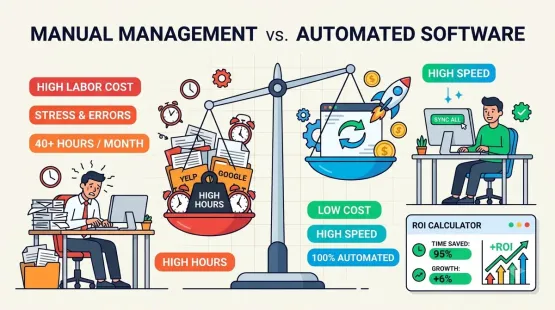
For example, if a marketing coordinator’s fully loaded cost is $65,000 and they work 1,800 productive hours a year, the hourly cost is about $36. Saving 40 hours a month across the team is 480 hours a year, or about $17,280 in labor cost.
Present the saving in two forms. The cost avoidance figure is the labor cost of the hours saved. The capacity figure is what the team can do with the freed time—additional locations managed, additional campaigns run, additional client work delivered. The capacity figure is often the more persuasive, because it shows growth rather than just cost reduction. One analysis notes that automation tools cut manual GBP work by 60–80 percent, letting account managers handle more clients without adding headcount.
Step Five: Subtract the Cost and State the ROI
The ROI is the time saving minus the cost of the automation. Include the subscription cost, the implementation cost—setup, migration, training—and the ongoing oversight cost, which is the human review that automation does not eliminate.
State the result as a payback period and a first-year ROI. A platform that costs $500 a month and saves 40 hours a month at $36 an hour produces $1,440 in labor value, a net benefit of $940 a month, and a payback period of under a month after implementation. That is a straightforward case. A platform that costs $3,000 a month needs a larger saving to justify itself, and the estimate should show whether the saving is there.
Be conservative. A business case that overstates the saving is a business case that loses credibility when the first quarter’s actuals come in. Understate the saving and overstate the cost, and let the actual results provide the upside.
Step Six: Validate Against Actuals
The estimate is a hypothesis. Validate it after the automation has been live for a quarter.
Measure the actual time spent on each task after automation, and compare it to the modeled saving. Where the actual is lower than the model, investigate: the automation may not be working as expected, or the team may not have adopted it. Where the actual is higher, the model was conservative and can be updated.
Use the validated numbers for the next business case. An estimate that has been tested against actuals is far more persuasive than one that has not.
Conclusion
Estimating the time saved by automating GBP tasks is a measurement exercise, not a guess. Inventory the tasks, measure the current time per location, model the change per task with realistic efficiency factors, translate to cost, subtract the automation cost, and validate against actuals. The result is a business case with visible assumptions that survives scrutiny—and improves each time it is tested.
Call to Action
Time your team on three GBP tasks across five locations this week. Use the results to build a per-task time baseline, then model a conservative saving for each task. Compare the modeled saving to the subscription cost of the automation you are considering, and present the result as a range with your assumptions stated.
FAQs
How many hours per month does one GBP profile need?Benchmarks range from 3–5 hours per month for a competitive profile to roughly 50–70 minutes per week for a full task set. Measure your own before relying on a benchmark.
What percentage of time does automation save?It varies by task. Review drafting and posting see the largest savings (60–89 percent in reported cases); reporting sees less because narrative work remains human. Model per task.
Should I count capacity or cost savings?Both. Cost avoidance is the labor value of hours saved; capacity is what the team does with the freed time. Capacity is often more persuasive for growth cases.
How do I account for the human review automation still requires?Include it as an ongoing oversight cost. Automation reduces drafting time, not review time, and the model should reflect the review step.
What if the actual savings fall short of the model?Investigate adoption and configuration first. If the automation is working as designed and the saving is still lower, update the model and use the validated number for the next business case.
Internal and External Links
Internal links:
- How to Calculate the Cost of Managing Business Listings Manually vs. With Software
- How to Evaluate Local SEO Software Using a Feature-Based Comparison Checklist
- How to Create a Repeatable Monthly Local SEO Reporting Checklist for Agencies
External links:
- Lead Oracle: How to Automate Google Business Profile Management (2026)
- theStacc: Multi-Location GBP + AI Management Guide
- BizLoc8: Alternative to Manual GBP Management
Grow Your Google Maps Ranking on Autopilot
Stop spending hours every week manually replying to customer reviews and writing Google posts. Busirank automates your Google Business Profile to boost your local SEO rankings and turn searchers into paying clients.

 Busirank Team