 Busirank Team
Introduction
Manual business listing management has an appealing price tag: zero. There is no subscription, no implementation fee, no vendor contract. The work is done by the team that is already on payroll, using tools the business already has.
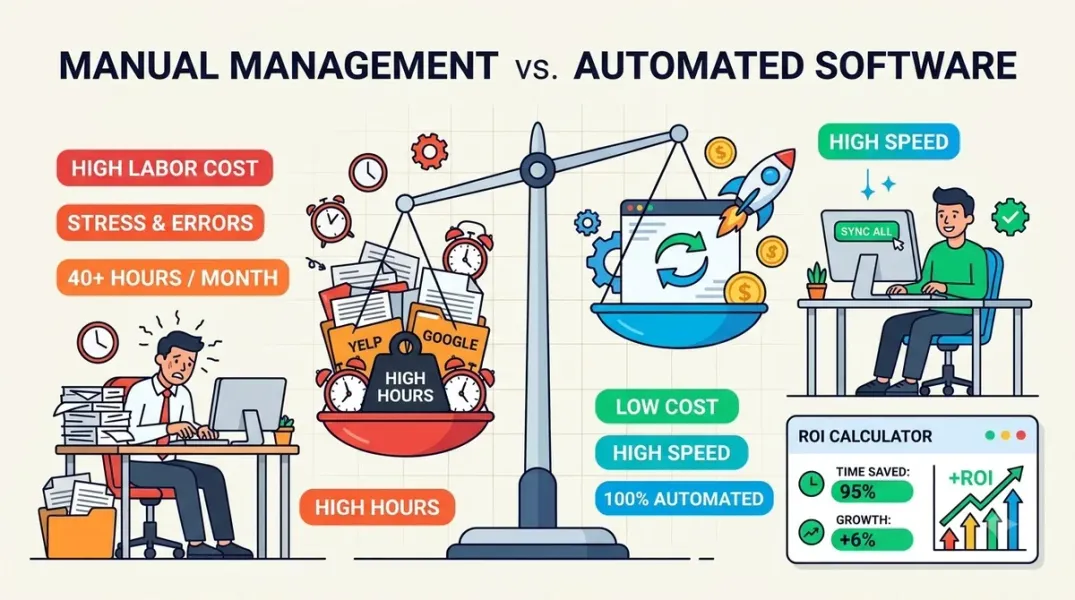
That price tag is misleading. The cost of manual management is real—it is just paid in labor, errors, and opportunity rather than in a software invoice. And at scale, it is usually higher than the software alternative, because manual work scales linearly with location count while software scales sub-linearly.
Calculating the true cost of each approach requires counting all the costs, not just the visible one. This guide sets out the cost categories, the data available for each, and a method for producing a comparison that reflects your operation.
The Cost Categories
A complete comparison includes five cost categories: labor, errors, opportunity, software, and implementation.
Labor is the time spent performing listing tasks—updating hours, responding to reviews, publishing posts, auditing data, producing reports. It is the largest cost in manual management and the one most often omitted because the labor is already paid for.
Errors are the cost of mistakes: wrong hours that send customers away, inconsistent NAP data that suppresses rankings, missed reviews that damage reputation, duplicate listings that compete with each other. These costs are harder to quantify than labor but often larger.
Opportunity is the value of the work the team is not doing because it is doing listing tasks. Every hour spent copy-pasting hours into profiles is an hour not spent on campaigns, content, or client relationships.
Software is the subscription cost of the platform, priced per location.
Implementation is the one-time cost of setup, migration, training, and the productivity dip during the transition.
Calculating the Labor Cost of Manual Management
Start with the time per location. The published estimates vary by scope, and the variation matters for the comparison.
One breakdown puts the weekly task load at roughly 50–70 minutes per location per week—10–15 minutes on business info, 15–20 on review responses, 15–20 per post, 5–10 on photos and spam, and 5 on Q&A. At that rate, 50 locations consume 42–58 hours per week, which is more than a full-time employee’s entire workload.
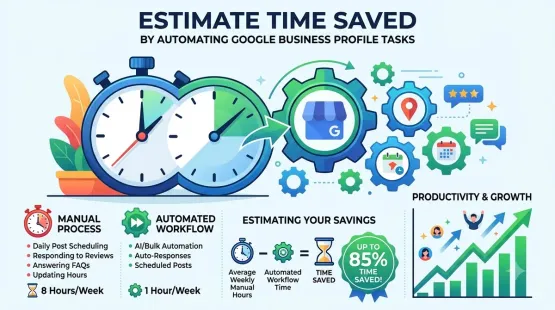
A broader estimate puts a single competitive profile at 3–5 hours per month, which at 25 locations is 75–125 hours monthly. A more conservative estimate for a trade business is 2–3 hours per week when done properly. Another source estimates the full set of manual tasks—listing updates, review responses, posting, reporting—at roughly 4–7 hours per week, with a monthly cost estimate of 700 per location.
The discrepancy comes from scope and efficiency. The lesson is to measure your own time rather than adopting a benchmark wholesale. Use the benchmarks to sanity-check your measurement and to model scenarios.
Once you have hours per location per month, multiply by the number of locations and by the fully loaded hourly cost of the people doing the work. Add the supervisory time—someone reviews the work, chases missed tasks, and resolves escalations—which is often overlooked.
Calculating the Cost of Errors
Error costs are harder to quantify but too large to ignore. A useful approach is to estimate the frequency and the cost of each error type.
Wrong hours send customers to a closed location. The cost includes the lost transaction, the negative review that often follows, and the staff time to respond to the review. If wrong hours affect even a small percentage of locations each quarter, the annual cost can be significant.
Inconsistent NAP data suppresses rankings. Studies cited in multi-location analyses show that identical descriptions across profiles can cut visibility by 30–40 percent, and NAP inconsistencies cause similar harm because Google treats formatting variants as different businesses. The cost is the visibility that would have produced calls and visits.
Missed reviews damage reputation. A one-star review that sits unanswered for days is the first thing prospective customers see. The cost is the customers who chose a competitor because the business appeared unresponsive.
Duplicate listings compete with each other and confuse customers. Resolving duplicates takes time and can take weeks.
Estimate the frequency of each error type from your own records, and apply a conservative cost. The total will be an estimate, but it will be a more complete estimate than zero.
Calculating the Software Cost
Software costs are more visible but vary widely by tool and scale.
At the low end, per-location pricing can be very low. One platform prices at $16 per month for a single location, a flat $37 for two to seven locations, and $5.33 per location from eight locations onward—so 50 locations cost $266.50 per month. Moz Local starts at $16 per month per location and tops out around $33 per location. Semrush Local is priced at 60 per location per month depending on tier.
At the higher end, reputation and presence platforms cost more. Birdeye is listed at 449 per location per month. Yext self-serve is 999 per location per year for larger deals, with enterprise pricing quoted. Synup has a Startup plan at $99 per month, an Agency plan at $249, and a Scale plan at $999, plus about $35 per location. A location data platform is commonly priced at 50 per location per month.
The software cost to use in the comparison is the plan that matches your location count and the features you need, not the cheapest or the most expensive. Calculate the cost at your current count and at double your count.
Calculating Implementation and Transition Costs
Implementation is a one-time cost that is easy to omit. It includes the setup and configuration, the migration of existing listings and data, the training of the team, and the productivity dip during the first weeks when the team is learning the new system and the old process is still running in parallel.
Estimate implementation as a fixed number of hours for setup and training, multiplied by the hourly cost of the people involved, plus a productivity factor for the transition period. For a mid-sized multi-location business, this is often a few thousand dollars—small relative to the annual labor saving, but large enough to affect the first-year comparison.
Building the Comparison
With the cost categories quantified, build the comparison as a table with two columns: manual and software. For each category, show the annual cost.
For manual management, the labor cost is the dominant line, plus the error costs and the opportunity cost. The software and implementation costs are zero, but that zero is the only advantage.
For software management, the labor cost is the reduced labor—the human review and oversight that automation does not eliminate, typically 20–40 percent of the manual labor for the tasks that are automated. The error costs are lower because automated monitoring catches inconsistencies and missed reviews. The opportunity cost is lower because the team has more capacity. The software and implementation costs are added.
The comparison should be presented as a range, with conservative and optimistic assumptions. A single number invites challenge; a range invites discussion about the assumptions.
The Opportunity Cost Argument
The opportunity cost is often the most persuasive part of the comparison, and the most often omitted. When the team spends 20 hours a month fighting listing errors, what revenue-generating work is it not doing?
Quantify the capacity released by software. If software saves 40 hours a month and the team uses that time for campaign work that generates $2,000 in incremental revenue, the software pays for itself several times over even before the labor saving is counted. If the team uses the time for nothing in particular, the saving is still real but the case is less compelling.
The comparison should state the capacity assumption explicitly. The software is not valuable because it saves hours; it is valuable because of what the hours are used for.
Conclusion
The cost of manual listing management is not zero. It is labor, errors, and opportunity, and at scale it usually exceeds the cost of software. Calculating the comparison requires counting all five cost categories, using measured time rather than benchmarks alone, and stating the assumptions as a range. The result is a defensible business case that shows what manual management actually costs and what software actually returns.
Call to Action
Build the comparison for your operation this month. Measure the time your team spends on listing tasks across a sample of locations, estimate the error costs from your records, and price the software at your current and doubled location count. Present the result as a range with the assumptions stated, and use it to decide whether the next location you add is managed manually or with software.
FAQs
Is manual listing management ever cheaper than software?For a very small number of locations with low change frequency, manual can be cheaper in direct cost. It becomes more expensive as location count and change frequency rise.
What labor cost should I use?Fully loaded cost—salary plus benefits plus overhead—divided by productive hours per year. The fully loaded cost is typically 1.25–1.4 times the salary.
How do I quantify error costs?Estimate the frequency of each error type from your records and apply a conservative cost. The result is an estimate, but it is more complete than assuming zero.
Should implementation cost be in the first-year comparison?Yes. It is a real first-year cost. Show the first-year comparison with implementation included and the steady-state comparison without it.
What if the software does not deliver the expected savings?Validate against actuals after a quarter. If the saving is lower, investigate adoption and configuration before concluding the software is not worth it.
Internal and External Links
Internal links:
- How to Estimate the Time Saved by Automating Google Business Profile Tasks
- How to Evaluate Local SEO Software Using a Feature-Based Comparison Checklist
- A Practical Guide to Importing Multiple Google Business Locations Into One Workspace
External links:
- BizLoc8: Alternative to Manual GBP Management
- Local SEO Tool: Pricing
- Lead Oracle: How to Automate Google Business Profile Management
Grow Your Google Maps Ranking on Autopilot
Stop spending hours every week manually replying to customer reviews and writing Google posts. Busirank automates your Google Business Profile to boost your local SEO rankings and turn searchers into paying clients.

 Busirank Team