 Busirank Team
Introduction
Your Google Business Profile is often the first thing a potential customer sees—before your website, before your social media, and sometimes even before they know your name. For small businesses, keeping that profile active with fresh posts, accurate information, and timely review responses is no longer optional; it is a core part of local visibility.
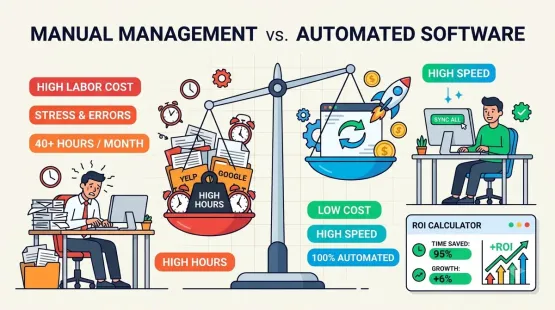
The challenge is that manual management does not scale. Between publishing offers, sharing updates, and monitoring reviews, logging in every day to post manually quickly becomes unsustainable. That is why Google Business Profile management software exists. But with dozens of tools claiming to solve the problem, how do you choose the one that actually fits a small business budget and workflow in 2026?
This guide breaks down the best options by use case, so you can pick the tool that solves your specific bottleneck—not the one with the longest feature list.
Start With What Is Free (and Surprisingly Capable)
Before spending money, it is worth understanding what Google already provides. The native Google Business Profile app and web dashboard are entirely free and cover the essentials: verification, hours, photos, Google Posts, messaging, review responses, and basic Insights. For a single-location business with a manageable review volume, the native tools are genuinely sufficient.
Software earns its subscription cost when you hit specific friction points: managing multiple locations, needing team approvals, automating review requests, or wanting deeper analytics than Google provides natively. The best choice depends on which friction point is costing you the most time.
Best for Multi-Location Scheduling and Content Consistency: SocialBee
If your priority is keeping Google Posts active and consistent—especially across more than one location—SocialBee is a strong contender. It is built for planning, scheduling, and publishing Google Business Profile posts from one dashboard, with AI assistance for captions and visuals, CTA buttons, and detailed analytics showing views, calls, and bookings. Paid plans start at $29 per month, and it supports approval workflows for teams that need to review content before it goes live.
Best for: Small businesses and agencies that want reliable post scheduling with room to grow into multi-location management.
Best for Reviews Alongside Local SEO: BrightLocal
When reviews and local rankings need to live in the same place, BrightLocal is a practical shortlist. Its Reputation Manager handles review monitoring, requests, and website widgets, while the broader platform covers local rank tracking and listings. Pricing for the Grow plan—which includes review management—starts at $65 per month for one location, though SMS credits are billed separately.
Best for: Small businesses that want reviews and local SEO reporting in one login, especially if they are already tracking rankings.
Best for Service Businesses That Need Review Automation: NiceJob
NiceJob solves a very specific problem: getting review requests out consistently when your team is busy completing jobs. It integrates with systems like Jobber, Housecall Pro, and QuickBooks to trigger review invitations automatically when a job is completed or an invoice is paid. The Starter plan is $75 per month, while the Pro plan at $125 per month adds AI Replies.
Best for: Service-based small businesses where review volume depends on the team remembering to ask after every appointment.
Best for AI-Assisted Profile Optimization on a Budget: Localo
Localo is worth considering if you want help with both review replies and ongoing profile optimization without jumping to an enterprise suite. Its review features let you filter reviews awaiting a reply, generate an AI suggestion, and edit before publishing—you remain in control of the final response. The Single Business plan is displayed at $39 per month with annual billing, making it one of the more accessible paid options for a single profile.
Best for: Owners who want guided profile improvement and faster review responses in one affordable tool.
Other Tools Worth Knowing in 2026
The market is broader than any single list. Paige is an AI-based tool starting at $99 per month that automates post creation, review management, and image optimization for small and medium businesses. GatherUp combines review requests with customer feedback surveys, starting at $99 per month for one location. On the scheduling side, Metricool publishes to Google Business Profile even on its free plan, making it a low-risk way to test posting workflows before committing to a paid tool.
How to Choose Without Overspending
The most common mistake is buying a full suite before identifying the actual bottleneck. Start with one question: what is the recurring task that is not getting done? If reviews are not coming in, prioritize a review-request tool. If posts go dark for weeks, prioritize a scheduler. If listing data is messy across directories, look at citation management.
Most small businesses do not need five tools. They need one tool that closes the gap Google’s free dashboard cannot, plus the discipline to use it consistently. A generic post scheduled every week will not fix a profile that lacks photos or never responds to reviews—software accelerates a good workflow, but it does not replace one.
Conclusion
The best Google Business Profile management software for your small business in 2026 is the one that removes the specific bottleneck you face today. If you are drowning in multi-location posting, a scheduler like SocialBee pays for itself quickly. If review requests slip through the cracks after every job, NiceJob’s automation is built for that exact problem. If you want an affordable all-rounder for a single location, Localo offers a guided path without enterprise pricing.
Start with the free native tools, identify where the friction actually lives, and add one paid tool that solves it. That approach keeps costs controlled while ensuring your Google Business Profile stays active, accurate, and responsive—the three things that matter most for local visibility.
Call to Action
Not sure which tool fits your workflow? Audit your current Google Business Profile process for one week. Write down every task that gets delayed or skipped—posting, review replies, photo uploads, or reporting. That list is your buying criteria. If you are managing multiple locations or clients, start by evaluating a scheduler with approval workflows; if reviews are the gap, prioritize a tool with automated request triggers. The right software should feel like relief, not another dashboard to maintain.
FAQs
Is any Google Business Profile management software actually free?Yes. Google’s native Business Profile app and dashboard are completely free and cover verification, hours, photos, Posts, messaging, review responses, and basic Insights. Paid tools add automation, multi-location management, and deeper analytics, but a single-location business can run a fully optimized profile using only Google’s free tools.
What is the difference between a review tool and a citation tool?A review tool (like NiceJob or GatherUp) automates requesting and managing customer reviews. A citation tool (like Yext or Moz Local) manages your business’s name, address, and phone number consistency across directories. They solve different problems, and many small businesses only need one—not both.
Do I need a separate tool for Google Posts if I already use a social media scheduler?Not necessarily. Many general social schedulers now support Google Business Profile as a publishing destination. If you already batch-create social content, adding GBP to that existing workflow is usually simpler than adopting a separate tool just for Posts.
Should I let an AI tool auto-post review responses without review?No. AI drafting tools are useful for speed, but every response should be read and personalized by a real person before it publishes. A generic-sounding reply can undo the trust-building benefit that prompted you to respond in the first place.
How much should a small business expect to spend on GBP management software?Entry-level scheduling and review tools generally start between $19 and $39 per month for a single location. More specialized automation (like job-triggered review requests) or multi-location support typically ranges from $65 to $125 per month.
Internal & External Links
Internal links (to other posts in this series):
- How to Automate Google Review Responses Without Losing Your Brand Voice (next in series)
- How to Manage Google Reviews From Multiple Locations in One Dashboard
- How to Schedule a Month of Google Business Posts in One Sitting
- How to Choose Between Standalone Review Tools and an All-in-One Local SEO Platform
External links (sources referenced in this article):
- SocialBee — Top 5 Google Business Profile schedulers in 2026: https://socialbee.com/blog/google-my-business-scheduler/
- Search Engine Watch — Google review management tools I’d choose before buying a reputation suite: https://searchenginewatch.com/google-review-management-tools/
- SEO University — The Best Google Business Profile Tools & Software: http://seouniversity.net/best-google-business-profile-tools/
- Software Advice — Paige 2026: Benefits, Features & Pricing: https://www.softwareadvice.com/product/534996-Paige/
How to Automate Google Review Responses Without Losing Your Brand Voice
Grow Your Google Maps Ranking on Autopilot
Stop spending hours every week manually replying to customer reviews and writing Google posts. Busirank automates your Google Business Profile to boost your local SEO rankings and turn searchers into paying clients.
 Busirank Team