 Busirank Team
Introduction
A customer searches for your business on their phone. They see your hours listed as “Open until 9 PM” and drive across town. When they arrive, the lights are off. You closed at 6 PM. They are frustrated, they leave a negative review, and they never come back.
This scenario plays out thousands of times daily for businesses with outdated online information. According to BrightLocal research, 56 percent of consumers encounter incorrect business information at least every few months, and 23 percent encounter fake entries at least once a month . In the United States alone, 36 percent of consumers called wrong numbers during the year, 22 percent visited the wrong location, and 24 percent came at the wrong time due to incorrect opening hours .
The damage is not just lost revenue from that single visit. It is the erosion of trust that happens when your online presence contradicts reality. Google’s own research shows that customers are 70 percent more likely to visit a business with a complete and accurate profile, and 50 percent more likely to consider purchasing from such a business .
This guide explains how to detect outdated business details before they affect your customers, your reputation, and your local search rankings.
Understanding the causes of outdated information helps you prevent it. Business details become stale for several reasons:
Unplanned changes. A phone number changes due to a VoIP migration. A location closes temporarily for renovation. Hours shift because of staffing shortages. These changes happen quickly, but updating every online listing takes time and attention.
Data propagation delays. When you update your information with a data aggregator, corrections can take 8 to 16 weeks to fully propagate to downstream directories . During that window, customers may see conflicting information.
Third-party edits. Google and other platforms allow users to suggest edits to business listings. A customer might report your hours as incorrect based on a single visit, and Google may accept that edit without your confirmation . A competitor or scammer could also hijack your listing by changing your phone number or website .
Aggregator contamination. Data aggregators feed information to hundreds of downstream sites. If an aggregator has old information, that outdated data replicates continuously across the web .
Simple neglect. Businesses change, but the people responsible for updating listings change jobs, forget, or assume someone else is handling it. Over time, details drift.
The High-Impact Fields to Monitor
Not every field carries the same risk. Focus your detection efforts on the fields that directly affect whether a customer can find, contact, or visit your business.
Phone number. A wrong phone number is a direct revenue loss. Every call to a disconnected line is a customer who will not call back. Phone number changes are also a common hijack vector, where a competitor or scammer reroutes your calls to themselves .
Address and location. An old address sends customers to the wrong place. For service-area businesses, an incorrect service area means missed opportunities. Address changes are one of the most common citation problems .
Hours of operation. Incorrect hours cause the “drove across town for nothing” scenario. Special hours for holidays and seasonal changes are especially prone to going stale .
Website URL. A broken or outdated website link sends customers to a dead end. If you have changed your website or a specific location page, every listing must reflect the new URL.
Business name. Inconsistent naming (e.g., “Joe’s Plumbing” versus “Joe’s Plumbing LLC” versus “Joe’s Plumbing & Heating”) fragments your brand identity across the web .
Manual Detection Methods
You can detect outdated details without expensive tools, though manual methods require time and discipline.
Search for your business name in quotes. Search Google for “Your Business Name” and review every result. This surfaces listings you may have forgotten about, including old directories and industry-specific sites .
Search for your old phone number. Phone numbers are unique identifiers. Searching for a previous phone number in quotes is one of the most effective ways to find old listings that never got updated .
Search for your old address. If you have moved, search for the previous address. Old listings often persist on low-authority directories that never received the update.
Check the major platforms manually. Review Google Business Profile, Yelp, Apple Maps, Facebook, and Bing Places. These are the highest-traffic sources and should be audited first .
Call your own phone number. Verify that the number listed on each major platform actually reaches your business. This catches hijacks and outdated numbers that still route somewhere else.
Walk through your location as a customer. Check your signage, printed materials, and in-store displays. Do they match your online information? Inconsistencies between physical and digital presence confuse customers.
Automated Detection Tools
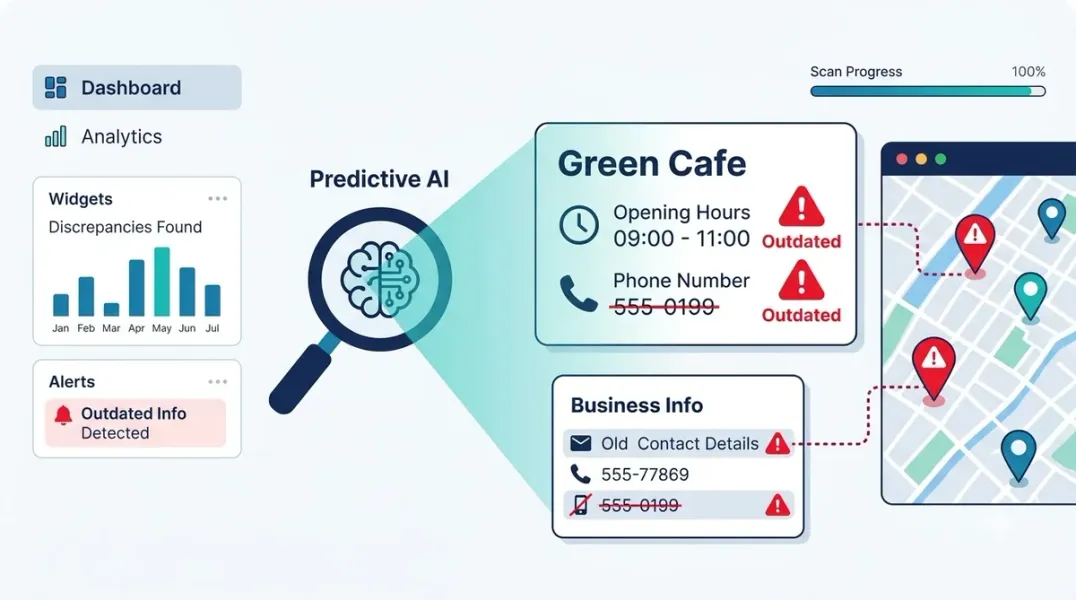
For multi-location brands and agencies, manual detection does not scale. Automated monitoring tools catch changes as they happen.
Google Business Profile change monitoring. Tools like Apify’s GBP Monitor check your listing on a schedule and alert you when phone, website, category, address, or hours change . These tools are designed to catch hijacks and unauthorized edits. The Apify GBP Monitor costs approximately $1.50 per month for daily monitoring of one location .
Google Maps listing monitoring. A related Apify tool tracks name, address, phone, website, category, opening hours, and closed status changes. It normalizes values so formatting differences (like “http” versus “https” or phone punctuation) do not trigger false alerts .
Google Business Profile connectors. Platforms like Improvado offer connectors that pull Google Business Profile data into your marketing analytics. The “Google Updated Fields” report shows fields where Google or users have changed your listing, with Google’s value next to yours . You can set governance rules to alert only on core changes like name, phone, hours, website, and address .
Citation tracking tools. BrightLocal’s Citation Tracker finds incorrect NAP data, detects duplicate listings, and monitors consistency across the web . The tool identifies “wrong number” scenarios and old addresses that confuse both Google and customers .
Comprehensive listing management platforms. Services like TransUnion’s Digital Business Profile automatically distribute updates across more than 80 directories, maps, apps, and social platforms, with continuous monitoring and updates as part of the subscription .
Building a Monitoring Routine
Detection works best as a scheduled routine, not a reactive scramble.
Weekly checks for high-risk fields. Phone numbers and hours should be reviewed weekly, especially if your business has seasonal hours or frequent schedule changes.
Monthly audits of major platforms. Review Google Business Profile, Yelp, Facebook, and Apple Maps at least monthly. These platforms drive the most customer contacts.
Quarterly full citation audits. Use a citation tracking tool or manual process to scan all known listings. Document the current NAP in a spreadsheet with columns for directory name, URL, displayed NAP, accuracy status, and date checked .
Immediate updates after any change. When your business changes its phone number, address, hours, or website, update Google Business Profile first, then your website, then all citations. Delays create windows where customers see outdated information.
When You Find Outdated Details
Detection is only valuable if you act on it.
Prioritize by impact. Fix the highest-authority sources first: Google Business Profile, then Yelp, Apple Maps, Facebook, and Bing Places. These carry the most weight in search algorithms and are visited by the most customers .
Claim unclaimed listings. Many outdated listings exist because they were auto-generated and never claimed. Claim them so you can control the information .
Submit corrections to data aggregators. For listings you cannot edit directly, submit corrections to Data Axle, Neustar Localeze, and Foursquare. These corrections propagate to hundreds of downstream sites over 4 to 16 weeks .
Document everything. Keep a record of what you found, what you changed, and when. This creates accountability and helps you identify patterns (e.g., a specific directory that consistently reverts your updates).
Conclusion
Outdated business details are not a minor administrative annoyance. They are a direct threat to customer experience, revenue, and local search visibility. The customer who drives to a closed location or calls a disconnected number does not complain to you first. They simply leave, and they tell others about the bad experience.
Detection requires a combination of manual vigilance and automated monitoring. Search for your old phone number and address. Check your Google Business Profile regularly. Use change-monitoring tools for high-risk fields. And build a routine that catches staleness before it affects customers.
The businesses that win locally are not necessarily the ones with the best services. They are the ones customers can actually find, contact, and visit without friction.
Call to Action
Audit your business listings today. Start with the search for your old phone number. Then download our Citation Audit Spreadsheet Template to track every listing you find and systematically eliminate outdated information.
FAQs
Q: How often should I check my business listings for outdated information? A: High-risk fields like phone numbers and hours should be checked weekly. Major platforms should be reviewed monthly. A full citation audit should be conducted quarterly .
Q: What is the fastest way to find outdated business listings? A: Search Google for your business name in quotes and your old phone number in quotes. Phone numbers are unique identifiers that reliably uncover old entries that were never updated .
Q: Can someone else change my Google Business Profile information? A: Yes. Google allows users to suggest edits to business listings, and your phone number, website, or hours can be changed without your knowledge. This is why change monitoring is critical .
Q: How long does it take to correct outdated information with data aggregators? A: Corrections submitted to data aggregators like Data Axle and Neustar Localeze can take 8 to 16 weeks to fully propagate to downstream directories .
Q: What should I do if I find a duplicate listing for my business? A: Claim both listings if possible, then request that the platform merge them or remove the duplicate with fewer reviews. Duplicate listings split your ranking signals and confuse customers .
Internal & External Links
Internal Links
- How to Manage Google Business Profiles When a Business Changes Its Phone Number
- How to Build a Master Location Database for Local Marketing Teams
- How to Create a Business Profile Data Dictionary for Multi-Location Brands
External Sources
- BrightLocal Citation Tracker https://www.brightlocal.com/local-seo-tools/citation-tracker/
- Google Business Profile Manager https://www.google.com/business/
- Apify GBP Monitor https://apify.com/moganes/gbp-monitor
Grow Your Google Maps Ranking on Autopilot
Stop spending hours every week manually replying to customer reviews and writing Google posts. Busirank automates your Google Business Profile to boost your local SEO rankings and turn searchers into paying clients.

 Busirank Team
