 Busirank Team
Introduction
Local listing management fails in predictable ways. Not because teams lack skill, but because they lack systems. A profile gets optimized during onboarding, then drifts. Hours go stale. Photos age. Duplicate listings appear. A phone number changes on the website but not in the directories. Six months later, rankings slip and no one knows why.
The businesses that maintain local search visibility at scale don’t rely on individual diligence. They rely on repeatable quality assurance processes—documented checks, assigned ownership, and fixed cadences that catch problems before they compound.
This guide provides a framework for building a QA process that works across one location or one hundred, whether you manage listings in-house or through an agency.
Most local listing problems trace back to the same root cause: quality control happens inconsistently, if at all. The work gets done when someone remembers, when a client complains, or when rankings drop enough to trigger panic.
This approach fails because local listings are living documents. Business hours change seasonally. Staff turns over. Services expand or contract. Google periodically reshuffles its category taxonomy . Third parties submit edits. Aggregators pull stale data from each other.
Without a repeatable process, you’re always reacting. With one, you’re preventing.
The Foundation: A Single Source of Truth
Before any QA process can work, you need a baseline. Every check must compare current state against something authoritative.
Create a canonical NAP record. Document the legal name, trading name, address (formatted exactly as it appears on the utility bill or lease), phone number, hours, service areas, and primary categories . This record should be approved in writing by someone with operational authority—not just the marketing team .
Standardize formatting decisions once. Is it “Suite 200” or “Ste 200”? Directory aggregators treat these as different strings . Decide the format, document it, and enforce it everywhere.
Capture historical name variants. Former DBA names, pre-rebrand spellings, and abbreviated forms cause duplicate listings . Know what you’re looking for before you search.
The QA Gate: Checks Before Anything Goes Live
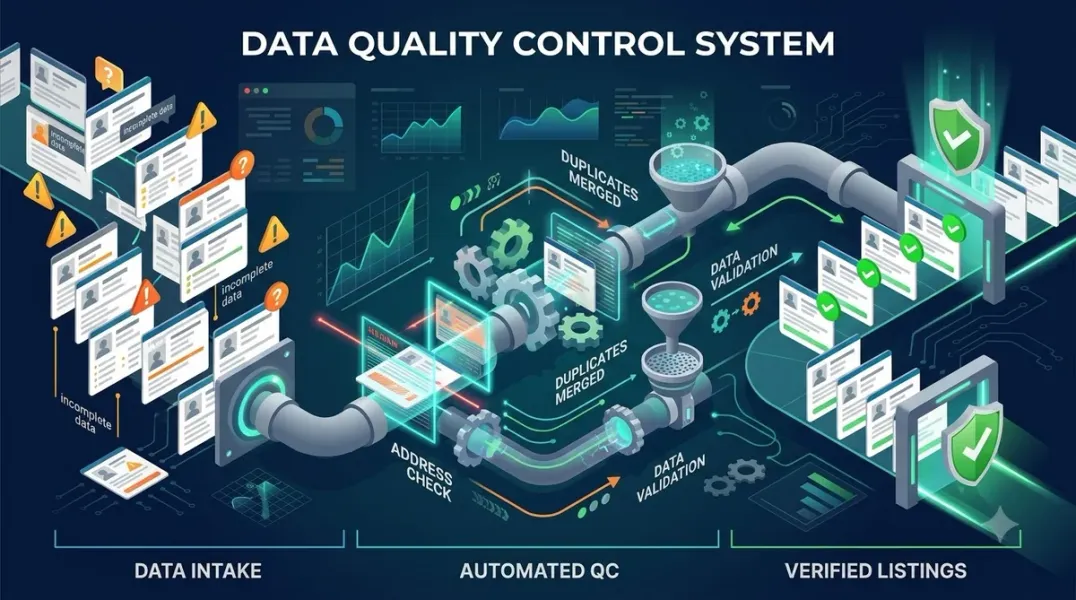
Quality assurance should function as a gate, not a cleanup crew. Deliverables pass or go back for repair—before clients or customers ever see them .
For new profiles or major updates, run this pre-publish checklist:
| Check | What to Verify | Why It Matters |
|---|---|---|
| Name accuracy | Matches legal/trading name, no keyword stuffing | Keyword-stuffed names violate guidelines and trigger suspensions |
| Address/service area | Correct format, within service radius, SAB vs. storefront configured properly | Misconfigured SABs trigger verification problems |
| Phone number | Direct line, not call center; tracking numbers reserved for analytics only | Tracking numbers on core listings split citation consistency |
| Hours | Regular hours set, special hours for upcoming holidays | Stale hours send customers to closed doors |
| Categories | Primary category matches top revenue service | Primary category drives map pack eligibility |
| Website URL | Direct link to location page, not homepage redirect; UTM parameters added | Redirects weaken relevance signals |
| Photos | Recent, accurate, business-owned; exterior signage visible | Stale photos signal neglect |
This gate applies to onboarding, profile updates, and any bulk changes pushed through APIs or spreadsheets .
The Audit Cadence: Weekly, Monthly, Quarterly
A one-time audit is not a process. The work needs a rhythm .
Weekly checks:
- Monitor and respond to new reviews within 24–48 hours
- Add 2–3 fresh photos per profile
- Review flagged user-suggested edits and approve or reject
- Scan for new duplicate listings
Monthly checks:
- Pull GBP insights and compare to prior month
- Check citation consistency with a quick audit scan
- Respond to any new Q&A questions
- Review and refresh Google Posts
Quarterly checks:
- Full audit across top 20 directories for your category
- Refresh business descriptions, services, and attributes
- Update review response templates to match operational changes
- Re-check categories (Google’s taxonomy shifts)
- Scan for duplicates across all platforms
This cadence ensures that nothing drifts far enough to cause damage.
Scoring and Remediation: Making the Process Actionable
An audit that produces a list of problems without prioritization is only half useful. The process should score each profile against a fixed rubric and route defects to the right queue.
Use a 0–5 scale per field. Categories, service areas, attributes, hours, and photo count each get scored. Anything below 3 on two or more fields goes into the remediation queue for that location—not the account as a whole . This prevents one struggling location from triggering a full account overhaul.
Separate mechanical fixes from strategic gaps. Listing mismatches and missing hours are mechanical fixes that can be automated or delegated. Thin location pages, no review solicitation flow, and no differentiated content are strategic gaps that need a scope conversation . Mixing them in one list is how teams end up doing unpaid work .
Assign every defect an owner and a deadline. Each fix goes to either the agency or the client contact, with a named deadline. Schedule the recheck before the next retainer invoice so improvement is visible in the same billing cycle .
Directory and Citation QA
Google Business Profile is the most visible listing, but it’s not the only one. Inconsistent data across directories weakens Google’s confidence in your business entity .
Compare your canonical record against at least two aggregator feeds. A suite number that appears on one directory but not another is a common cause of map pack suppression—and it won’t surface in a single-tool rank report .
Prioritize by impact. Google Business Profile, Yelp, Facebook, Bing Places, and Apple Maps carry the most weight . Fix these first.
Log every change. Screenshot or export corrections for the client’s audit trail . This protects you when a client disputes a change, and it creates a record for future QA cycles.
The Reporting Layer: Making QA Visible
A QA process that doesn’t report its findings can’t prove its value. Monthly reporting should orient the client, not impress them with charts .
Report should include:
- Listing accuracy score (percentage of directories where data matches source of truth)
- Citation indexation rate (percentage of citations actually indexed and visible)
- Review volume and sentiment trends
- Average response time to reviews
- Issues found, issues resolved, issues pending
Report should explain:
- What changed and why
- What didn’t change and why that matters
- What decision comes next
This is how QA becomes a system the client trusts, not a black box.
Conclusion
A repeatable QA process for local listings isn’t about working harder. It’s about working systematically. The foundation is a single source of truth—one canonical NAP record that every check compares against. The gate is a pre-publish checklist that prevents bad data from going live. The rhythm is a fixed cadence of weekly, monthly, and quarterly audits. The output is a scoring system that routes defects to the right owner with a deadline.
None of this is glamorous. But it’s the difference between listings that stabilize and rank consistently, and listings that bounce in and out of the map pack while no one knows why.
Build the process. Document the checks. Assign the owners. Set the cadence. Your local search presence depends on it.
Call to Action
Ready to standardize your QA process? Download our Local Listing QA Checklist & Audit Template—a complete framework covering pre-publish gates, scoring rubrics, directory audits, and quarterly review schedules.
FAQs
Q: How often should I audit my local listings? Minimum quarterly for full audits, monthly for consistency checks, and weekly for review responses and photo updates . The cadence should match how frequently your business information changes.
Q: What’s the most common cause of local listing inconsistency? Name variants and address formatting differences. “Suite 200” vs. “Ste 200” and former DBA names are the leading causes of duplicate listings and suppressed rankings .
Q: Should I use AI tools for local listing QA? AI can help with flagging incomplete fields, organizing data, and detecting patterns. But human review must verify factual accuracy, relevance, and real-world representation . AI-assisted QA is leverage; AI-led QA is risk.
Q: How do I QA listings I don’t directly control (like franchisee profiles)? Build the QA process into the franchise agreement. Require franchisees to use approved NAP data, grant corporate access to profiles, and submit to periodic audits. Without contractual authority, you can only influence—not enforce.
Q: What’s the best way to track QA findings over time? Use a spreadsheet or project management tool with columns for: location, field, defect type, severity, owner, deadline, status, and resolution date. Review unresolved items at each monthly check-in .
Internal & External Links
Internal Links
- [How to Audit Google Business Profile User Permissions Across Your Organization]
- [How to Manage Google Business Profile Content at Scale Without Duplicate Messaging]
- [How to Build a Google Business Profile Approval Workflow for Marketing Teams]
External Sources
- Google Support: Understand and manage edits to your Business Profile
- Google Support: Business Profile quality guidelines
- BrightLocal: How to manage business listings properly
Grow Your Google Maps Ranking on Autopilot
Stop spending hours every week manually replying to customer reviews and writing Google posts. Busirank automates your Google Business Profile to boost your local SEO rankings and turn searchers into paying clients.

 Busirank Team
