 Busirank Team
Introduction
Most local businesses do not lose customers because they lack leads. They lose customers because they fail to follow up. A homeowner requests a quote, a diner asks about catering, a patient inquires about availability—and then nothing happens. The lead goes cold, and the business moves on to the next inquiry.
Local lead nurturing is the process of building a repeatable system that keeps potential customers engaged until they are ready to buy. It is not about aggressive sales tactics. It is about staying top of mind, answering questions, building trust, and making it easy for a local prospect to choose you when they are ready.
This guide explains how to create a local lead nurturing system for small businesses. You will learn how to capture leads, segment them, follow up automatically, and measure results—without needing a large marketing team or a big budget.
1. Understand Why Local Leads Go Cold
Before building a system, it helps to understand why local leads stall. Common reasons include:
- The lead was not ready to buy yet and the business never followed up.
- The business responded once and then stopped.
- The follow-up was generic and not relevant to the lead’s specific need.
- The lead got busy and forgot to respond.
- The business had no system to track leads, so the inquiry was lost.
A local lead nurturing system solves these problems by making follow-up consistent, relevant, and trackable.
2. Capture Leads in One Place
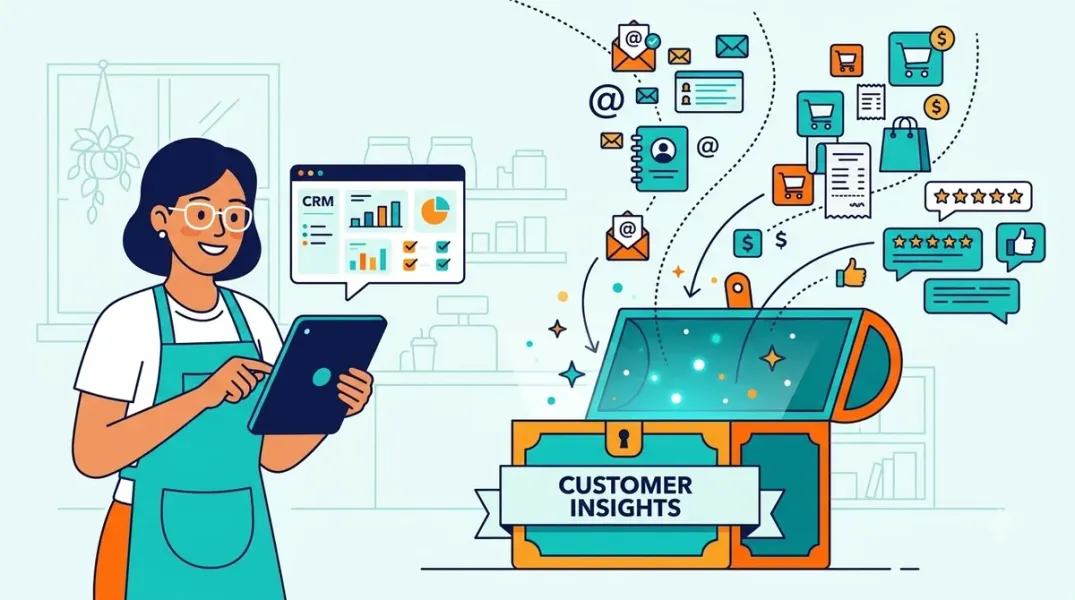
The first step is to make sure every lead is captured and stored in a single system. If leads are spread across email inboxes, text messages, phone notes, and sticky notes, nurturing becomes impossible.
What to capture:
- Name
- Phone number
- Email address
- Service or product interest
- Location or service area
- How they found you
- Date of inquiry
- Consent to receive marketing messages
Where to store it: Use a simple CRM (customer relationship management) tool. Many small business CRMs are affordable and include email and SMS capabilities. Even a well-organized spreadsheet is better than nothing, but a CRM will make automation and tracking much easier.
Fix: Create a single intake form on your website, train staff to log phone inquiries, and sync all lead sources into your CRM.
3. Segment Leads by Intent and Readiness
Not all leads are the same. A lead who requests a quote today is different from a lead who downloads a guide and is planning for next year. Segmenting leads allows you to send more relevant follow-up.
Common local business segments:
- Hot leads: Requested a quote, booking, or appointment.
- Warm leads: Asked questions, compared options, or downloaded a resource.
- Cold leads: Signed up for a newsletter or showed mild interest.
- Past customers: Have purchased before and may need repeat service.
Fix: Add a simple “lead status” field in your CRM. Update it as leads move through the funnel. Use this status to decide what follow-up to send.
4. Build a Fast First Response
Speed matters. Local customers often contact multiple businesses. The first business to respond professionally has a major advantage.
Best practices for first response:
- Respond to form submissions within one business day—ideally within hours.
- Use a template that acknowledges the inquiry and sets expectations.
- Include a clear next step, such as a call, booking link, or estimate timeline.
- Personalize the message with the lead’s name and the service they asked about.
Example first response email:
Subject: We received your request for [service] in [city]Hi [Name],Thanks for reaching out to [Business Name]. We received your request for [service] and will get back to you within [timeframe] with next steps.If you would like to speak sooner, call us at [phone number] or book a time here: [booking link].Talk soon,[Your Name]
5. Create a Follow-Up Sequence
Most local leads do not convert on the first contact. A follow-up sequence keeps you top of mind without being pushy.
A simple 4-touch sequence for hot and warm leads:
- Touch 1 (Day 1): Immediate response with next steps.
- Touch 2 (Day 3): A helpful email or text answering common questions about the service.
- Touch 3 (Day 7): A check-in message offering to answer questions or schedule a call.
- Touch 4 (Day 14): A final follow-up with a clear call to action and an easy way to opt out.
Channel choices: Use email for detailed information and SMS for short, time-sensitive reminders. Always get consent before sending marketing texts.
Fix: Set up these touches as automated templates in your CRM. Personalize where possible and stop the sequence when a lead responds or converts.
6. Use Local Content to Nurture Cold Leads
Cold leads may not be ready to buy for weeks or months. Local content keeps you relevant and builds trust in the meantime.
Content ideas for local lead nurturing:
- “How to Choose a [Service] Provider in [City]”
- “What to Expect During a [Service] Visit”
- “Seasonal Maintenance Checklist for [City] Homeowners”
- “Local Guide: Best Time to Schedule [Service]”
- Customer stories from nearby neighborhoods
Fix: Create a small library of helpful local content. Share it in your follow-up emails and newsletters. Link to your blog posts and service pages to keep leads engaged with your website.
7. Build a Simple Email Newsletter
A newsletter is a low-pressure way to stay in touch with leads who are not ready to buy. It also helps you stay top of mind with past customers.
Newsletter content ideas:
- Seasonal tips related to your service.
- Local event or community updates.
- Special offers for local customers.
- Recent project photos or customer stories.
- Answers to common questions.
Fix: Send a monthly or quarterly newsletter. Keep it short, useful, and locally relevant. Include a clear call to action in every issue.
8. Use SMS for Timely Local Reminders
SMS is effective for short, time-sensitive messages such as appointment reminders, seasonal service reminders, and follow-ups. However, it must be used carefully.
SMS best practices:
- Get explicit consent before sending marketing texts.
- Keep messages short and include your business name.
- Include an easy opt-out option.
- Do not send too frequently.
- Use SMS for reminders and confirmations, not long sales pitches.
Fix: Use SMS for appointment reminders and seasonal service reminders. Reserve email for more detailed nurturing content.
9. Track and Measure Nurturing Performance
A nurturing system is only useful if you can see what is working. Track key metrics in your CRM and marketing tools.
Metrics to track:
- Number of new leads per source.
- Response time to new inquiries.
- Open and click rates on follow-up emails.
- Reply rate to follow-up messages.
- Conversion rate from lead to customer.
- Time from first contact to conversion.
Fix: Review these metrics monthly. If response time is slow, fix the process. If open rates are low, improve subject lines. If conversion rates are low, review the relevance of your follow-up content.
10. Keep It Simple and Consistent
Many small businesses fail at lead nurturing because they try to build an elaborate system and then abandon it. Start simple.
A minimal viable nurturing system:
- A single CRM to store leads.
- A website form that feeds into the CRM.
- A first-response template.
- A 3-4 touch follow-up sequence.
- A monthly newsletter.
- A monthly review of metrics.
Fix: Build this basic system first. Add complexity only after the basics are running consistently.
Conclusion
Local lead nurturing is not about sending more emails or messages. It is about building a reliable system that captures every lead, responds quickly, follows up consistently, and stays relevant with local content. Small businesses that nurture leads well turn more inquiries into customers and build stronger relationships with their local audience.
By capturing leads in one place, segmenting by readiness, responding fast, creating follow-up sequences, and using local content, you can build a local lead nurturing system that works without overwhelming your team.
Call to Action
Ready to stop losing local leads? Start by auditing how you capture and follow up with inquiries today. If you want a simple, practical nurturing system built for your business, contact us for a free lead nurturing consultation and get a clear plan for your next steps.
FAQs
Q1: What is local lead nurturing?A: Local lead nurturing is the process of following up with potential local customers in a consistent, relevant way until they are ready to buy, book, or visit.
Q2: Do small businesses really need a CRM for lead nurturing?A: A CRM makes nurturing much easier by storing leads, automating follow-ups, and tracking results. However, a well-organized spreadsheet can work as a starting point.
Q3: How many follow-up messages should I send?A: A simple sequence of 3–4 follow-ups over two weeks is a good starting point for hot and warm leads. Adjust based on your industry and lead behavior.
Q4: Is SMS better than email for local lead nurturing?A: They serve different purposes. SMS is better for short reminders and time-sensitive updates. Email is better for detailed content, newsletters, and longer follow-ups.
Q5: How do I get consent for marketing emails and texts?A: Use clear opt-in language on your website forms and intake processes. For SMS, explicit consent is required. Always provide an easy way to unsubscribe or opt out.
Grow Your Google Maps Ranking on Autopilot
Stop spending hours every week manually replying to customer reviews and writing Google posts. Busirank automates your Google Business Profile to boost your local SEO rankings and turn searchers into paying clients.
 Busirank Team