 Busirank Team
Introduction
Phone calls are the highest-intent leads your local business receives. When someone searches “plumber near me,” taps your Google Business Profile, and calls, they are not browsing. They are ready to buy. Yet most local businesses have no idea how many of those calls actually come from Google, or which search efforts drive them.
The attribution gap is real. Google Business Profile’s own reporting only counts calls initiated through the Call button on your listing—not calls where someone found your number on Google and dialed manually, and not calls from customers who clicked through to your website before calling . Without proper tracking, you cannot prove the value of your local SEO investment, prioritize your marketing channels, or know which optimizations actually produce leads.
This guide covers every method for tracking phone calls from local search, from completely free options to affordable paid solutions. You will learn what each method captures, its limitations, and how to choose the right setup for your business.
Most local businesses cannot answer a fundamental question: which marketing activities actually drive phone calls? They know the phone rings, but they cannot distinguish calls from Google Maps, their website, a Facebook ad, or a business card from three years ago .
This attribution problem makes it impossible to calculate ROI accurately. Without knowing how many calls come from your Google Business Profile, you cannot prove the value of your optimization work, know whether a profile change actually increased call volume, or justify continued investment in local SEO with confidence .
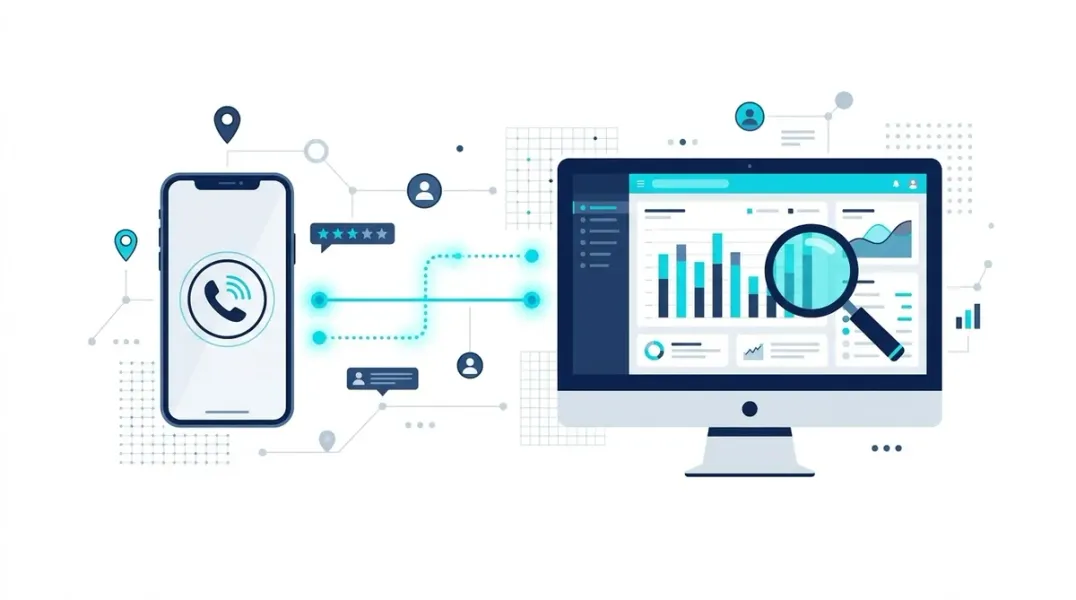
Call tracking solves this. It assigns unique trackable phone numbers to different marketing sources, so every inbound call can be traced back to the activity that generated it. Every number still forwards to your main line, so nothing changes for your team—except that you now know exactly what marketing is causing the phone to ring .
Free Method 1: Google Business Profile Call Insights
Google provides basic call volume data directly in your GBP dashboard, completely free with no additional setup .
How to access it:
- Log into your Google Business Profile
- Navigate to “Insights” or “Performance”
- View the “Calls” metric over your chosen date range
What it shows: Total call volume from your GBP listing, a daily call breakdown, and some time-of-day distribution data .
Limitations: GBP Insights only captures calls initiated through the “Call” button directly on your listing. It does not capture calls where a customer found your number on Google and dialed it manually, and it does not show whether calls converted .
Use case: This is your free baseline. It gives you a starting point for understanding call volume from Google without any additional tools .
Free Method 2: UTM-Tracked Click-to-Call on Your Website
If your GBP links to a website with a click-to-call phone number, you can track calls that originate from GBP website clicks using Google Tag Manager and GA4, completely free .
Setup:
- Add a UTM-tagged URL in your GBP website field
- In Google Tag Manager, create a trigger for clicks on your phone number link
- Create a GA4 event tag that fires on that trigger
- View phone click events in GA4, filtered by utm_source=google and utm_campaign=gbp
What this captures: Calls that originated from your GBP website button and then clicked your phone number on your website. This is indirect attribution but useful for seeing the GBP-to-website-to-call flow .
Free Method 3: Google Voice as a Tracking Number
Google Voice is a free service that provides a local phone number that forwards to your real business number. You can add your Google Voice number to your GBP and use it exclusively for GBP calls .
Setup:
- Create a free Google Voice account at voice.google.com
- Get a local number in your area code
- Set up forwarding to your real business number
- Add your Google Voice number to your GBP as your business phone
What this gives you: Google Voice provides call logs, voicemail transcription, and basic call history. You can see how many calls came through the Google Voice number (your GBP number) versus your main line .
Limitations: Google Voice lacks advanced analytics like call duration analysis, keyword attribution, or integration with GA4. It is a basic but functional free option.
Paid Method: Call Tracking Platforms
For businesses that need detailed attribution and call quality data, paid call tracking platforms provide the most complete solution.
How it works: You assign a unique tracking number to your GBP listing. When someone calls that number, it forwards to your real business line while the platform records the call source, duration, and other metrics .
Key platforms:
- CallRail: The most popular choice for small to medium businesses, with strong Google integrations. It seamlessly inserts a tracking number into your GBP listing and can also track calls from website visitors who first clicked your listing .
- CallTrackingMetrics, WhatConverts, and AvidTrak: Alternative platforms with varying pricing and feature sets. AvidTrak starts at $15 per month for basic call tracking .
What you get:
- Channel attribution: See exactly how many calls came from GBP, organic search, paid ads, and other sources
- Keyword-level data: With Google Ads integration, see which search terms drove calls
- Call quality metrics: Duration, first-time versus repeat callers, missed calls, and time-of-day patterns
- Call recordings and transcription: With disclosure to callers, enabling conversation analysis
Important consideration: A common mistake is updating your GBP, website, and all citations to use the same tracking number as your business phone. This creates the illusion of NAP consistency but locks your business identity to a number you do not own. When you cancel the service, you lose the number, and all your listings point to a dead line . Keep your real business number as your canonical NAP number and use tracking numbers strategically .
What Call Tracking Reveals About Your Local SEO
Once you have call tracking in place, the data transforms how you evaluate local marketing.
Channel attribution: A typical breakdown might show that 58 calls came from Google Business Profile, 34 from organic website search, 18 from Google Ads, and 10 from other sources . This tells you that your Maps presence generates nearly half of all calls, which makes your local SEO investment directly defensible with data.
Keyword-level insights: If your call tracking integrates with Google Analytics and Google Ads, you can attribute specific calls to specific keywords. This shows which searches drive not just website visits but actual phone conversions .
Call quality patterns: Longer calls typically indicate more qualified leads. Comparing average call duration from organic search versus paid channels helps benchmark lead quality. A high proportion of new callers from organic channels signals healthy top-of-funnel performance .
Missed call identification: Call tracking reveals missed calls and demand patterns you can act on. An HVAC company that sees a spike of missed calls on hot afternoons knows to add phone coverage exactly when demand peaks .
Connecting Call Data to Revenue
The most valuable use of call tracking is proving ROI. The calculation is straightforward:
Incremental leads × Close rate × Average value = Attributed revenue
For example, if your GBP calls increased from 42 to 67 in a month, that is 25 incremental calls. With a 65% close rate and an average job value of $850, that produces 16 jobs and $13,600 in attributed revenue .
Conservative attribution: Acknowledge that not all incremental calls came from your local SEO work. Seasonality, word of mouth, and other marketing may contribute. Attribute 70% of incremental calls to local SEO for a conservative estimate .
This model turns local SEO from a cost center into a measurable revenue driver. You can present clients or stakeholders with a clear ROI calculation that ties ranking improvements to actual phone calls and closed deals.
Conclusion
Tracking phone calls from local search is not optional for businesses that want to prove their marketing works. The attribution gap between “the phone rang” and “this call came from our Google Business Profile” is where marketing budgets get wasted and opportunities get lost.
The good news is that you can start free. Google Business Profile call insights give you a baseline. Google Voice provides a free tracking number. UTM-tracked click-to-call events in GA4 capture the GBP-to-website-to-call flow. When you are ready for deeper attribution, paid platforms like CallRail connect calls to specific channels, keywords, and revenue outcomes.
Start with the free methods. Establish your baseline. Then invest in proper call tracking when you need to prove ROI or optimize your marketing spend. The data you unlock will transform how you prioritize your local SEO efforts and demonstrate their value.
Call to Action
Ready to measure the true ROI of your local SEO? Start by checking your GBP call insights today. Enable call history if it is available in your region. Then set up UTM tracking on your website’s click-to-call links.
Download our Call Tracking Setup Checklist to choose the right method for your business and avoid common NAP consistency pitfalls. Or contact our local SEO team to build a complete call attribution system that connects your search visibility to actual revenue.
FAQs
What is the difference between GBP call insights and a tracking number?
GBP call insights only count clicks on the Call button within your listing. A tracking number captures all calls to that number, including manual dials, and provides call duration, recording, and attribution data that GBP insights cannot .
Will using a tracking number on my GBP hurt my local SEO?
Handled correctly, no. Keep your real business number as your canonical NAP number across citations and your website. Use dynamic number insertion on your website and a dedicated tracking number on your GBP while maintaining your real number as a secondary number . Do not replace your real number everywhere with a tracking number .
Can I track calls from Google Maps without a paid tool?
Yes. Enable Google Business Profile call history for free to see calls made by tapping the Call button on your listing. You can also set up Google Voice as a free tracking number for your GBP .
What is the most important call tracking metric for local SEO?
Calls by source. Knowing how many calls come from your Google Business Profile versus organic website search versus paid ads tells you which channels deserve investment. Call duration by source is also valuable for measuring lead quality .
How do I calculate ROI from call tracking data?
Incremental calls × Close rate × Average job value = Attributed revenue. Subtract your investment from attributed revenue to get net return, then divide by investment for ROI percentage. Use conservative attribution (e.g., 70% of incremental calls) to account for other factors .
Internal & External Links
Internal Links
- Google Maps Clicks vs Calls: Understanding Customer Behavior (Topic 69)
- How to Connect Local SEO Metrics With Actual Sales (Topic 71)
- Local SEO Attribution: How to Know Which Searches Generate Customers (Topic 72)
- How to Create a Local SEO Dashboard for Business Owners (Topic 73)
External Sources
- Google Business Profile Help: Call History: https://support.google.com/business/answer/9688285
- Google Business Profile APIs: Business Calls API: https://developers.google.com/my-business/reference/businesscalls/rpc
- Google Ads Help: Call Reporting: https://support.google.com/google-ads/answer/9141717
- CallRail: Using CallRail with Google Business Profile: https://support.callrail.com/hc/en-us/articles/5712674568717
Grow Your Google Maps Ranking on Autopilot
Stop spending hours every week manually replying to customer reviews and writing Google posts. Busirank automates your Google Business Profile to boost your local SEO rankings and turn searchers into paying clients.

 Busirank Team
