 Busirank Team
Introduction
Open the Google Business Profile composer and one button is usually already selected: Learn More. Most business owners leave it there. On the second post, and the third. It is rarely a decision—it is the button that happened to be pre-selected when the composer opened, and nobody questioned it .
Pull the numbers after a month, and the lowest-performing post is almost always one of those default “Learn More” posts—an announcement that was really asking people to call and book a table, or a promotion that should have been a one-tap order . Google gives you six different buttons for a reason, and using the same one out of habit is the same as not choosing at all .
That is the problem this guide solves. Google Business Profile CTA buttons are not decoration. In Search and Maps, the reader has already shown intent—they typed your name, or they are standing three blocks away looking for exactly what you sell . The button is what turns that moment into an action. Good copy earns the click; the wrong button wastes it .
The Six Buttons and What Each One Is Actually For
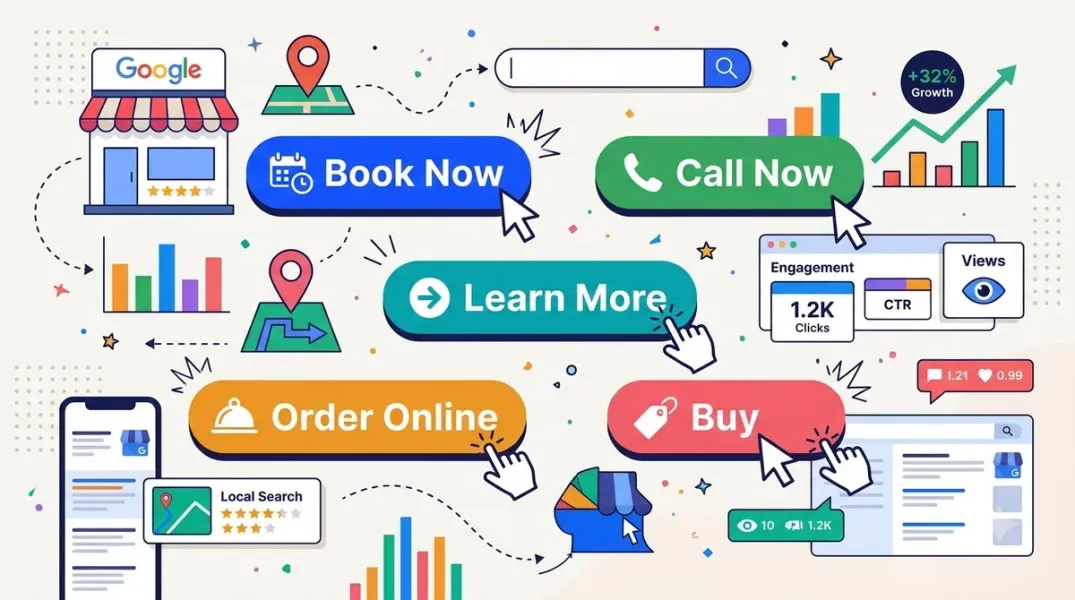
Google Business Profile posts let you attach one button from a fixed set: Book, Order, Shop, Learn More, Sign Up, and Call . The API confirms these six values, and it confirms a structural rule that shapes every decision: all buttons except Call require an HTTPS destination URL; Call uses the verified phone number on the profile .
The button is also exclusive. One post, one button. You cannot put Call Now and Learn More on the same post. Choose Call Now and the link to your article or service page is gone from that post entirely .
Here is what each button is for:
- Call Now is for urgency or a question that starts with a conversation. A plumber, a locksmith, a restaurant taking same-day reservations—if the next step genuinely is “pick up the phone,” this is the button, not Learn More .
- Order Online is for anyone who can complete a transaction without a phone call: a restaurant with delivery, a bakery taking pickup orders, a retailer with checkout .
- Book is for scheduled appointments—a salon, a clinic, a consultant booking a specific slot. Use it only if you actually take bookings online; Google’s own best-practice guidance ties Book to reservations, appointments, and consultations .
- Sign Up points at a form rather than a slot: a class, a webinar, a mailing list, a seasonal maintenance plan .
- Shop (or Buy) is the most direct option and should be reserved for posts that lead straight to a product page or a specific item, not a general homepage .
- Learn More is the default, and that is exactly the problem. It is the right choice only when there genuinely is not a stronger action available—a general update, a press mention, a new location announcement. It is the wrong choice when a stronger action exists and simply was not picked .
The evidence for that last point is not theoretical. A boutique gym ran the same offer twice, three weeks apart. The first went out with Learn More. The second used identical copy and an identical image but switched the button to Sign Up and pointed it at the trial class page. The second post pulled noticeably more clicks for the identical offer. The only variable that changed was the button .
Match the CTA to the Customer’s Intent, Not Your Habit
The governing principle is straightforward: name the action before you write the post . The CTA is not a formatting afterthought; it is the decision that determines which business metric moves.
The intent mapping that holds up in practice:
Local, immediate intent—someone who needs something today—belongs with Call Now or Order Online. A service emergency, a same-day booking, a quick quote that starts with a chat .
Scheduled intent—someone planning ahead—belongs with Book or Sign Up. The difference between them is how the customer would describe what they just did: “I booked an appointment” versus “I signed up for the class” .
Research intent—someone comparing options—can justify Learn More, but only if the landing page genuinely helps them decide. Link to a relevant landing page, never your homepage .
Purchase intent—someone ready to buy a specific thing—belongs with Shop, pointed at the product page, not a category page .
There is a conversion detail that sits alongside the button choice: make the button do less asking and more inviting. Swapping “Contact Us” for “Book a Free Consultation” or “Check Availability” is a small language shift with a measurable psychological difference, and the button label should match the promise in the copy . If you write “Call to reserve,” use Call Now .
It also pays to rotate your CTAs rather than running Book Now on every post for months. Varying between Book now, Call us today, Get a free quote, Learn more, and Visit us this week avoids repetition fatigue and tells you which action your audience actually prefers .
The Compliance Rule That Trips People Up
One rule causes more rejected posts than any button choice: do not put a phone number in the post text. Use the built-in CTA button instead . Google’s own best-practice guidance treats this as a critical compliance rule, alongside avoiding excessive text or phone numbers in images .
The reason is not arbitrary. Posts are plain text—no HTML, no body hyperlinks, no hashtags—and the CTA button is the only clickable element in the entire post . A phone number typed into the copy is dead text, and it can trigger spam flags. The Call button exists precisely to make the phone ring without that risk.
The second compliance consideration is matching the button to a real capability. Do not use Book if you do not take online bookings; do not use Order Online if the link goes to a contact form. The button makes a promise, and the landing page has to keep it.
When the Button Does Not Appear or Does Not Work
The most common support question is some version of “I added a booking link and the Book button is not showing.” The usual cause is structural rather than a bug.
Booking buttons are often managed as third-party integrations, not as a field you can edit manually. When a booking tool is connected through a supported provider, Google manages the button; attempts to add the link manually can return an error stating the domain cannot be added as a URL and must be selected as a third-party link . If your booking provider is not integrated with Google, the Book button may simply not be available for your profile—and in some cases the business category itself is not associated with direct booking integrations .
The other common issue is timing. Whether you are adding, removing, or switching links, Google’s crawler can take 24 to 48 hours to update the profile. It is completely normal for an old button to remain visible, or a new one to be missing, during that window .
For Call Now, there is a specific technical rule that causes failures in scheduling tools: leave the action button URL field empty when the button type is Call. The button dials the profile number, so a URL is not required and can break the post .
How to Measure Whether the CTA Is Working
The button choice shows up in different metrics depending on which button you picked. That is the point: Call Now moves taps from your website to your phone. A month heavy on Call Now can produce a dip in website clicks while calls climb—and that is the plan working, not a failure .
Track the outcome where it actually lands:
- Call Now → Calls in the Performance report, and your phone logs .
- Learn More / Shop → site analytics, as a visit from Google .
- Book → your booking system, and Bookings if you use a supported provider .
Add UTM parameters to your post links so conversions are attributable in Google Analytics: ?utm_source=google&utm_medium=gbp_post&utm_campaign=[post-topic] . Over two to three months of data, you will see which CTAs generate the most website visits and customer contacts, and you can stop guessing which button your audience responds to .
Conclusion
Choosing the right CTA for a Google Business Profile post is a one-decision exercise per post, but it is the decision that determines whether the post produces a call, a booking, or nothing. The six buttons are not interchangeable. Call Now for urgency and conversation. Order Online for one-tap transactions. Book for real appointment scheduling. Sign Up for forms and classes. Shop for a specific product. Learn More only when there is no stronger action available—not because it was already selected .
The compliance rules are equally non-negotiable. Keep phone numbers out of the post text and let the button do the dialing . Match the button to a real capability, because the landing page has to keep the promise. Expect a 24–48 hour delay when buttons change, and leave the URL field empty for Call Now in scheduling tools .
The button is the only clickable element in the post. Everything else is text. That is why the smallest decision on the page is the one that decides what the post is actually for.
Call to Action
Audit your last ten posts and count how many used Learn More. If the answer is more than three, you have been leaving clicks on the table. For your next post, write the action you want the reader to take before you write the copy, then choose the button that matches it—Call Now for a question, Book for a slot, Sign Up for a form, Shop for a product, Learn More only for a genuine information update. Add UTM parameters to the link so you can see which button actually produces visits and calls, and check the Performance report after two weeks to confirm the outcome matched the intent.
FAQs
How many CTA buttons can a Google Business Profile post have?One. The button is exclusive—you cannot put Call Now and Learn More on the same post. Choosing Call Now removes the link from that post entirely, because the button dials the verified phone number instead of opening a URL .
Which CTA button should I use for a limited-time offer?It depends on the action the offer requires. Order Online if the customer can buy directly, Book if it is an appointment-based offer, Sign Up if it requires a form, or Call Now if the next step is a conversation. Learn More is appropriate only if the offer needs explanation on a landing page before the customer can act .
Can I put a phone number in the post text instead of using the Call button?No. Google’s best-practice guidance is explicit: keep phone numbers out of the post text and images and use the built-in CTA button instead. Posts are plain text with no clickable body elements, and a typed number can trigger spam flags .
Why is the Book button not showing on my Google Business Profile?Booking buttons are typically managed through third-party integrations, not added manually. If your booking provider is not integrated with Google, or your business category does not support direct booking integrations, the button may not be available. Attempting to add the link manually can return an error stating the domain must be selected as a third-party link .
How long does it take for a CTA button change to appear?Allow 24 to 48 hours. Google’s crawler needs that window to update the profile, and it is normal for an old button to remain visible—or a new one to be missing—during the transition .
Why did my Call Now post fail in a scheduling tool?Leave the action button URL field empty when the button type is Call. The button dials the phone number on the profile, and supplying a URL can break the post .
How do I measure which CTA performs best?Track the outcome where it actually lands: Calls in the Performance report for Call Now, site analytics for Learn More and Shop, and booking system data for Book. Add UTM parameters to post links so visits are attributable in Google Analytics, then compare CTA performance over two to three months .
Internal & External Links
Internal links (to other posts in this series):
- How to Publish Google Posts Across Multiple Business Locations Efficiently (previous post)
- How to Use Review Sentiment Analysis to Discover Customer Pain Points (next in series)
- How to Schedule a Month of Google Business Posts in One Sitting
- How to Plan Google Business Profile Content Around Seasonal Promotions
- How to Compare Local Marketing Performance Across Different Business Branches
External links (sources referenced in this article):
- Google Support — Google Business Profile Posts Best Practices (Community Guide, Feb 2026): https://support.google.com/business/community-guide/411855960/google-business-profile-posts-best-practices
- Circleboom — Effective CTAs for Google Business Profile Posts (Aug 2026): https://circleboom.com/blog/effective-ctas-for-google-business-profile-posts/
- Ram Kr Shukla — Google Business Profile Posts and the Call Now Button: https://www.ramkrshukla.com/google-business-profile-posts-call-now-button/
- LocaFy — Google Business Profile Posts: Best Practices and Examples: https://www.locafy.com/blog/gbp-posts-guide
- Ampli5Pulse — How to Write a Google Business Profile Post That Both Ranks and Converts (Apr 2026): https://www.ampli5pulse.com/blog/write-gbp-post-ranks-converts.html
- Tekmetric Support — Google Business Profile (GBP) Booking Button: Setup & Troubleshooting: https://support.tekmetric.com/hc/en-us/articles/41741971624983
- Google Business Profile API Reference — Local Posts (CTA types): https://developers.google.com/my-business/reference/rest/v4/accounts.locations.localPosts
- Publer — How to Add a Call to Action Button: https://publer.com
- Google Support — Why is my custom booking link not showing a “Book” button: https://support.google.com/business
How to Use Review Sentiment Analysis to Discover Customer Pain Points
Grow Your Google Maps Ranking on Autopilot
Stop spending hours every week manually replying to customer reviews and writing Google posts. Busirank automates your Google Business Profile to boost your local SEO rankings and turn searchers into paying clients.
 Busirank Team