 Busirank Team
Introduction
When a pet owner needs a groomer or a veterinarian, the search almost always starts locally. They type “pet grooming near me” or “vet clinic [city]” and scan the results within seconds. The businesses that appear in the top three map results capture the majority of those clicks—and appointments—before anyone even visits a website.
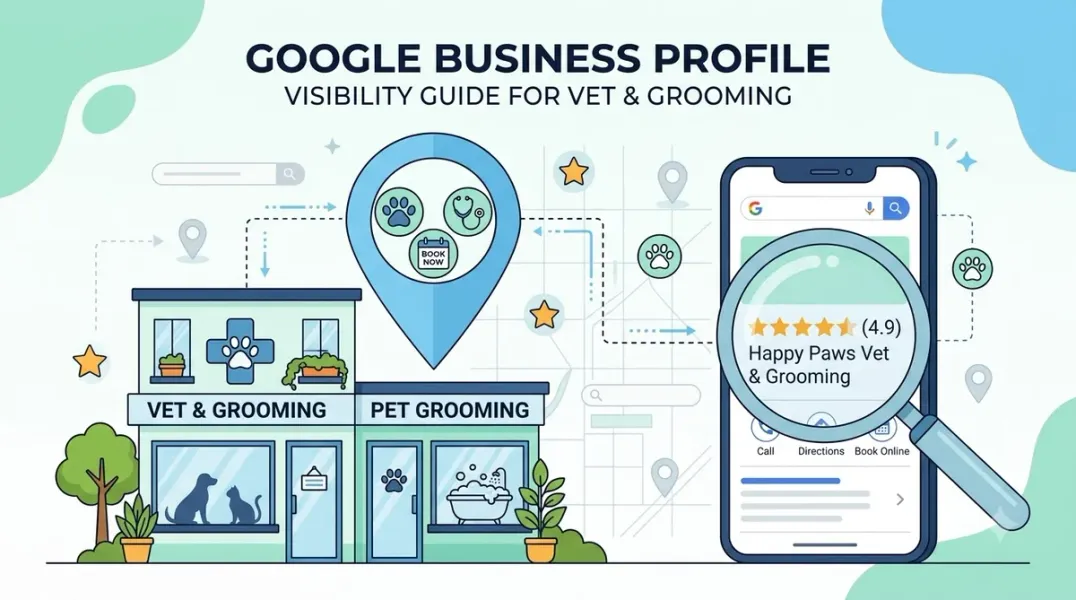
For pet groomers and veterinary practices, Google Business Profile (GBP) is not just a listing. It is the digital storefront that determines whether a nearby pet owner chooses your facility or the one down the street. With 76% of people who search for a nearby service visiting a business within 24 hours, an incomplete or outdated profile quietly sends potential clients to competitors. Pet owners are especially careful about who they trust with their animals—your profile must look active, complete, and credible.
This guide covers what pet groomers and veterinary practices need to optimize their Google Business Profiles, from categories and reviews to photos, services, and booking integrations.
The stakes are higher than ever because discovery is being compressed. Today, a consumer can find and evaluate a pet care provider without ever visiting a website. Maps, reviews, photos, and Q&A now do the work that home pages once did. Your Google Business Profile is not a supplement to your marketing—it is often the primary conversion point.
Choosing the Right Categories Your primary category signals to Google what your business actually does. For grooming businesses, select “Pet Groomer” as the primary category. Mobile groomers should consider “Mobile Pet Spa” if that option is available in your area. Add secondary categories only if meaningful revenue comes from those services—overstuffing categories may dilute relevance signals and reduce clarity to Google’s systems.
For veterinary practices, set your primary category to “Veterinarian”. Add secondary categories that match your capabilities: “Animal Hospital” (if you offer surgical and inpatient services), “Emergency Veterinarian Service” (if you handle after-hours emergencies), and “Pet Groomer” if those services are in-house. Specialty practices should use specific categories like “Veterinary Dentist” or “Veterinary Ophthalmologist”.
Completing Every Profile Field A well-optimized profile requires more than just an address and phone number. Fill every single field completely—services, attributes, hours, and the business description.
For Groomers: List services grouped by coat length and size: bath, haircut, deshedding, nails, and teeth. Add optional add-ons with price ranges. Enable attributes like accessibility, parking, and payment options. If you offer mobile grooming, define your service-area boundaries clearly and avoid publishing a home address.
For Veterinary Practices: Write a keyword-rich description using plain language that mirrors how pet owners actually search: “Wellness exams for dogs,” “Same-day vet appointments,” or “Best veterinarian in St. Louis”. Thoroughly complete your services list with individual services, descriptions, and prices where possible. The more detail you provide, the more signals you send to Google about what you offer—and the better your chance of appearing for specific searches like “cat dental cleaning” or “puppy vaccines”.
Reviews: The Primary Trust Signal for Pet Businesses Reviews are one of the biggest trust factors in the pet industry. Prospective clients read reviews carefully before trusting a new provider with their animals. A profile with three reviews from last year sends a different message than one with a steady flow of recent feedback.
Concentrate Your Reviews on Google Splitting feedback across Google, Facebook, and Yelp dilutes your strongest signal. Google reviews specifically feed your local search ranking. When you ask a client for a review, point them to Google first.
When and How to Ask The best time to request a review is right after a positive moment: a grooming appointment, a boarding stay, a successful vet visit, or a training program. Send a follow-up SMS or email within two hours of a completed appointment with a direct link to your Google review page. Timing matters: satisfaction is highest immediately after a successful service. Businesses that request reviews systematically average 3 to 4 times more reviews than those that rely on unsolicited feedback.
Aim for at least five new reviews a month. Review velocity matters as much as total count. A business with 90 reviews collected over 12 months usually outranks one with 300 reviews collected 5 years ago, because Google reads freshness as an activity signal.
Respond to Every Review Reply to every single review within 24 hours, even the bad ones—Google measures response rate and it affects ranking. Reply to positive reviews with a personalized response that names the service and the pet where possible. For negative reviews, respond calmly, acknowledge the concern, and offer to resolve it offline. Review responses signal engagement to Google and demonstrate professionalism to prospective clients reading the profile.
Photos and Visual Content Photos drive clicks and visits. Business profiles with photos receive 42% more direction requests and 35% more website clicks than profiles without. For pet businesses, prospective clients want to see your facility, your team, and the pets you care for.
Upload real images consistently: exterior, interior, team-at-work, equipment, and before-and-after grooming results. For veterinary practices, include exam rooms, staff with pets, and your waiting area. For groomers, share before-and-after transformations and clean, safe workspaces.
Businesses posting at least once a week rank noticeably higher. Refresh visual content monthly with three to five new photos or videos. Short video clips of 15-30 seconds can demonstrate handling techniques and cleanliness protocols.
Services, Booking Links, and Messaging One of the most underused features of Google Business Profile is the ability to add a booking or appointment link directly to your profile. This allows a potential client to find you in a Google search and book an appointment without visiting your website. All you need is a link.
If your practice management software has an online booking portal—or if you use a stand-alone scheduling tool—add that link to your GBP. For practices that field a high volume of appointment-booking calls, this single change can meaningfully reduce phone traffic while improving the client experience. Test it from a mobile device to ensure it works smoothly.
Consider enabling the Google Business Profile chat feature. This allows clients to send you a message directly from your Google listing. It is particularly popular with younger clients who actively avoid phone calls. Only enable messaging if your team can realistically respond within a few hours—Google tracks your response time and displays it publicly.
Google Posts and Q&A Post on your profile weekly. Google loves fresh content on the profile itself—quick updates, offers, behind-the-scenes photos of animals, and events. Share seasonal reminders, before-and-after transformations, or new service announcements.
The Q&A section is consistently overlooked yet powerful. Seed your own questions and answer them. People search weird, specific things like “do you trim bunny nails?” and if your answered Q&A pops up, you win the click. For groomers, pre-empt breed-specific questions: double-coat policies, matting fees, drying methods, and average appointment times.
Building Local SEO Beyond the Profile Three things move the needle outside your Google Business Profile:
NAP consistency across all listings and directories. Your name, address, and phone number must be identical on every platform—including punctuation, suite numbers, and street abbreviations.
Service-specific pages on your website. A pet business should not rely on one general services page. Create separate pages for dog grooming, cat grooming, veterinary care, emergency vet care, and pet boarding. Each page should answer common customer questions, show photos, and make it easy to call or book.
Local schema markup. Implement LocalBusiness schema with the most specific type available. Veterinary clinics should use VeterinaryCare; groomers and boarding facilities should use LocalBusiness with appropriate subtypes. This structured data helps search engines and AI systems understand exactly what you offer.
Conclusion
Google Business Profile optimization for pet groomers and veterinary practices is not a one-time setup. It requires ongoing attention to categories, reviews, photos, and service content. The pet businesses that treat their profile as a living asset—updated weekly, monitored consistently—are the ones that own their local radius and convert nearby searchers into loyal clients.
Call to Action
Ready to fill more appointment slots from local search? Audit your Google Business Profile today using the strategies in this guide. If you need expert help optimizing your grooming salon or veterinary practice for maximum visibility, contact our local SEO team for a free consultation.
FAQs
1. What is the best primary category for a pet groomer?
Select “Pet Groomer” as your primary category. Mobile groomers should consider “Mobile Pet Spa” if available in your area. Add secondary categories only if they represent meaningful revenue sources.
2. What is the best primary category for a veterinary practice?
Set your primary category to “Veterinarian.” Add secondary categories that match your capabilities: “Animal Hospital,” “Emergency Veterinarian Service,” and “Pet Groomer” if offered in-house.
3. How many reviews do I need to rank in the Map Pack?
There is no fixed number, but volume and recency both matter. Aim for at least five new reviews per month. A business with steady recent reviews usually outranks one with a larger total count that stopped months ago.
4. Can I offer incentives for Google reviews?
No. Google prohibits incentivized reviews and review gating. Ask everyone in neutral language without steering what they say.
5. Should I enable Google Business Profile messaging?
Enable messaging only if your team can realistically respond within a few hours. Google tracks and displays your response time publicly. It is particularly popular with younger clients who avoid phone calls.
6. Why does my custom booking link not show a blue “Book” button?
The blue “Book” CTA button typically only appears when you use a booking provider that has a direct integration with Google. Custom links appear in the info section but may not trigger the button. You can still encourage bookings through Google Posts and your business description.
Internal & External Links
- Internal Link: [Google Business Profile Booking Links: How to Help Customers Schedule Appointments] (Topic #117)
- Internal Link: [How to Measure Appointment Conversion Rates From Local Search Traffic] (Topic #132)
- Internal Link: [Google Business Profile for Beauty Salons: How to Increase Appointment Bookings] (Topic #120)
- External Link: Google Business Profile Help: Tips to Get More Reviews (official Google review guidelines)
- External Link: Today’s Veterinary Business: Your Practice’s Best Marketing Tool Is Free (industry resource for veterinary practices)
Grow Your Google Maps Ranking on Autopilot
Stop spending hours every week manually replying to customer reviews and writing Google posts. Busirank automates your Google Business Profile to boost your local SEO rankings and turn searchers into paying clients.

 Busirank Team
