 Busirank Team
Introduction
When a neighbor needs a food bank, a parent looks for after-school programs, or a volunteer searches for ways to help nearby, the journey almost always starts with a local search. They type “food bank near me” or “volunteer opportunities in [city]” and scan the results within seconds. The nonprofits that appear in the top three map results capture the majority of those clicks—and the community engagement—before anyone even visits a website.
For nonprofits, Google Business Profile (GBP) is not just a listing. It is the digital front door that determines whether a nearby neighbor chooses your organization or the one across town. With 46% of all Google searches having local intent, and 62% of consumers disregarding a business they cannot find online, an incomplete or unclaimed profile quietly sends potential volunteers, donors, and beneficiaries to competitors.
This guide covers what nonprofits need to optimize their Google Business Profiles, from claiming and categorizing to reviews, photos, and local SEO fundamentals.
Nonprofits compete in the same digital space as for-profit businesses. When someone searches for “community volunteering in Atlanta” or “free family swim classes near me,” Google does not distinguish between a nonprofit and a business. It prioritizes relevance, distance, and prominence. A complete, active, and trusted profile signals all three.
Claim and Verify Your Google Business Profile If you have not claimed your profile yet, this is the highest-impact item on your checklist and the one most nonprofits leave half-finished.
How to Claim Search your organization’s name on Google Maps. If a listing exists, click “Own this business?” and begin verification. If no listing exists, you can create one directly through Google Business Profile.
Verification Methods Google typically verifies nonprofits through postcard, phone, email, or video verification. The method available depends on your organization’s type and location. Once verified, you gain full control over how your organization appears on Google Search and Maps.
Pick the Most Specific Category Available Your primary category is the single most important field on your profile. “Non-profit organization” works as a starting point, but a more specific category tells Google exactly which searches you belong in.
If you run a food bank, select “Food Bank.” If you operate a homeless shelter, use “Homeless Shelter.” For youth organizations, “Youth Organization” or “Youth Center” is more precise than a generic nonprofit category. The more specific your primary category, the better Google can match you to relevant searches.
You can add secondary categories that reflect your programs and services, but keep them accurate. Overstuffing categories dilutes relevance.
Write a Description That Speaks to Your Community Nonprofit descriptions often sound like grant applications. They should sound like a conversation with a neighbor.
Your description should say who you serve, where you serve them, and how someone can engage—all in plain language. Avoid institutional jargon. “We provide food assistance to families in East Austin” beats “We facilitate food security interventions for food-insecure populations.”
Include your core service and your city or neighborhood naturally within the first 250 characters, since that is what shows in search previews.
Photos That Prove You Are Real Stock photos erode trust faster on nonprofit profiles than almost anywhere else. People want to see your actual building, your programs in action, your team, and the community you serve.
What to Upload Upload real photos of your facility, events, volunteers at work, and the people you serve (with consent). Before-and-after photos of community projects or program activities can be particularly compelling.
How Often to Update Add new photos monthly, or more frequently if you have active programs and events. Fresh photos signal an active, trustworthy organization to both Google and the people viewing your profile.
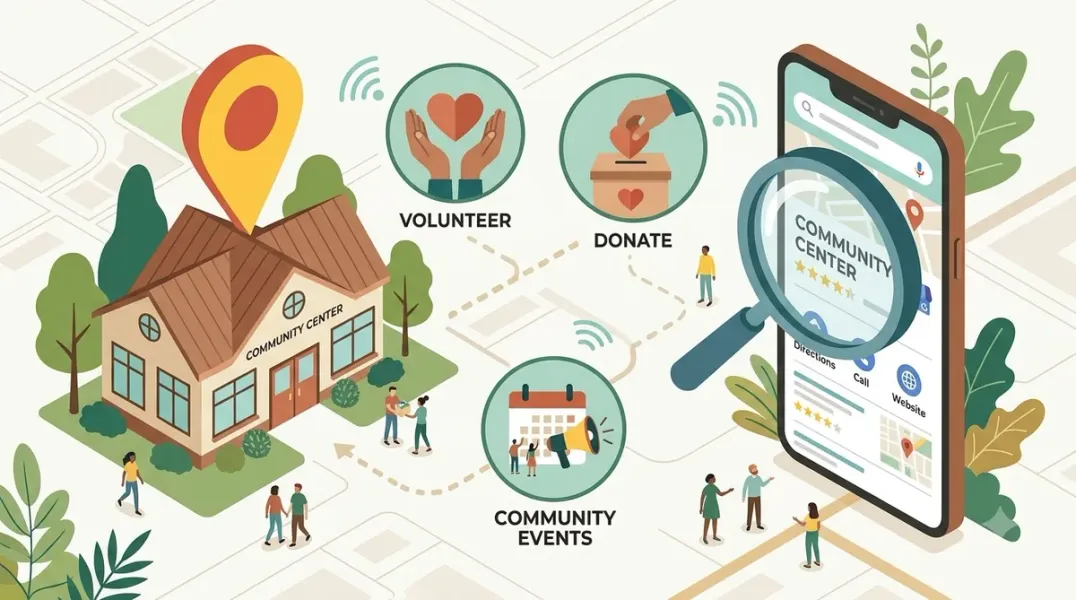
Turn Your Profile Into an Action Driver Your GBP should not just exist. It should push people toward the actions that matter: donating, volunteering, and utilizing your services.
Use Google Posts for Events and Drives Google Posts appear directly on your profile and in search results. Use them to promote upcoming fundraisers, volunteer days, food drives, and community events. Post weekly if possible to signal ongoing activity.
Fill Out Services and Offerings Where relevant, list the services or programs you offer. This helps Google understand what you provide and can surface your profile for specific searches like “after-school tutoring” or “emergency rent assistance.”
Add Key Links Use every relevant link field: your website, donation page, volunteer sign-up form, and appointment scheduling if applicable. Remove friction for people who are ready to take action.
Reviews: Trust Signals for Nonprofits Reviews do double duty. They reassure people deciding whether to trust your organization, and they feed into how prominent Google considers your listing.
Who Should Leave Reviews Nonprofits have a unique advantage: your beneficiaries, volunteers, donors, and community partners can all speak to your impact. Encourage satisfied volunteers and program participants to leave reviews.
When to Ask Ask after a positive interaction: a successful event, a volunteer shift, a program completion, or a donation drop-off. A simple reminder at the end of a visit goes a long way. Place a QR code on signage or include a direct link in follow-up communications.
Respond to Every Review Reply to every review within a few days, including the difficult ones. A thoughtful, professional response to a critical review often does more for your credibility than the review itself does damage. Prospective supporters read how you handle feedback as a proxy for how you operate.
Q&A: Answer Before Someone Else Does The Q&A section is consistently overlooked yet powerful. Anyone can ask—and anyone can answer—questions on your profile. If you leave it empty, a stranger might answer incorrectly before you get the chance.
Seed your profile with the questions people actually ask: “What documents do I need to bring?” “Do you accept clothing donations?” “What are your food distribution hours?” “Is there parking?” Answer each question yourself within 24 hours.
Keep NAP Consistent Across the Web Your name, address, and phone number must match exactly across your profile, website, social media, and every directory that lists you. Search engines cross-reference your NAP across every platform that mentions you. When those details match, Google gains confidence in your listing. When they do not, your local rankings suffer quietly.
The most common culprit is an old address or phone number lingering in directories years after a move. Pick one canonical format and use it everywhere: your website footer, Google Business Profile, Yelp, Bing Places, Apple Maps, Facebook, Candid, Charity Navigator, your local chamber of commerce, and any community foundation directories you are listed in.
Build Location Pages if You Serve Multiple Areas If you operate multiple sites, chapters, or service areas, build one page per location. Each page needs its own substance: a description of what actually happens at that site, the address, embedded map, hours, contact details, and photos taken there—not recycled from headquarters.
What does not work: cloning one page and swapping out the city name. Google recognizes the pattern, and so do the people you are trying to reach.
Conclusion
Google Business Profile optimization for nonprofits is not a one-time setup. It requires ongoing attention to categories, reviews, photos, and service content. The organizations that treat their profile as a living asset—updated weekly, monitored consistently—are the ones that own their local community and convert nearby searchers into volunteers, donors, and program participants.
Call to Action
Ready to improve your nonprofit’s local discoverability? Audit your Google Business Profile today using the strategies in this guide. If you need expert help optimizing your organization for maximum community reach, contact our local SEO team for a free consultation.
FAQs
1. What is the best primary category for a nonprofit?
Choose the most specific category available. “Food Bank,” “Homeless Shelter,” or “Youth Organization” tell Google more than the generic “Non-profit organization”.
2. How do I claim my nonprofit’s Google Business Profile?
Search your organization’s name on Google Maps, click “Own this business?,” and complete verification. If no listing exists, create one directly through Google Business Profile.
3. Who should leave reviews for a nonprofit?
Volunteers, donors, program participants, and community partners can all leave reviews. Encourage anyone who has experienced your impact to share their feedback.
4. Should I respond to negative reviews?
Yes, always. A thoughtful, professional response can strengthen your credibility. Prospective supporters read how you handle feedback as a signal of how you operate.
5. How often should I post on Google Business Profile?
Weekly posting is ideal. Use Google Posts to share upcoming drives, fundraisers, volunteer days, and community events.
6. Why does NAP consistency matter for nonprofits?
Search engines cross-reference your name, address, and phone number across every platform. When details match, Google trusts your listing more. When they do not, local rankings suffer quietly.
Internal & External Links
- Internal Link: [Google Business Profile Booking Links: How to Help Customers Schedule Appointments] (Topic #117)
- Internal Link: [How Educational Institutions Can Manage Their Google Business Profiles Across Campuses] (Topic #124)
- Internal Link: [How to Measure Appointment Conversion Rates From Local Search Traffic] (Topic #132)
- External Link: Google Business Profile Help: Tips for Improving Your Local Ranking (official Google local search guidance)
- External Link: Google for Nonprofits (official Google nonprofit program)
Grow Your Google Maps Ranking on Autopilot
Stop spending hours every week manually replying to customer reviews and writing Google posts. Busirank automates your Google Business Profile to boost your local SEO rankings and turn searchers into paying clients.

 Busirank Team
