 Busirank Team
Introduction
When a procurement manager searches for a supplier, a facilities director looks for a local vendor, or an operations lead needs a manufacturer within driving distance, the journey almost always starts on Google. They type “CNC machining supplier [city],” “industrial valve manufacturer near me,” or “packaging equipment distributor [region]” and scan the results within seconds. The manufacturers that appear in the top three map results capture the majority of those clicks—and qualified inquiries—before anyone even visits a website.
For manufacturers, Google Business Profile (GBP) is not just a listing. It is the digital showroom that determines whether a nearby business chooses your facility or the one across town. A well-optimized profile gives you a free lead generation channel, but B2B manufacturers often treat it as an afterthought—or skip it entirely .
This guide covers how manufacturers can manage Google Business Profiles across showrooms and regional locations, from categories and service areas to reviews, photos, and multi-location governance.
Smart buyers Google “[Product name] manufacturer in [city]” or “Best [product] supplier for [industry]” before contacting anyone. If you are not on Page 1, you do not exist to that buyer .
The profile also feeds directly into technical SEO. A properly configured Google Business Profile, connected to a verified Google Search Console property, gives you visibility into which regional search terms actually generate profile views—data most B2B marketing teams never look at because they treat GBP as a directory listing instead of a lead channel .
Storefront vs. Service-Area: Choosing the Right Setup Before optimizing anything else, you must set your location type correctly. This single setting determines whether your street address shows publicly.
Storefront Profile Use a storefront profile if buyers physically visit your facility—a manufacturing HQ with client visits, a showroom where prospects come to see equipment, or a will-call pickup location .
Service-Area Business Most industrial, export, and construction companies operating across a region are service-area businesses, not storefronts . If you sell to other companies across a territory without walk-in traffic, use service-area mode. Your address stays hidden, and you define the regions you serve.
Critical Warning: Hiding your address without first setting the location type correctly gets the profile suspended . Set location type first, then configure visibility.
Configuring Regional Locations and Service Areas Manufacturers with multiple offices, showrooms, or distribution centers need separate profiles for each real location.
Service Area Configuration For service-area businesses, you can add up to 20 cities or regions. List where you actually deliver, install, or service—not every country you would theoretically ship to .
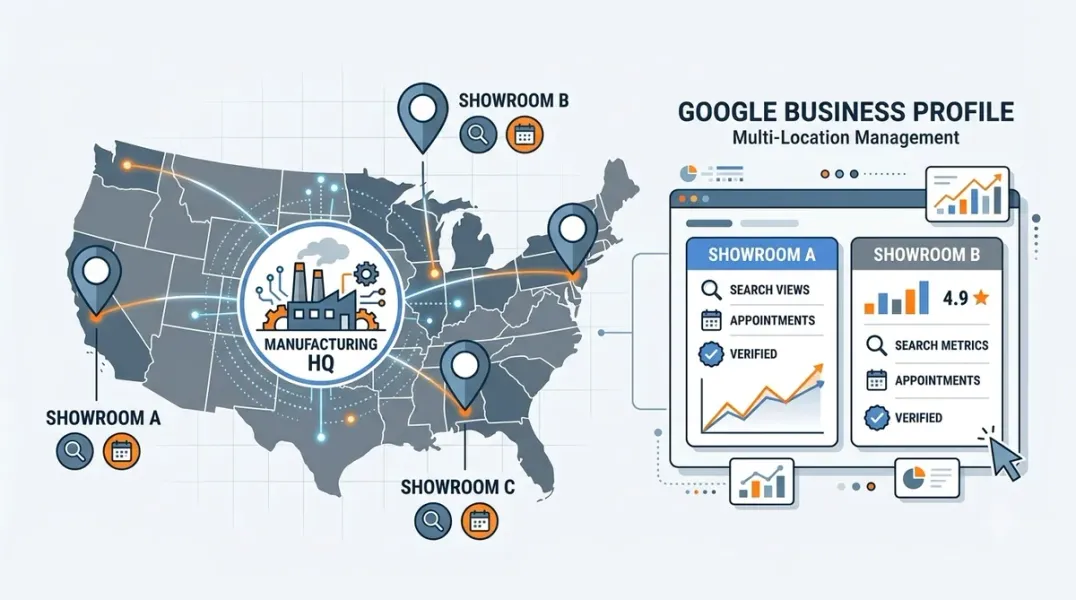
Multiple Physical Locations Each real address needs its own profile. If you have a manufacturing HQ, a regional showroom, and a distribution warehouse in different cities, each gets a separate profile with its own category, hours, and content .
A common mistake: creating one profile that tries to cover multiple locations. This dilutes relevance and confuses both Google and buyers.
Choosing Categories That Match Buyer Searches Your primary category is the single most important field on your profile. Pick it around buyer search intent, not your legal entity type .
Primary Category Options “Manufacturer,” “Wholesaler,” “Import Export Company,” or “Corporate Office” produce very different search matches. A precision CNC shop should consider “Machine Shop” or “CNC Machining Service” over the generic “Manufacturer” .
Secondary Categories Add up to 9 secondary categories if your business genuinely spans multiple services. A company that manufactures and distributes may qualify for both categories .
What to Avoid Do not select “Corporate Office” when buyers search “industrial valve supplier.” Category mismatches bury you in search even after verification clears .
Building Trust with Reviews and Photos B2B buyers read reviews before choosing a vendor. Research shows higher-rated businesses with more reviews consistently outrank others in the Local Pack .
Review Collection for Manufacturers Make review requests part of how you close out projects. After a successful delivery or installation, ask satisfied clients if they would share a brief note on your Google Business Profile. Position it as helping other businesses find reliable partners .
Aim for consistent collection rather than bursts. A steady flow of recent reviews signals an active, trustworthy operation.
Photos That Humanize Your Business Visuals of your facility, team, and work humanize your business, build credibility, and can serve as a tie-breaker for prospects . For manufacturers, this includes photos of your production floor, equipment, completed projects, and your team at work.
Add new photos monthly to signal an active business to both Google and the people viewing your profile .
Completing Your Profile for B2B Buyers A thin profile ranks behind competitors with complete ones even when both are verified .
Business Description Write a description up to 750 characters that explains what you make, who you serve, and where you operate. Prioritize clarity over keyword density. Include your core specialty and service region naturally within the first 250 characters .
Services and Products Use the Services section to list what you offer. Be specific. “CNC Machining,” “Welding and Fabrication,” and “Prototype Development” help Google understand what you provide and can surface your profile for specific searches .
Q&A Section Seed your profile with the questions prospects actually ask: “What industries do you serve?” “What are your lead times?” “Do you offer on-site consultations?” Answer each within 24 hours. If you leave the Q&A empty, a stranger might answer incorrectly before you get the chance.
Managing Multiple Locations at Scale For manufacturers with several regional offices or showrooms, governance matters as much as optimization.
Create Business Groups Use Google Business Profile Manager to create business groups for different regions or location types. This lets you share management access with local teams while maintaining central control .
Bulk Verification for 10+ Locations If your business has 10 or more locations, you can manage them through bulk verification rather than verifying each profile individually. Use a spreadsheet to submit all locations at once .
Unified Posting Google now allows multi-location businesses to publish a single post—a new product line, seasonal hours change, or trade show announcement—and push it across every connected location profile at once . This closes the gap that made most multi-location profiles go stale.
Building Local Landing Pages A Google Business Profile does not exist on its own. Google increasingly checks it against the business’s own website. Each location needs a dedicated page with correct address, hours, directions, and a way to contact, order, or request a quote .
A single generic “Contact Us” page trying to cover every branch is a weaker signal—and gives a real visitor a worse experience when they land looking for one specific location .
Conclusion
Google Business Profile optimization for manufacturers is not a one-time setup. It requires ongoing attention to categories, reviews, photos, and service content across every showroom and regional location. The manufacturers that treat their profiles as living assets—updated monthly, monitored consistently—are the ones that reach nearby business buyers who are actively searching for suppliers within their region.
Call to Action
Ready to turn your Google Business Profile into a lead channel? Audit your showroom and regional locations today using the strategies in this guide. If you need expert help managing multi-location profiles for your manufacturing business, contact our local SEO team for a free consultation.
FAQs
1. Should manufacturers use storefront or service-area profiles?
Use storefront if buyers physically visit your facility. Use service-area if you deliver or service across a region without walk-in traffic. Most industrial and construction companies are service-area businesses .
2. What is the best primary category for a manufacturer?
Choose based on how buyers search, not your legal entity type. “Manufacturer,” “Wholesaler,” or a specific category like “Machine Shop” may each produce different results .
3. How do I manage Google Business Profiles for multiple locations?
Create business groups for different regions, use bulk verification if you have 10+ locations, and enable unified posting to push announcements across all profiles at once .
4. How many reviews do I need for a manufacturer profile?
There is no fixed number, but volume and recency both matter. B2B buyers read reviews before choosing a vendor. Aim for consistent collection after each successful project .
5. Does my manufacturer profile need a website landing page?
Yes. Each location needs its own page with correct address, hours, and a way to contact or request a quote. A single generic contact page is a weaker signal .
6. Why does category selection matter so much for manufacturers?
Category mismatches bury you in search. Selecting “Corporate Office” when buyers search “industrial valve supplier” means you will not surface for the searches that actually generate leads .
Internal & External Links
- Internal Link: [How B2B Companies Can Use Google Business Profiles to Reach Nearby Business Customers] (Topic #128)
- Internal Link: [How to Evaluate the Data Quality of a Multi-Location Marketing Database] (Topic #136)
- Internal Link: [Google Business Profile Booking Links: How to Help Customers Schedule Appointments] (Topic #117)
- External Link: Google Business Profile Help: Manage Multiple Locations (official Google multi-location guidance)
- External Link: Google Business Profile Help: Create Business Groups (official Google business group documentation)
Grow Your Google Maps Ranking on Autopilot
Stop spending hours every week manually replying to customer reviews and writing Google posts. Busirank automates your Google Business Profile to boost your local SEO rankings and turn searchers into paying clients.

 Busirank Team
