 Busirank Team
Introduction
When a parent moves to a new area, one of their first searches is often about schools. They type “best school near me” or “[grade level] school in [city]” and scan the results within seconds. For educational institutions with multiple campuses, the challenge is not just appearing in those searches—it is appearing correctly, consistently, and competitively for every location you operate.
A single Google Business Profile (GBP) is straightforward to manage. Ten or twenty profiles across different neighborhoods, cities, or regions is a different problem entirely. Inconsistent information, unclaimed locations, and neglected reviews can quietly erode enrollment inquiries before a prospective family ever reaches your website.
This guide covers how educational institutions can manage Google Business Profiles across multiple campuses, from bulk verification and central governance to local optimization and review management.
The stakes are higher for schools because of volume. A small private school network with five campuses has five separate profiles, each requiring its own reviews, photos, hours, and posts. A university with satellite locations, extension centers, or multiple departments faces an even larger footprint.
When these profiles are managed inconsistently, the damage compounds. A campus with outdated hours loses visits. A location with three reviews from years ago looks inactive next to a competitor with recent feedback. A profile that has never been claimed may show incorrect information entirely.
The institutions that get this right treat each campus as its own local brand while maintaining central governance over the fundamentals . The result is not just visibility—it is qualified enrollment inquiries from families who found the right campus at the right moment.
Bulk Verification for Multi-Campus Institutions If your institution has 10 or more locations, you can manage them through bulk verification rather than verifying each profile individually .
Eligibility Requirements To qualify for bulk verification, your spreadsheet must contain 10 or more profiles from the same business. Agencies managing multiple different businesses in one account cannot bulk verify . Duplicate, suspended, or disabled profiles do not count toward the 10-profile minimum.
Your institution also cannot be a Service Area Business. Schools with physical campuses qualify as storefront businesses .
The Verification Process Sign in to Business Profile Manager on a computer. On the left, select Verifications, then Chain, then Start. Fill in the form and submit. After review, you will receive confirmation via email .
Staying Verified Bulk verification is not permanent. Google may de-verify accounts that do not actively manage their profiles. To stay verified, review your account regularly for errors, update profiles, and respond to any outreach from Google. Abuse of bulk verification privileges can result in revocation .
Central Governance vs. Local Control The most effective multi-campus structures balance central oversight with local flexibility .
What Central Teams Should Control Your central marketing or administration team should own the fundamentals that must remain consistent across every campus. This includes the official institution name, primary category, and core NAP data. Google requires all locations within the same country to use the same name unless real-world representation consistently varies . Category consistency is equally important—all locations providing the same service must share the primary category .
Central teams should also manage the verification status of all profiles, maintain a master spreadsheet of campus data, and handle escalated issues that local teams cannot resolve.
What Local Teams Should Control Campus-level staff are best positioned to manage local content. This includes responding to reviews from their community, posting about campus-specific events and open houses, uploading photos of their facilities and activities, and updating hours for local holidays or closures .
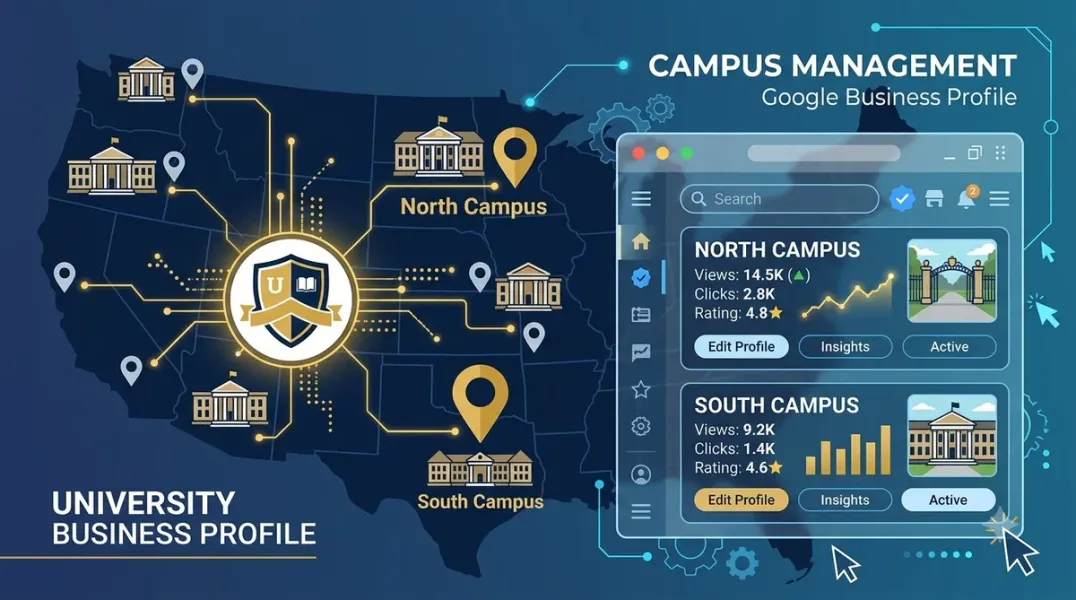
Managing Permissions at Scale Google’s account structure supports multi-campus management through organization accounts, location groups, and user groups .
An organization account represents your institution at the top level. Location groups let you organize campuses by region, school type, or other categories—and a campus can belong to multiple groups simultaneously . User groups allow you to grant permissions to staff members in bulk. When a new campus administrator joins, you can add them to the appropriate user group and they immediately inherit access to the locations they need .
This structure prevents the common problem of individual profiles being owned by staff members who leave the institution, taking access with them.
Optimizing Each Campus Profile for Local Search Each campus profile needs the same optimization attention you would give a single-location school.
Complete Every Field Fill out your institution’s name, address, phone number, and website immediately. The category, attributes, and services sections require more time but are equally important . Double-check contact information—any discrepancies across profiles will flag as inconsistencies and push you lower in search results .
Write Descriptions That Serve Parents The “from the business” section should put key information within the first 250 characters. Repurpose content from your school’s website and use keywords that parents and students actually search for . Avoid institutional language. Describe what a family will find at that specific campus—grade levels, programs, facilities, and what makes it distinct.
Photos and Posts Add photos to each campus profile to boost engagement, build trust, and prove credibility . Post about campus-specific announcements, open days, events, and awards. Google Posts signal activity to both parents and the search algorithm.
Addressing Google Reviews for Schools Google has begun rolling out policy changes for reviews on school and educational institution profiles. The goal is to prevent misuse and reviews that do not represent real experiences from students or parents .
Current Review Status Some educational institution profiles may still display reviews while Google’s updates are being implemented gradually. If your profile is correctly categorized but reviews remain active, you can request manual review through Google’s support form .
Category Accuracy Matters Ensure your primary category is set correctly—“Private School,” “Educational Institution,” “School,” or similar. Incorrect categories like “Educational Service” or “Education Company” may prevent the review policy from applying to your profile .
If Reviews Remain Active If your reviews are still showing and you want them disabled, submit a request through Google’s official support form. Include your profile name and ID, a direct link to your Google Maps profile, and a clear explanation that your profile is an educational institution requesting review deactivation under current policy .
Building Local SEO Beyond the Profiles Campus-Specific Landing Pages Each campus should have its own content-rich landing page on your institution’s website, with LocalBusiness schema markup . These pages give Google a destination to associate with each profile and provide parents with campus-specific information.
Hyperlocal Backlinks Local backlinks from community partners, events, and local press strengthen each campus’s local relevance . A campus that sponsors a local sports team or partners with a nearby business gains signals that a generic directory listing cannot provide.
Conclusion
Managing Google Business Profiles across multiple campuses is a governance challenge as much as a marketing one. The institutions that succeed are those that establish clear central control over fundamentals while empowering local teams to manage their own communities. Bulk verification, proper account structures, consistent optimization, and proactive review management create a foundation that scales. When executed well, each campus becomes a local discovery point that feeds qualified families into your enrollment pipeline.
Call to Action
Ready to bring consistency and visibility to your institution’s Google presence? Audit your campus profiles today using the strategies in this guide. If you need expert help managing multi-location profiles for your school or university, contact our local SEO team for a free consultation.
FAQs
1. How many locations do I need for bulk verification?
You need 10 or more profiles from the same business. Duplicate, suspended, or disabled profiles do not count toward the minimum .
2. Can agencies bulk verify multiple schools in one account?
No. Agencies with more than one business in one account cannot bulk verify. Bulk verification is designed for institutions managing their own multiple locations .
3. What account structure should multi-campus schools use?
Use an organization account with location groups organized by region or school type, and user groups to manage staff permissions at scale. This allows new administrators to inherit access without individual profile-by-profile setup .
4. Why are reviews still showing on my school’s profile?
Google’s review removal policy for schools is being implemented gradually. If your profile is correctly categorized but reviews remain, you can request manual review through Google’s support form with your profile ID and explanation .
5. What is the correct category for a school profile?
Use “Private School,” “Educational Institution,” “School,” or a similar specific category. Avoid categories like “Educational Service” or “Education Company,” which may prevent the review policy from applying .
6. How often should campus profiles be updated?
Each campus should post at least weekly and refresh photos monthly. Central teams should audit all profiles quarterly for accuracy and consistency .
Internal & External Links
- Internal Link: [Google Business Profile Booking Links: How to Help Customers Schedule Appointments] (Topic #117)
- Internal Link: [Google Business Profile for Nonprofits: How to Improve Local Discoverability] (Topic #125)
- Internal Link: [How to Evaluate the Data Quality of a Multi-Location Marketing Database] (Topic #136)
- External Link: Google Business Profile Help: Verify Business Profiles in Bulk (official Google bulk verification guide)
- External Link: Google for Developers: Manage Locations at Scale (official API and account structure documentation)
Grow Your Google Maps Ranking on Autopilot
Stop spending hours every week manually replying to customer reviews and writing Google posts. Busirank automates your Google Business Profile to boost your local SEO rankings and turn searchers into paying clients.

 Busirank Team
