 Busirank Team
Introduction
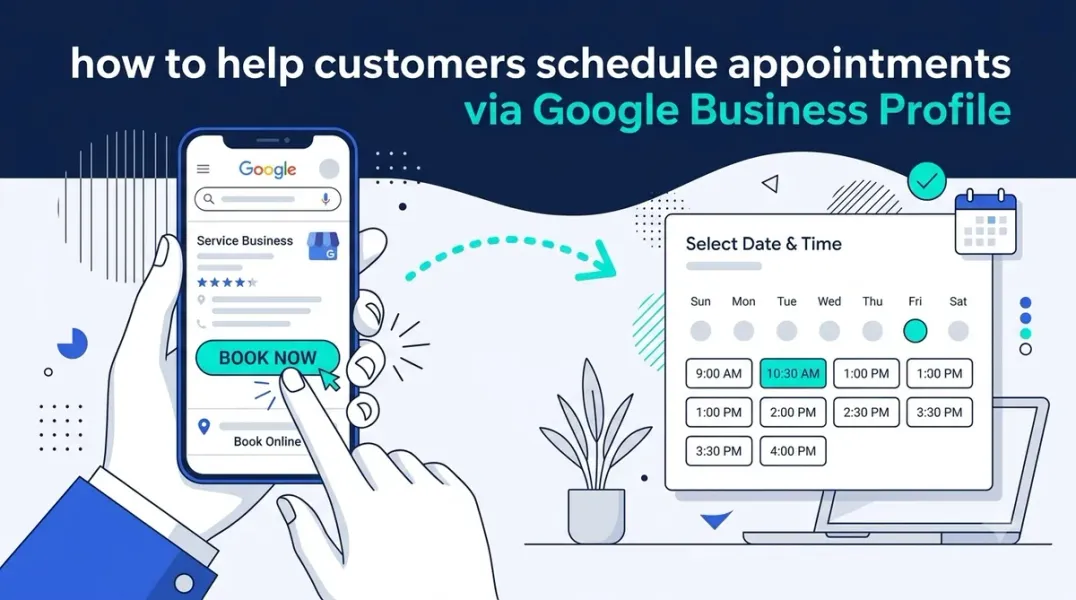
Imagine a customer discovering your business on Google Maps, deciding they want your service, and booking an appointment—all without visiting your website, making a phone call, or waiting for a reply. That is the power of Google Business Profile booking links.
For local businesses, the distance between discovery and appointment is where most customers are lost. Every extra step—finding a contact page, filling out a form, waiting for confirmation—adds friction and gives competitors a chance to win your customer. Booking links eliminate that friction by putting scheduling directly in front of the searcher. This guide explains what booking links are, how to set them up, and how to use them to turn more local searches into confirmed appointments.
In simple terms, it turns your Google listing from a static information page into an active conversion tool that captures appointments around the clock.
Why Booking Links Matter for Local Businesses Booking links are not just a convenience—they directly influence whether a searcher becomes a customer.
- Reduced Friction: Customers skip the hunt for a phone number or contact form. The path from interest to appointment becomes a single click.
- Higher Conversions: Mobile users especially prefer instant booking over calls or forms. Removing steps removes drop-off.
- 24/7 Availability: Your profile keeps capturing bookings even when your doors are closed or your phone lines are busy.
- Competitive Edge: If nearby competitors only list a phone number, your “Book” button signals a faster, more modern experience.
- Better Lead Quality: Customers who book themselves are already qualified—they have chosen a time and committed to showing up.
How to Add Booking Links to Your Google Business Profile Setup is straightforward, but you need a verified Google Business Profile.
- Sign In: Log in to the Google Business Profile Manager.
- Select Your Business: If you manage multiple locations, choose the specific location you want to edit.
- Find the Bookings Section: Look for the “Bookings” tab in the menu. Depending on your interface, you may need to click “Edit Profile” first.
- Choose Your Provider: Google shows a list of supported booking providers such as Booksy, Mindbody, Calendly, and others. If yours is listed, link your account directly.
- Add a Custom URL if Needed: If your provider is not listed, select the custom link option and paste the direct URL to your booking page.
- Verify and Publish: Test the link on both desktop and mobile to confirm it works, then click “Publish” or “Save.”
Best Practices for Booking Link Success Getting the link live is only half the job. These practices ensure it actually drives bookings.
- Use a Mobile-Friendly Booking Page: Most local searches happen on phones. A slow or clunky booking page will kill conversions.
- Keep Availability Accurate: Sync your calendar with real availability. Booking a slot you cannot fulfill damages trust.
- Track With UTM Parameters: Add UTM tags to your booking URL so you can see exactly how many appointments come from Google.
- Match Your Branding: Make the booking page look and feel consistent with your website and Google profile.
- Promote It Everywhere: Add the same “Book Now” link to your website, social bios, and email signatures for consistency.
Common Challenges and Solutions Even a simple feature can run into roadblocks. Here is how to handle the most common ones.
- The booking link does not appear on your profile. Confirm your profile is verified and your provider is supported. Approval can take up to 72 hours.
- You use a custom booking system Google does not support. Try the custom link option. If unavailable, consider a supported tool that integrates with your existing system.
- Customers book but do not show up. Enable automated SMS or email reminders through your booking software to reduce no-shows.
- Bookings are coming in but revenue is not growing. Review your service menu and pricing on the booking page—confusing options cause drop-off.
Conclusion
Google Business Profile booking links are one of the simplest, highest-impact upgrades you can make to your local marketing. They remove the barriers between your business and your customers, turning curiosity into confirmed appointments with a single click. By integrating scheduling directly into Google Search and Maps, you improve the customer experience and capture demand at the exact moment it appears—before a competitor does.
Call to Action
Ready to stop losing customers to friction? Log in to your Google Business Profile today and add your booking link. If you want help optimizing your profile for maximum appointments, contact our local SEO team for a free audit.
FAQs
1. Is adding a booking link to Google Business Profile free?
Yes, adding a booking link is free. Your third-party scheduling software may charge its own subscription fee.
2. Can I add a booking link without a website?
Yes. As long as you have a valid booking page URL—even one hosted by a third-party provider—you can add it to your profile.
3. Will the booking link show on both Google Search and Google Maps?
Yes. Once approved, the “Book” button typically appears on both Search and Maps listings.
4. Can I track how many bookings come from Google?
Yes. Use UTM parameters in your booking URL and review the data in Google Analytics or your booking software’s dashboard.
5. What if my booking provider is not on Google’s supported list?
You can usually add a custom link. If that option is unavailable, consider switching to a supported provider that integrates with your current system.
6. How long does it take for the booking link to appear?
It often appears within hours, but approval can take up to 72 hours in some cases.
Internal & External Links
- Internal Link: [How to Optimize Your Google Business Profile for Local SEO] (link to a related post on your site)
- Internal Link: [The Ultimate Guide to Local Citation Building] (link to a related post on your site)
- Internal Link: [How to Measure Appointment Conversion Rates From Local Search Traffic] (link to Topic #132 on your site)
- External Link: Google Business Profile Help: Add a Booking Link (official Google support)
- External Link: Calendly (example of a popular booking provider)
Grow Your Google Maps Ranking on Autopilot
Stop spending hours every week manually replying to customer reviews and writing Google posts. Busirank automates your Google Business Profile to boost your local SEO rankings and turn searchers into paying clients.

 Busirank Team
