 Busirank Team
Introduction
When a procurement manager needs a new supplier, a facilities director looks for a service provider, or an operations lead searches for a vendor within driving distance, the journey almost always starts on Google. They type “machine shop near me,” “IT security firm [city],” or “commercial HVAC contractors [city]” and scan the results within seconds. The B2B companies that appear in the top three map results capture the majority of those clicks—and the qualified inquiries—before anyone even visits a website.
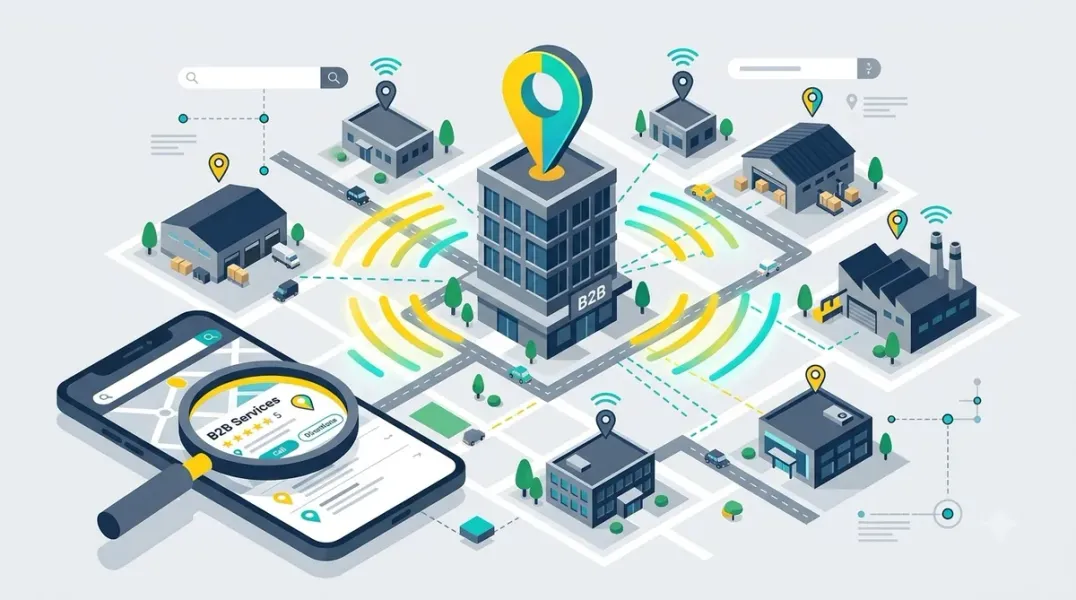
For B2B companies, Google Business Profile (GBP) is not just a listing. It is the digital storefront that determines whether a nearby business chooses your firm or the one across town. Most B2B companies assume local search only matters for retail and restaurants. That assumption costs them opportunities they never even see .
This guide covers how B2B companies can use Google Business Profiles to reach nearby business customers, from categories and reviews to service area configuration and lead generation.
Geographic proximity plays a different role in B2B. Your prospects care about location for practical reasons: faster response times, the ability to meet on-site for complex implementations, knowledge of local regulations, and time zone alignment . Many B2B services still need face-to-face interaction at some point. Complex implementations, executive briefings, and ongoing support relationships often work better with at least some in-person components .
The search behavior is telling. When someone types “manufacturing consultant in Chicago” or “IT security firm near me,” they’re not browsing. They’re comparing vendors right now. Building a shortlist .
Getting the Fundamentals Right Before posting or chasing reviews, lock down the basics Google weighs most heavily.
Choose Categories Carefully Your primary category is the single most important field on your profile. Google’s own guidelines say to select the most specific category that represents your core business—not a generic one . “Commercial HVAC Contractor” beats “Contractor.” “IT Security Service” beats “Computer Service.”
Add secondary categories for additional services, but keep them accurate. Google advises against using categories as keywords or listing attributes .
Write a Precise Description Most B2B descriptions read like generic brochure copy. They should read like a clear explanation of what you do and who you serve.
Detail core services, geographic reach, differentiators, and expertise. Prioritize clarity over keyword density . Include your city or service region naturally within the first 250 characters, since that is what shows in search previews.
Configure Your Service Area Many B2B companies travel to clients rather than operating a storefront. If you are a service-area business, configure every city and zip code you actively serve. Your ranking drops off at the edges of your configured area, so be thorough.
If you have an office where clients visit, use that address as your primary location but still list the areas you serve.
Build Trust with Reviews B2B buyers absolutely look at reviews when making decisions. Research shows 83% of consumers use Google, and B2B buyers behave the same way . A B2B company with three reviews from years ago reads as inactive next to one collecting fresh feedback.
Ask at the Right Moment The best time to request a review is right after a successful project delivery. Make review requests part of how you close out projects. After a successful delivery, ask satisfied clients if they’d share a brief note on your Google Business Profile. Position it as helping other businesses find reliable partners .
Aim for at least one or two new reviews a month. Consistency matters more than bursts.
Respond to Every Review Reply to every review within a few days, including the difficult ones. A thoughtful, professional response to a critical review often does more for your credibility than the review itself does damage. Future prospects watch how you handle criticism .
Photos That Humanize Your Business Visuals of your office, team, and work humanize your business, build credibility, and can serve as a tie-breaker for prospects . For B2B companies, this might include photos of your facility, your team at work, completed projects, equipment, and your workspace.
Add new photos monthly to signal an active, trustworthy business to both Google and the people viewing your profile.
Services, Posts, and Q&A Your profile should function as a mini resource that answers the questions a prospect has before they are willing to send an inquiry.
List Every Service Explicitly Use the Services section to list what you offer. Be specific. “CNC Machining,” “Welding and Fabrication,” and “Prototype Development” help Google understand what you provide and can surface your profile for specific searches.
Post Consistently Share updates—projects, certifications, insights—to demonstrate active management and expertise . Google Posts signal activity to both prospects and the search algorithm.
Seed the Q&A Section The Q&A section is consistently overlooked yet powerful. Seed your profile with the questions prospects actually ask: “What industries do you serve?” “What are your lead times?” “Do you offer on-site consultations?” Answer each within 24 hours. If you leave the Q&A empty, a stranger might answer incorrectly before you get the chance.
Building Local SEO Beyond the Profile NAP Consistency Across Directories Your name, address, and phone number must match exactly everywhere: your website, directory listings, social media, partner pages. Even small variations confuse Google’s algorithm . Pick one canonical format and use it everywhere.
Build Citations Strategically List your business in industry directories, chamber of commerce sites, and regional business associations. Quality beats quantity .
Location Pages That Prove Local Relevance If you operate in multiple areas, build unique pages for each one. Write about local market conditions, regional industry trends, challenges specific to that area. Include case studies from clients in that region when possible . Cloning one page and swapping out the city name does not work—Google recognizes the pattern.
Conclusion
Google Business Profile optimization for B2B companies is not a one-time setup. It requires ongoing attention to categories, reviews, photos, and service content. The B2B firms that treat their profile as a living asset—updated monthly, monitored consistently—are the ones that reach nearby business customers who are actively searching for suppliers and service providers in their region.
Call to Action
Ready to reach more business customers from local search? Audit your Google Business Profile today using the strategies in this guide. If you need expert help optimizing your B2B company for maximum visibility, contact our local SEO team for a free consultation.
FAQs
1. Does local SEO matter for B2B companies?
Yes. Procurement managers, operations directors, and CFOs search for suppliers and service providers in their region. Geographic proximity matters for response times, on-site meetings, and logistics .
2. What is the best primary category for a B2B company?
Choose the most specific category that represents your core business. “Commercial HVAC Contractor” beats “Contractor.” “IT Security Service” beats “Computer Service.” Google advises against using categories as keywords .
3. How many reviews do I need for a B2B Google Business Profile?
There is no fixed number, but volume and recency both matter. B2B buyers read reviews before choosing a vendor. Aim for at least one or two new reviews per month, collected consistently.
4. Should I use a storefront address or service-area mode?
If clients visit your office, use your office address. If you travel to clients, use service-area mode and configure every city and zip code you serve. Do not publish a home address.
5. How often should I post on Google Business Profile?
Weekly posting is ideal. Share project updates, certifications, and insights to demonstrate active management and expertise .
6. Why does NAP consistency matter for B2B companies?
Even small mismatches across directories erode trust signals Google uses to rank local businesses. Pick one canonical format and use it everywhere .
Internal & External Links
- Internal Link: [Google Business Profile Booking Links: How to Help Customers Schedule Appointments] (Topic #117)
- Internal Link: [Google Business Profile for Manufacturers: Managing Showrooms and Regional Locations] (Topic #129)
- Internal Link: [How to Build a Lead Qualification Process for Customers Coming From Google Maps] (Topic #133)
- External Link: Google Business Profile Help: Tips for Improving Your Local Ranking (official Google local search guidance)
- External Link: Google Business Profile Help: Category Selection Guidelines (official Google category guidelines)
Grow Your Google Maps Ranking on Autopilot
Stop spending hours every week manually replying to customer reviews and writing Google posts. Busirank automates your Google Business Profile to boost your local SEO rankings and turn searchers into paying clients.

 Busirank Team
