 Busirank Team
Introduction
Managing a single Google Business Profile is manageable through the dashboard. Managing fifty across multiple brands, regions, or franchisees is a different problem entirely. Manual edits don’t scale, and inconsistencies multiply faster than any team can correct them.
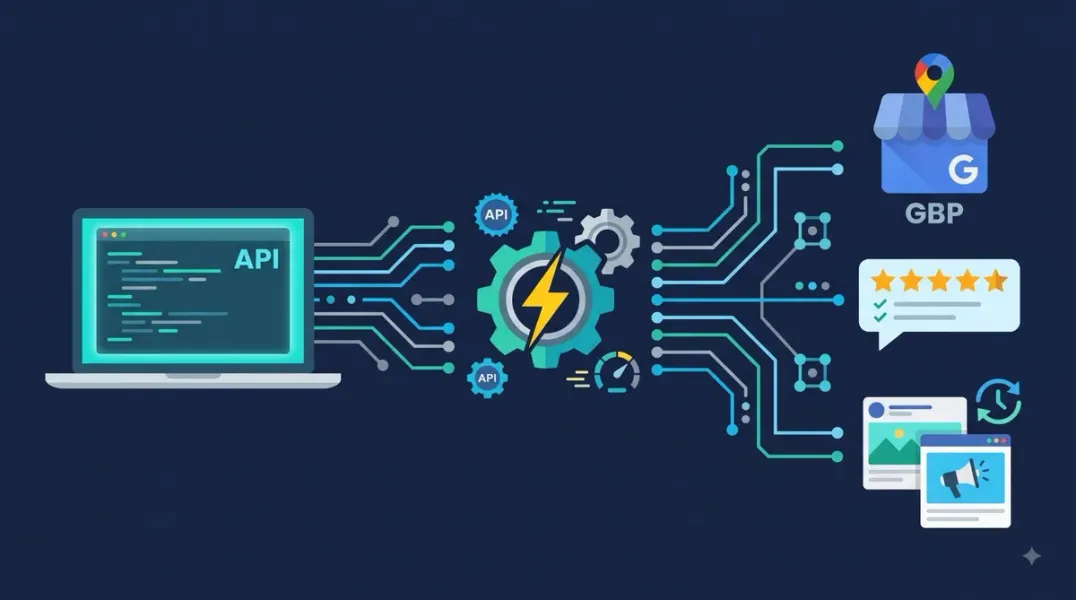
The Google Business Profile API exists for exactly this scenario. It’s a programmatic interface that lets developers build applications to interact directly with business location data on Google’s servers . Chains and third parties can use it to manage large or complex accounts more efficiently .
But the API isn’t a magic switch. It requires approval, technical implementation, and a clear understanding of what it can—and cannot—do. This guide explains the API’s capabilities, access requirements, and whether API-driven management is the right choice for your organization.
The Business Profile APIs provide an interface to manage business location information on Google. They use a federated model with separate endpoints for different functions, each with its own base URL . This design allows greater flexibility when consuming the APIs or launching new features.
The API isn’t a single product. It’s a collection of specialized endpoints covering account management, business information, reviews, posts, media, performance insights, and more. The legacy Google My Business API v4.9 handles all remaining functionality beyond the newer specialized endpoints .
What Businesses Can Automate with the API
The API offers much of the same functionality as the Business Profile user interface . For large or complex accounts, this means significant automation opportunities.
Location information management
- Editing location details programmatically
- Creating, updating, or deleting business listings
- Managing service-area businesses
- Searching for matching listings and claiming locations
Review and Q&A management
- Reading and responding to customer reviews
- Reading and responding to customer questions
- Subscribing to push notifications for new reviews
Content and media
- Creating and updating Google Posts
- Adding photos and viewing customer photos and videos
- Updating menu details like photos, descriptions, and prices
Performance and insights
- Viewing insights and performance data for locations
- Fetching metrics by location
User and account management
- Inviting and removing managers
- Creating user groups and location groups
- Managing account admins
Verification
- Starting the verification process for locations
- Fetching available verification options
What the API Cannot Do
The API doesn’t provide unlimited access to all Google Business Profile data. Even with API access, you must have permission to access a specific profile to query its data .
The API also isn’t a replacement for strategic judgment. It can publish a post, but it cannot write one. It can respond to a review, but it cannot determine the right tone. Automation handles volume; humans handle nuance.
Access Requirements: The Approval Gate
The Business Profile API is not available to all users. Every applicant must meet specific requirements :
- A valid Google Account
- A valid business reason for requesting access
- A valid Google Cloud project
- A valid business website URL
Google requires all applicants to manage a verified Google Business Profile that has been active for 60+ days . You must apply from an owner or manager account, and your business website must match the application .
The approval process:
- Create a Google Cloud project and enable the relevant APIs
- Submit the GBP API contact form for Basic API Access
- Wait for review and approval
Before approval, your quota is 0 QPM (queries per minute) — every API call fails. Approved projects typically receive 300 QPM per API .
The API Landscape: Specialized Endpoints
The Business Profile APIs include several specialized endpoints, each handling a different functional area :
| API | Primary Function |
|---|---|
| Account Management API | Manage business accounts and user access |
| Business Information API | Manage location information and attributes |
| Business Profile Performance API | Fetch performance insights |
| Reviews API | Read and respond to customer reviews |
| Q&A API | Manage location questions and answers |
| Local Posts API | Create and update posts |
| Media API | Add photos and view customer media |
| Notifications API | Manage notification settings |
| Verifications API | Verify locations |
| Lodging API | Manage hotel-specific attributes |
| Place Actions API | Manage booking and reservation links |
The Google My Business API v4.9 handles all other functionality .
Practical Automation Examples
The API’s real value emerges when you build systems around it.
Auto-publishing content. A WordPress plugin can connect to the Business Profile API via OAuth and automatically publish queued posts to a Google Business Profile when a blog post goes live . The plugin sends the caption text, featured image URL, call-to-action, and language code to Google .
AI-assisted review management. A Model Context Protocol (MCP) server can fetch reviews, generate contextually appropriate replies using an LLM, and post responses back to the profile—with a confirmation boundary before any public write operation .
Drafting workflows. An n8n workflow can run weekly, pull queued content ideas from Google Sheets, send them to Claude for drafting, enforce the 1,500-character limit, and email staff a ready-to-paste draft . The actual publishing still happens manually, but the API could handle that step if desired.
Multi-location bulk updates. Chains can update hours, descriptions, and attributes across hundreds of locations programmatically rather than editing each profile individually.
Rate Limits and Practical Constraints
The API has usage limits. Approved projects typically receive 300 queries per minute . For media uploads, Google accepts only about 10 edits per minute per profile, so bulk photo operations need to be queued and applied gradually rather than in immediate writes .
OAuth credentials are required. Every application calling the API must use its own OAuth client credentials—shared secrets violate Google’s terms . The client secret and refresh token should be treated as passwords .
Conclusion
The Google Business Profile API transforms local listing management from a manual, error-prone process into a programmatic system. It can automate location updates, review responses, content publishing, and performance reporting across hundreds of profiles.
But it isn’t accessible by default. Google requires a valid business reason, a verified profile active for 60+ days, a Cloud project, and an approved application. Until approval, the quota is zero.
For organizations managing multiple locations or brands, the API is the difference between scaling and drowning. For single-location businesses, the dashboard remains sufficient. The question isn’t whether the API is powerful—it is. The question is whether your operation is large enough to justify the technical investment and the approval process.
Call to Action
Managing locations at scale? Download our GBP API Readiness Checklist—a step-by-step guide covering access requirements, Cloud project setup, and automation opportunities for multi-location businesses.
FAQs
Q: Can anyone access the Google Business Profile API? No. Access is granted at the Google Cloud project level after an application review. You must have a valid Google Account, a legitimate business reason, a Cloud project, and a business website. Your Business Profile must be verified and active for 60+ days .
Q: What is the API quota before approval? 0 QPM (queries per minute). Every API call fails until Google approves your Basic API Access application. Approved projects typically receive 300 QPM per API .
Q: Can I use the API to respond to reviews automatically? Yes, you can read reviews, draft responses, and post replies programmatically. However, best practice is to include a human confirmation boundary before publishing public responses .
Q: Does the API replace the Business Profile dashboard? No. The API offers much of the same functionality as the user interface, but it’s designed for programmatic management at scale . The dashboard remains the primary interface for most businesses.
Q: What OAuth scope does the API require? The business.manage scope is required for managing Business Profile data .
Internal & External Links
Internal Links
- [Google Business Profile API vs Manual Management: Which Workflow Is Better?]
- [How to Build a Google Business Profile Approval Workflow for Marketing Teams]
- [How to Audit Google Business Profile User Permissions Across Your Organization]
External Sources
- Google Developers: Business Profile APIs Overview
- Google Support: Use the Business Profile API
- Google Developers: Business Profile APIs Usage Eligibility
Grow Your Google Maps Ranking on Autopilot
Stop spending hours every week manually replying to customer reviews and writing Google posts. Busirank automates your Google Business Profile to boost your local SEO rankings and turn searchers into paying clients.

 Busirank Team
