 Busirank Team
Introduction
Selecting local marketing software is not a feature comparison exercise. It is an integration decision. The platform you choose will either connect cleanly to the systems your business already depends on—or it will become another isolated tool that adds work rather than removing it.
The stakes are higher for multi-location brands than for single-location businesses. You are not just connecting one Google Business Profile. You are syncing location data across dozens or hundreds of listings, integrating with the CRM your sales team uses, pulling data into the analytics warehouse your leadership reviews, and ensuring that every downstream system receives accurate information.
This guide explains how to evaluate integration requirements before you commit. It covers the difference between direct and third-party integrations, the connections that matter most for local marketing, and the evaluation framework that prevents expensive post-purchase surprises.
When a vendor claims “500+ integrations,” the number is meaningless without context. What matters is whether those integrations are direct or third-party, and whether they give you control over your data.
Direct (API) integrations connect your platform directly to the end destination—Google Business Profile, Apple Business Connect, Facebook, or Bing Places. These are fast, reliable, and typically come with performance insights. You can update listings directly, publish posts, and track visibility from one place . When you change a location’s hours, the update propagates immediately to the platform.
Third-party network integrations route your data through a data aggregator, which then passes it to downstream platforms. These extend your reach to directories and navigation systems that do not offer direct APIs—Waze, certain GPS systems, and many smaller directories . However, you sacrifice control and reporting. Updates travel through a chain, and you may not be able to verify exactly what appears on the destination platform.
The evaluation question: Does the platform offer direct API connections to the platforms that matter most for your visibility (Google, Apple, Facebook, Bing)? Third-party reach is valuable, but it should supplement—not replace—direct control over your most important listings .
The Core Systems Local Marketing Software Must Connect With
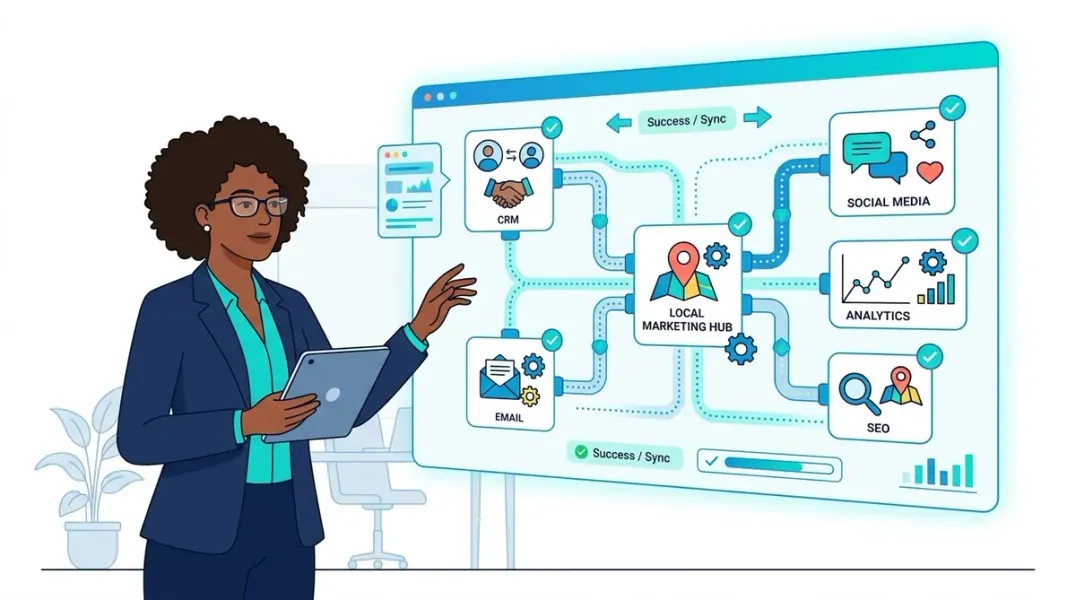
Local marketing does not exist in isolation. The software you choose will need to exchange data with other systems your business already uses. Evaluate integration requirements across these categories:
CRM and Customer Data Platforms
Your local marketing platform should sync with your CRM so that leads generated from local campaigns flow into your sales pipeline automatically. The reverse matters too: when a customer’s record updates in the CRM, that information should be available for local segmentation and personalization .
Ask: Does the platform have a native CRM connector, or will you need custom development? Does the data sync automatically or manually? How frequently?
Location Data Sources
Your source of truth for location information—whether a franchise management system, a master location database, or a spreadsheet—needs to feed into the marketing platform. If your platform cannot ingest data from your existing location management system, you will maintain data in two places, which guarantees inconsistency .
POS or Booking Systems
For businesses where customer visits are the primary conversion (restaurants, retail, fitness, healthcare), connecting the marketing platform to POS or booking systems enables attribution. You can see which campaigns drove actual transactions, not just clicks. This integration is often the difference between measuring marketing activity and measuring marketing results .
Analytics and Data Warehouses
If your organization uses a data warehouse (Snowflake, BigQuery, Redshift) for reporting, the local marketing platform should be able to export raw event data or connect directly to the warehouse. Without this, you are either manually exporting reports or relying on the platform’s native analytics, which may not align with your enterprise reporting standards .
Social Media Platforms
If the platform publishes to social media, it needs direct connections to Facebook, Instagram, and other channels where you maintain local pages. Confirm whether the connection is for publishing only or also for engagement and reporting .
Questions to Ask About Integration Architecture
Beyond “does it integrate,” ask these questions to assess integration quality.
Is the integration native or custom-built? Native integrations are maintained by the vendor and typically updated when APIs change. Custom integrations require your team or a systems integrator to build and maintain them—which means ongoing cost and risk .
What data flows in which direction? Some integrations are one-way (platform pushes data out). Others are two-way (data syncs both directions). For CRM connections especially, two-way sync prevents data silos and ensures both systems have current information .
How does the platform handle API rate limits and failures? Marketing platforms that connect to Google, Meta, and other APIs face rate limits as scale increases. Ask how the vendor manages throughput, what happens when an API call fails, and whether they have monitoring in place to catch data quality issues before they reach your dashboards .
What happens to your data if you leave? Vendor lock-in is real. Before signing, confirm that you can export your location data, campaign history, and performance metrics in a usable format. Insist on clear data extraction clauses and a tested process for migrating history to your own systems .
Red Flags in Integration Claims
Vague “hundreds of integrations” claims without clarity on type. Ask specifically: how many are direct APIs? Which platforms? Can you see a list?
Opaque data transformations. If the platform’s connector “hides” field-level transformations—for example, how it maps your location identifiers to external platform IDs—attribution may break later. Ask for documentation of how data is transformed .
No sandbox or trial environment. A vendor confident in their integrations will let you test them. If you cannot access a sandbox to validate data flow before signing, that is a warning sign .
Integration “roadmap” promises. If the integration you need is “on the roadmap” rather than available today, assume it will not be ready when you need it.
A Practical Evaluation Framework
Step 1: Document your must-have integrations. List every system the platform must connect with—CRM, location database, POS, analytics warehouse, social platforms. Separate must-haves from should-haves .
Step 2: Map the data flows. For each must-have integration, define what data needs to move, in which direction, and how frequently. This prevents discovering mid-implementation that a “supported” integration does not cover your use case .
Step 3: Test with real data. Request a sandbox or trial environment and run a test: add a location, update its hours, push it to Google, and verify the change appears. Import a segment from your CRM and confirm it reaches the marketing platform. Test the export path to your analytics system .
Step 4: Request references from similar organizations. Ask for customers with comparable scale and integration stacks. A reference from a 5-location business will not tell you how the platform performs at 200 locations with a data warehouse integration .
Step 5: Validate the exit path. Confirm that data export is available, well-documented, and does not require vendor assistance or additional fees.
Conclusion
Choosing local marketing software is an integration decision as much as a feature decision. The platform with the longest feature list is not necessarily the right choice if it cannot connect to the systems your business depends on—or if those connections are indirect, unreliable, or opaque.
Direct API connections to Google, Apple, and the other platforms that matter give you control. Native integrations with your CRM, location database, and analytics systems give you efficiency. And a clear exit path gives you leverage.
Evaluate integration requirements before you evaluate anything else. The features you need will only deliver value if the data can flow freely between the systems that use them.
Call to Action
Ready to evaluate local marketing platforms with confidence? Download our Integration Requirements Checklist to document must-have connections, map data flows, and ask vendors the questions that separate real integrations from marketing claims.
FAQs
Q: What is the difference between a direct API integration and a third-party integration? A: Direct API integrations connect your platform straight to the destination (Google, Apple, Facebook) with fast updates and full control. Third-party integrations route data through an aggregator, extending reach to platforms without APIs but sacrificing control and reporting .
Q: Which integrations matter most for local marketing software? A: Priority connections include Google Business Profile (direct API), your CRM, your location data source, and your analytics or data warehouse. For businesses with physical locations, POS or booking system integration enables revenue attribution .
Q: How can I test integrations before signing a contract? A: Request a sandbox or trial environment and run a real workflow: add a location, update its data, verify propagation to external platforms, and test the export path to your analytics system. Ask for customer references with similar integration stacks .
Q: What are red flags in a vendor’s integration claims? A: Vague claims about “hundreds of integrations” without clarity on type, opaque data transformations, no sandbox for testing, and integrations that are “on the roadmap” rather than available today .
Q: How do I avoid vendor lock-in? A: Confirm in the contract that you can export your location data, campaign history, and performance metrics in a usable format without vendor assistance or additional fees. Test the export process before you commit .
Internal & External Links
Internal Links
- How to Measure the Cost of Manual Business Listing Maintenance
- How to Build a Master Location Database for Local Marketing Teams
- How to Map Local Marketing Workflows Before Implementing Automation
External Sources
- PinMeTo: Direct vs Third-Party Network Integrations https://www.pinmeto.com/blog/third-party-network-integrations/
- Birdeye: Marketing Automation RFP Template for Multi-Location Brands https://birdeye.com/sg/resources/guides/marketing-automation-rfp-template-for-multi-location-brands/
- PromoRepublic: How to Unify Local Marketing for Retail Chains https://promorepublic.com/en/blog/how-to-unify-local-marketing-for-retail-chains/
Grow Your Google Maps Ranking on Autopilot
Stop spending hours every week manually replying to customer reviews and writing Google posts. Busirank automates your Google Business Profile to boost your local SEO rankings and turn searchers into paying clients.

 Busirank Team
